In project management, crashing is when you throw more resources at a problem to finish faster. It’s a deliberate trade-off: you spend more money to save precious time, usually to hit a critical deadline without cutting corners on the project's scope or quality.
You pull this lever when the cost of being late is far higher than the cost of speeding things up.
Why Project Delays Are So Costly and How Crashing Helps
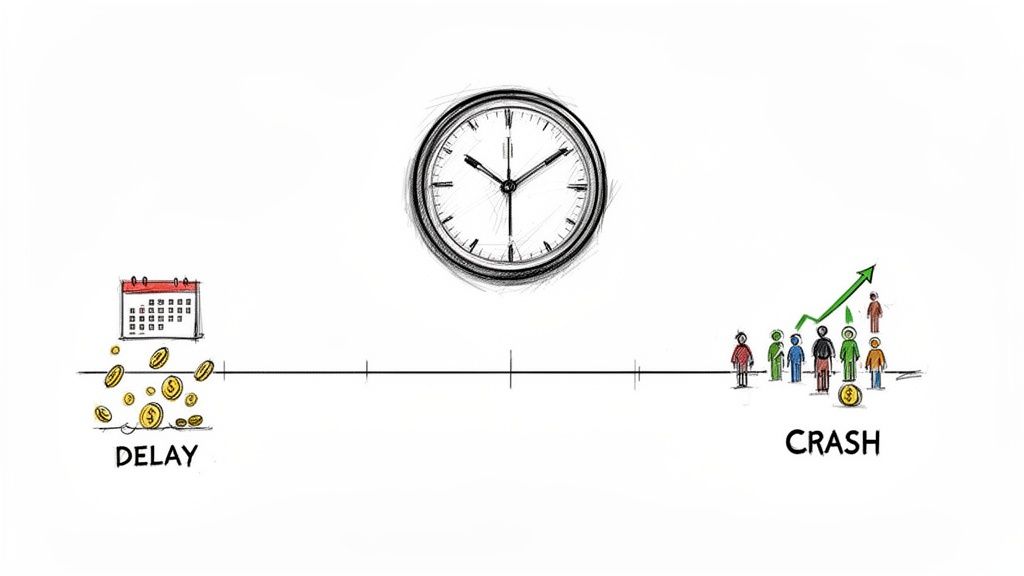
Picture this: your team is on the home stretch, just days away from a huge product launch. Suddenly, a show-stopping bug surfaces, and fixing it looks like it will delay everything by two weeks. A two-week slip isn't just an inconvenience. It means your competitors get a leg up, pre-planned marketing campaigns fizzle out, and you lose out on all that "first-to-market" revenue.
In a situation like this, the cost of doing nothing, which is the delay, is way bigger than the cost of fixing the problem now. This is the exact moment when crashing becomes your most valuable strategic play.
The True Price of a Missed Deadline
Project delays have a nasty habit of creating ripple effects that go way beyond a missed calendar date. They can cause real financial and reputational harm that cascades through the entire organization.
The fallout from a delay often includes:
- Budget Overruns: Every extra day your team is working costs money, from salaries to overhead.
- Missed Market Opportunities: If you launch late, you might lose that crucial first-mover advantage and hand over market share to a competitor.
- Damaged Reputation: Consistently failing to deliver on time chips away at the trust you've built with clients, stakeholders, and even your own team.
- Contractual Penalties: Many commercial contracts have built-in financial penalties for late delivery, turning a delay into a direct, hard cost.
The hard truth is that most projects don't stick to the plan. A shocking 35% of projects are actually completed on time and on budget. This widespread issue contributes to a staggering loss of around $2 trillion globally each year from poor project performance, as highlighted in project management statistics from Ravetree. This is the backdrop that makes proactive techniques like crashing so essential.
Crashing isn't a panic button. It’s a calculated business decision. You’re strategically investing resources (like bringing on extra developers or paying for overnight shipping on materials) to shorten critical tasks and get your timeline back on track. It's about delivering value when it matters most.
Mastering the Time and Cost Tradeoff
At its core, project crashing is built on a trade-off we all get instinctively: you can almost always trade money for time. Think about the last time you bought something online. You probably had a choice between free shipping that takes a week and express shipping that gets it to your door tomorrow for an extra $10. You weigh how badly you need the item against the extra cost and make a call.
Project crashing is the exact same idea, just scaled up for multi-million dollar projects. It’s not about mindlessly throwing cash at a problem to make it go away faster. Instead, it’s a focused, calculated strategy. The goal is to make smart, data-driven investments to shorten the project timeline only where it counts. This precision is key to getting the biggest time savings for the smallest possible cost.
Calculating the Crash Cost Slope
To make those smart decisions, you need a way to measure the trade-off. This is where a simple but incredibly useful tool called the crash cost slope comes in. It’s a formula that tells you precisely how much it costs to shave a single day off any given task, giving you a way to compare your options with total clarity.
Here’s the formula:
Crash Cost Slope = (Crash Cost - Normal Cost) / (Normal Time - Crash Time)
Let's unpack that. The "Crash Cost" is the new, higher price tag for completing a task on the faster schedule, while "Normal Cost" is what you originally budgeted. Likewise, "Crash Time" is the new, shorter timeframe, and "Normal Time" is how long it was supposed to take.
When you subtract the costs and the times, then divide the two, you get the cost per day saved. That one number is your north star. It lets you scan all the tasks on your project's critical path and immediately see which ones offer the most bang for your buck. A task with a low crash cost slope is a perfect candidate because it’s relatively cheap to speed up.
Putting the Formula into Practice
Let's make this real. Imagine a critical path task called "Software Module Development" is scheduled to take 20 days and cost $10,000. Your team figures that by bringing on a specialized contractor, you could get it done in just 15 days, but the task's total cost would jump to $12,500.
Time to plug those numbers into our formula:
- Crash Cost: $12,500
- Normal Cost: $10,000
- Crash Time: 15 days
- Normal Time: 20 days
Here’s the calculation: ($12,500 - $10,000) / (20 days - 15 days) = $2,500 / 5 days = $500 per day.
This answer is pure gold. It tells you that accelerating this specific task costs an extra $500 for every single day you save. Now you can run the same calculation for other critical tasks and find the most cost-effective place to invest, making sure every dollar is spent with surgical precision.
A Practical Step-by-Step Guide to Project Crashing
When the clock is ticking and you need to shorten a project timeline, crashing isn't about hitting the panic button and just throwing money at the problem. It’s a deliberate, surgical process. A methodical approach is the only way to get the most bang for your buck: maximum time savings for the minimum cost.
This whole process boils down to a fundamental trade-off, which this visual breaks down nicely.
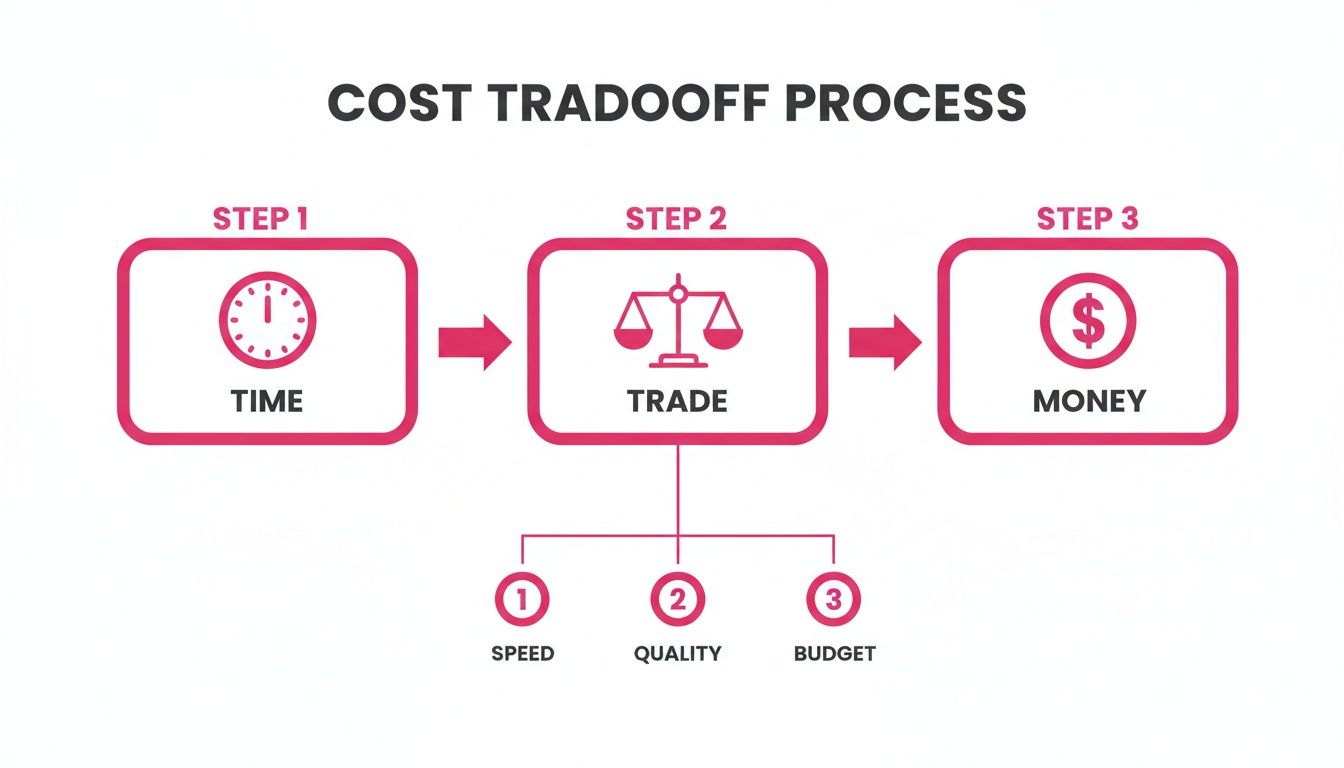
As you can see, you’re essentially trading money for time. You're injecting extra resources to buy back precious days on the calendar. But how do you do it smartly?
1. Identify Your Critical Path
First things first, you have to find your project's critical path. This is the single longest chain of dependent tasks that dictates the absolute earliest you can finish the entire project. If a task isn't on this path, speeding it up is a waste of money because it won’t move the finish line an inch.
Think of it like a relay race. You only speed up the team by helping the runner who currently has the baton. Giving a boost to someone still waiting for their turn does absolutely nothing for the team's overall time. The same logic applies here; focus only on the tasks that are currently holding up the finish date.
If you need a refresher, we've got a great guide on the critical path method.
2. Calculate Crash Costs for Each Critical Task
Now that you have your list of critical tasks, it's time to put a price tag on speed. For each one, you need to figure out exactly how much you could shorten it and what that would cost in terms of extra resources (overtime, more staff, better equipment, etc.).
By using the crash cost slope formula, you can calculate the cost to save a single day for every task you're considering. This is where the magic happens. Vague ideas like "let's speed up coding" turn into concrete, comparable numbers, showing you exactly which tasks offer the most cost-effective time savings.
3. Systematically Crash and Recalculate
With your list of costs in hand, the real work begins. Start with the task on the critical path that has the lowest crash cost per day. Don't go all-in at once. Apply just enough resources to shorten that one task by a day or two, whatever makes the most sense for your target.
Crucial Insight: As soon as you shorten a task on the critical path, the entire path can change! A different sequence of tasks that was previously shorter might now be the longest one. This is the detail that trips up a lot of people.
Because of this, you have to work in a cycle. It's an iterative process:
- Crash the cheapest critical task.
- Update the entire project schedule with the new duration.
- Recalculate to find the new critical path.
- Repeat this loop until you hit your deadline or the cost of saving another day is just too high.
This rinse-and-repeat method ensures you never waste a dime crashing a task that no longer dictates your project's end date.
4. Document and Communicate All Changes
Don't let poor communication derail your hard work. It's shocking, but 39% of all projects fail due to bad planning, which leads to stretched timelines and misallocated resources. In the IT world alone, this often results in budget overruns that average a whopping 27%.
Every decision to crash a task needs to be written down, including the justification, the cost, and the impact on the schedule. This isn't just busywork; it's about creating a clear audit trail that keeps every stakeholder on the same page about the new plan and the revised budget. It’s absolutely essential, especially for remote teams trying to keep everything aligned.
Choosing Between Crashing and Fast Tracking
When your project timeline starts to feel the squeeze, you've got two classic moves to get back on track: crashing and fast tracking. Both are designed to shorten your schedule, but they go about it in completely different ways. The right choice really boils down to your specific situation, including your budget, how much risk you can stomach, and what kind of tasks are holding you up.
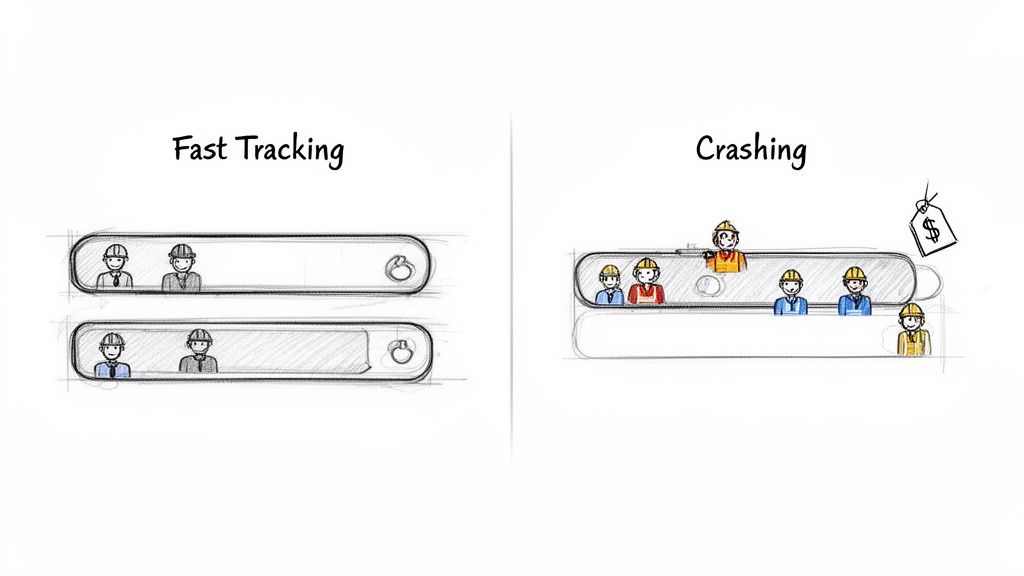
Crashing a project, as we've been discussing, is all about throwing more resources at a problem to speed up critical tasks. Think overtime, more staff, or better equipment. On the other hand, fast tracking is a bit more like shuffling a deck of cards; you re-sequence the project plan so tasks that were supposed to happen one after another now run at the same time.
A Tale of Two Painters
Let's make this real. Imagine you have a large room to paint, and it’s scheduled to take two full days. But now, you need it done in one.
Your first option is to hire a second painter. This is a perfect example of crashing. You're adding resources (another person) and, naturally, increasing your costs (paying that extra painter) to get the job done faster. The work itself is the same, you just have more hands on deck.
Your second option? You could start painting the trim while the walls are still being painted, instead of waiting for them to be completely dry. That’s fast tracking. You’re overlapping tasks that were meant to be done sequentially. It doesn't cost you more money, but boy, does it raise the risk of smudging paint and having to do rework.
The core difference is simple yet profound. Crashing trades money for time by adding force to a task. Fast tracking trades risk for time by rearranging the workflow.
If you want to get into the weeds on the alternative, you can learn much more about fast tracking in project management in our article on the topic. Knowing how both methods work gives you a much more flexible playbook for dealing with those ever-present tight deadlines.
Crashing vs Fast Tracking at a Glance
To make the decision a little easier, let's put these two powerful techniques head-to-head. Seeing them compared across the factors that matter most (cost, risk, and resources) can bring a lot of clarity.
| Factor | Crashing | Fast Tracking |
|---|---|---|
| Cost Impact | High. It always involves increasing the budget for additional resources like overtime pay, extra staff, or expedited materials. | Low. This technique primarily rearranges existing resources, so it does not directly add to the project's costs. |
| Risk Level | Moderate. The main risks are budget overruns and potential coordination challenges from adding new team members. | High. Overlapping tasks increases the risk of rework and communication errors, as later tasks begin with incomplete information from earlier ones. |
| Resource Needs | Adds resources. Success depends on having access to and budget for more people, equipment, or materials. | Uses existing resources. It relies on restructuring the schedule to use the current team more efficiently by working on tasks in parallel. |
| Ideal Use Case | Best for when you have access to additional budget and must shorten the timeline without increasing the risk of rework. | Best for when the project plan has sequential tasks that can be safely overlapped and the budget is tight. |
Ultimately, the choice isn't just about which method is "better," but which one is the right fit for your project's unique pressures and constraints. Having both in your toolkit makes you a much more adaptable and effective project manager.
The Trade-Offs: What Are the Real Risks of Crashing?
Let's be honest: accelerating a project timeline is never a free lunch. Crashing a schedule can absolutely save the day when a deadline is looming, but it's a high-stakes move that can put serious pressure on your budget, your team, and the quality of what you deliver. Knowing these risks isn't about being negative; it's about being prepared.
The dangers of crashing usually boil down to three things. First, quality can take a nosedive when people are rushing. Second, you risk burning out your team with long hours and constant pressure. And finally, you can easily end up throwing a lot of money at the problem for very little time saved, which is just bad business.
Project failure isn't just bad luck, it hits some industries harder than others, especially where things get complicated. Government projects, for example, have a staggering 21% failure rate. Consulting isn't far behind at 20%, and the energy sector sees 14% of its projects fail. These stats, highlighted in a project management report on Plaky.com, show how quickly projects can get derailed. Crashing can make this problem worse if you aren't careful.
How to Stop Quality from Slipping
When you speed up, it's easy for details to get missed. Rushed work is practically an invitation for mistakes, bugs, and a final product that just isn't up to par. The solution isn't to relax your standards; it's to double down on them.
- Ramp Up Your QA Checks: Don't wait for a big milestone to review the work. Instead, build in smaller, more frequent quality checks. This helps you spot and squash problems early before they spiral out of control.
- Appoint a Quality Guardian: If you have the resources, put one person in charge of quality for the crashed tasks. Their entire focus is to be the backstop, making sure that speed doesn't compromise the standards you've set.
This approach ensures the work stays solid, proving that faster doesn't have to mean sloppier.
How to Keep Your Team from Burning Out
Your team is the engine that drives the project, and crashing can run that engine into the ground. Constant overtime and a high-stress atmosphere are a recipe for burnout, which kills morale, tanks productivity, and makes good people want to leave. Taking care of your team isn't just the right thing to do, it's smart risk management.
The point of crashing is a short-term, surgical burst of effort on a few key tasks. It's not about creating a new, permanent state of emergency. You need to communicate constantly and show your team you have their backs to keep them on board.
The best way to prevent burnout is with clear communication and grounded expectations. Make sure everyone knows why you're crashing the schedule and, just as importantly, when it's going to end. Give them the support they need, whether that means bringing in extra help, offering flexible hours when you can, or simply recognizing their incredible effort.
Transparency is everything here. Regular updates keep everyone on the same page, clear up confusion, and make the team feel like they're all in it together, pulling toward the same finish line.
Maintaining Clarity and Documenting Your Progress
When you’re purposefully fast-tracking a project, every single decision to throw more resources at a problem needs to be crystal clear to the entire team. Crashing in project management isn’t just about spending more money to go faster; it’s about being able to justify that spend with real, measurable progress. This is where diligent documentation becomes your best friend.
A detailed record of every change you make is absolutely essential for accountability. It turns a mess of verbal updates and scattered emails into a clear, searchable history. You'll be able to show exactly which tasks were crashed, the reasoning behind it, and what the final return on that investment looked like.
This log is your proof. It lets you confidently demonstrate the value of your crashing strategy when you’re in a performance review or giving an update to nervous stakeholders.
Without a clear paper trail, crashing can easily look like panicked spending. With proper documentation, it’s revealed for what it is: a calculated, strategic investment to hit a critical deadline and deliver value sooner.
You don't need a complicated system. Simple tools and consistent updates are all it takes to create this solid record without bogging your team down in administrative work. This documentation ultimately tells the story of your accelerated success.
For teams looking to get better at this, diving into the fundamentals of project management communication is a fantastic next step. It’s what keeps everyone aligned, informed, and focused on the finish line, especially when the pressure is on.
Common Questions About Crashing a Project
Project managers often have a few questions when they first start digging into crashing. Let's tackle some of the most common ones so you can feel confident putting this strategy to work.
When Should I Actually Consider Crashing a Project?
The sweet spot for crashing is when you're running behind on a high-stakes project that has a hard deadline. It all comes down to a simple calculation: is the cost of being late greater than the cost of adding resources to get back on track? If the answer is yes, crashing is on the table.
Think of it as a strategic move, not a "break glass in case of emergency" solution. The best time to consider it is when you still have enough runway to plan and execute the crash properly, rather than scrambling in a last-minute panic.
Can I Just Crash Any Task to Speed Things Up?
Absolutely not, and this is where many people go wrong. You should only ever crash tasks that are on the project's critical path. Trying to speed up any other task is like putting a faster engine in one car of a ten-car traffic jam, it won't make the whole line move any quicker. You'll just spend money without shortening the project's finish date by a single day.
Remember, the critical path is the longest sequence of tasks that dictates your project's total duration. To make any real impact, your focus has to be laser-sharp on those specific activities.
The biggest mistake you can make with crashing in project management is not recalculating the critical path after you shorten a task. Speeding up one activity can easily make a completely different chain of tasks the new longest path.
Without constantly re-evaluating, you're just throwing money at tasks that no longer matter to the deadline. This cycle of crashing a task and then immediately recalculating the critical path is non-negotiable. You have to find the new bottleneck before you spend another dime. It’s the only way to ensure every dollar you invest is buying you the most time possible.
A chaotic project timeline creates confusion and makes it impossible to track progress. With WeekBlast, you can create a clear, searchable record of every decision and win, turning scattered updates into a powerful narrative of accelerated success. Document your crashing strategy and prove its value without adding administrative overhead. Get started for free at WeekBlast.


