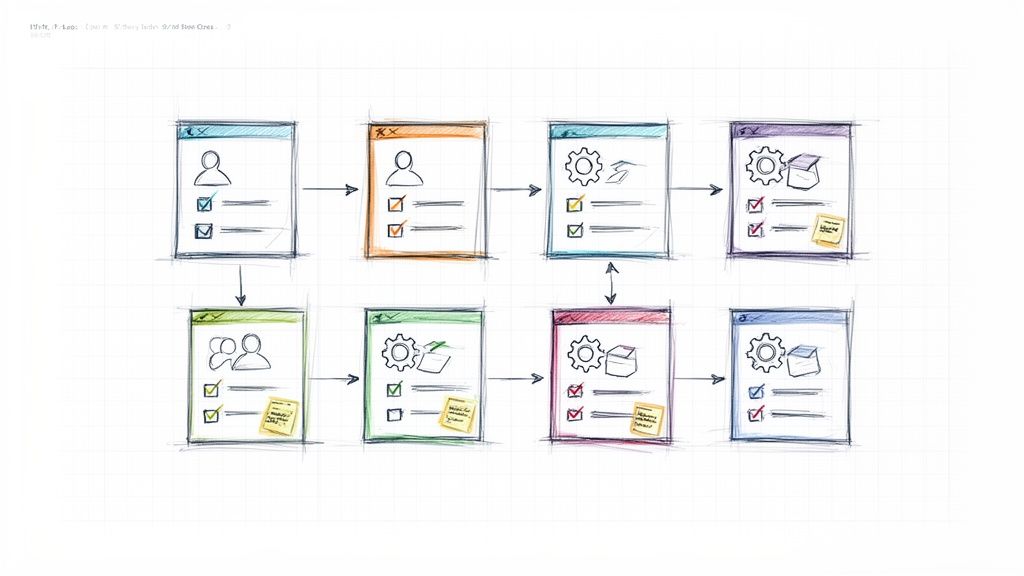
User stories are the building blocks of agile development, translating customer needs into actionable work for your team. A well-crafted user story provides clarity, context, and a shared understanding of what to build and why. But starting from a blank page every time is inefficient and prone to inconsistencies. This is where a great user story template becomes an essential tool for any product team. A good template doesn't just offer a fill-in-the-blanks format; it guides your team through the process, encouraging a focus on user value, clear acceptance criteria, and a manageable scope.
This guide moves beyond generic advice and dives into a curated collection of copy-ready user story templates and variants from the best platforms available. We will explore seven of the best user story template tools from platforms like Miro, Atlassian, and Notion, each tailored for different team needs. We will break down their strategic advantages, from collaborative whiteboards perfect for remote mapping sessions to integrated solutions that live alongside your product documentation.
For each platform, you will find:
- A strategic breakdown of its template's strengths.
- Actionable takeaways you can apply immediately.
- Direct links and screenshots to see the templates in action.
Our analysis will help you choose the right tool to enhance your team's agility and focus, ensuring every story is clear, concise, and delivers real value. We'll also provide practical notes on logging these stories in a tool like WeekBlast for improved async visibility and streamlined status updates, helping you move from chaotic backlogs to a clear roadmap.
1. Miro: The Collaborative Canvas for Real-Time Story Mapping
Miro has solidified its position as a go-to tool for agile teams, and its strength lies in transforming user story creation from a solitary task into a dynamic, collaborative team activity. Instead of just providing a static document, Miro offers an infinite digital whiteboard where teams can build, arrange, and discuss user stories in real-time. This visual, hands-on approach is perfect for remote or hybrid teams needing to replicate the energy of an in-person story mapping session.
The platform's core offering for this is a dedicated user story template that can be loaded onto a new board with a single click. This isn't just a background image; it's a structured canvas with pre-built columns for user activities, steps, and details, along with color-coded sticky notes for the stories themselves. This structure helps teams visualize the entire user journey, identify gaps, and prioritize work from a holistic perspective.
Strategic Breakdown & Key Features
Miro’s primary advantage is its seamless blend of freeform brainstorming and structured agile frameworks. The user interface is intuitive, relying on drag-and-drop mechanics that feel natural, even for non-technical team members.
- Real-Time Collaboration: Multiple users can be on the same board simultaneously, adding stories, moving cards, and leaving comments. This live interaction is invaluable for sprint planning, backlog grooming, and retrospective meetings.
- Deep Integrations: Miro's two-way sync with Jira and Azure DevOps is a game-changer. You can convert a Miro sticky note into a formal Jira issue or Azure work item. Crucially, any updates made in Jira (like status changes or assignee updates) are automatically reflected back on the Miro card, keeping the visual map and the development backlog perfectly aligned.
- Miroverse Community: Beyond its official template, Miro hosts the Miroverse, a vast library of templates created by the community. Here, you can find dozens of variations on the user story template, plus templates for personas, empathy maps, and other UX artifacts that provide essential context for story writing.
Practical Takeaways & Pricing
To get started, simply visit Miro's template page and click "Use template." Miro operates on a freemium model; the free plan is quite generous, offering three editable boards and access to most core features, which is often enough for small teams or individual projects. For larger teams needing advanced features like private boards, SSO, and more robust administrative controls, paid plans (like Starter and Business) are required.
Pro Tip: Use Miro’s voting tool during story mapping sessions to have the team democratically prioritize features or user stories directly on the board. This creates instant alignment and a clear visual record of team decisions.
Website: Miro User Story Map Template
2. Atlassian Confluence: The Integrated Documentation Hub
For teams deeply embedded in the Atlassian ecosystem, Confluence provides a user story template that feels less like a separate tool and more like a native extension of their existing workflow. Unlike a freeform canvas, Confluence positions user story mapping as a structured part of the product documentation process. This approach ensures that stories are created with direct access to product requirement documents (PRDs), technical specs, and meeting notes, all living within the same interconnected space.
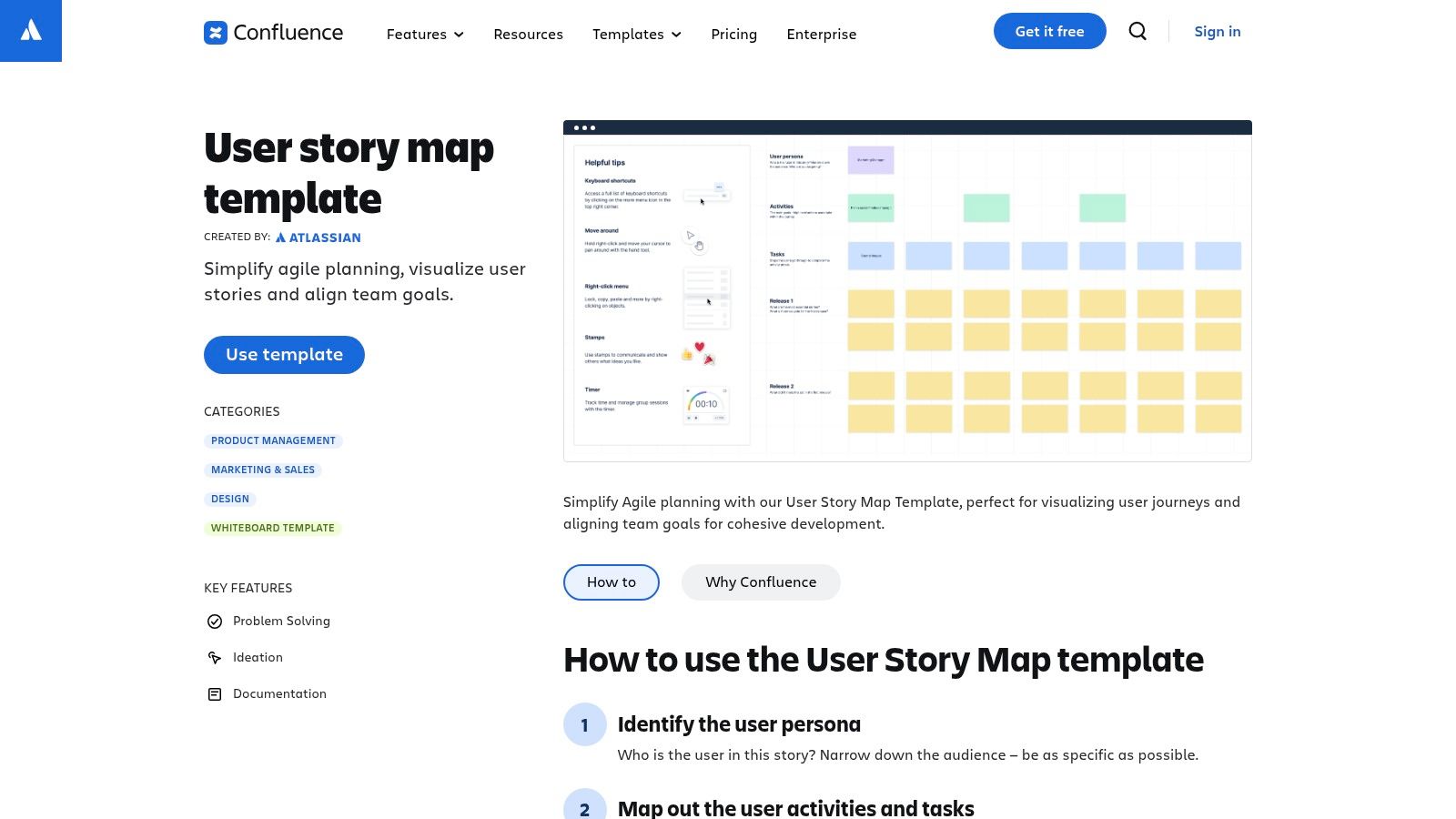
The official user story map template in Confluence guides teams through a step-by-step process of defining personas, mapping user activities, and outlining stories within release-based swimlanes. It’s designed to bring order and governance to the story creation process, making it an excellent choice for organizations that prioritize documentation, traceability, and version control. This integration is key for a cohesive new product development process.
Strategic Breakdown & Key Features
Confluence’s strength is its ability to centralize information and maintain a single source of truth. The user story map lives as a page, benefiting from Confluence's robust permissions, page history, and commenting features, which is ideal for regulated industries or large enterprises.
- Native Jira Integration: This is Confluence's killer feature. You can highlight text on a Confluence page to instantly create a Jira epic or user story. The items are then bi-directionally linked, so the Confluence map reflects the real-time status of development work in Jira, and the Jira ticket links back to the map for context.
- Structured Documentation: The template encourages a systematic approach, starting with the user journey backbone before diving into individual stories. This structure ensures that stories aren't created in a vacuum but are directly tied to user activities and larger epics.
- Whiteboard for Interactivity: Recognizing the need for more dynamic sessions, Atlassian has introduced a Confluence whiteboard feature. This allows teams to brainstorm and map stories more freely, similar to Miro, but then seamlessly convert those visual elements into structured Confluence content and Jira issues.
Practical Takeaways & Pricing
To use the template, create a new Confluence page and search for the "User story map" template. Confluence is available on a freemium model. The free plan supports up to 10 users and provides enough functionality for small teams to get started. Paid plans (Standard, Premium, and Enterprise) unlock more users, increased storage, advanced permissions, and automation capabilities, which are essential as teams scale.
Pro Tip: Use Confluence's page-level permissions to control who can edit the user story map. For instance, you can allow the entire team to comment but restrict editing access to the Product Manager and Tech Lead to prevent unintended changes to the backlog structure.
Website: Atlassian User Story Map Template
3. ClickUp: The All-in-One Project Hub
ClickUp positions itself as the "one app to replace them all," and its approach to user stories reflects this philosophy. Rather than being just a visual mapping tool, ClickUp offers a comprehensive project management environment where a user story template is treated as a foundational work item. This makes it a powerful choice for teams looking to consolidate their entire agile workflow, from brainstorming and story writing to sprint management and reporting, within a single platform.
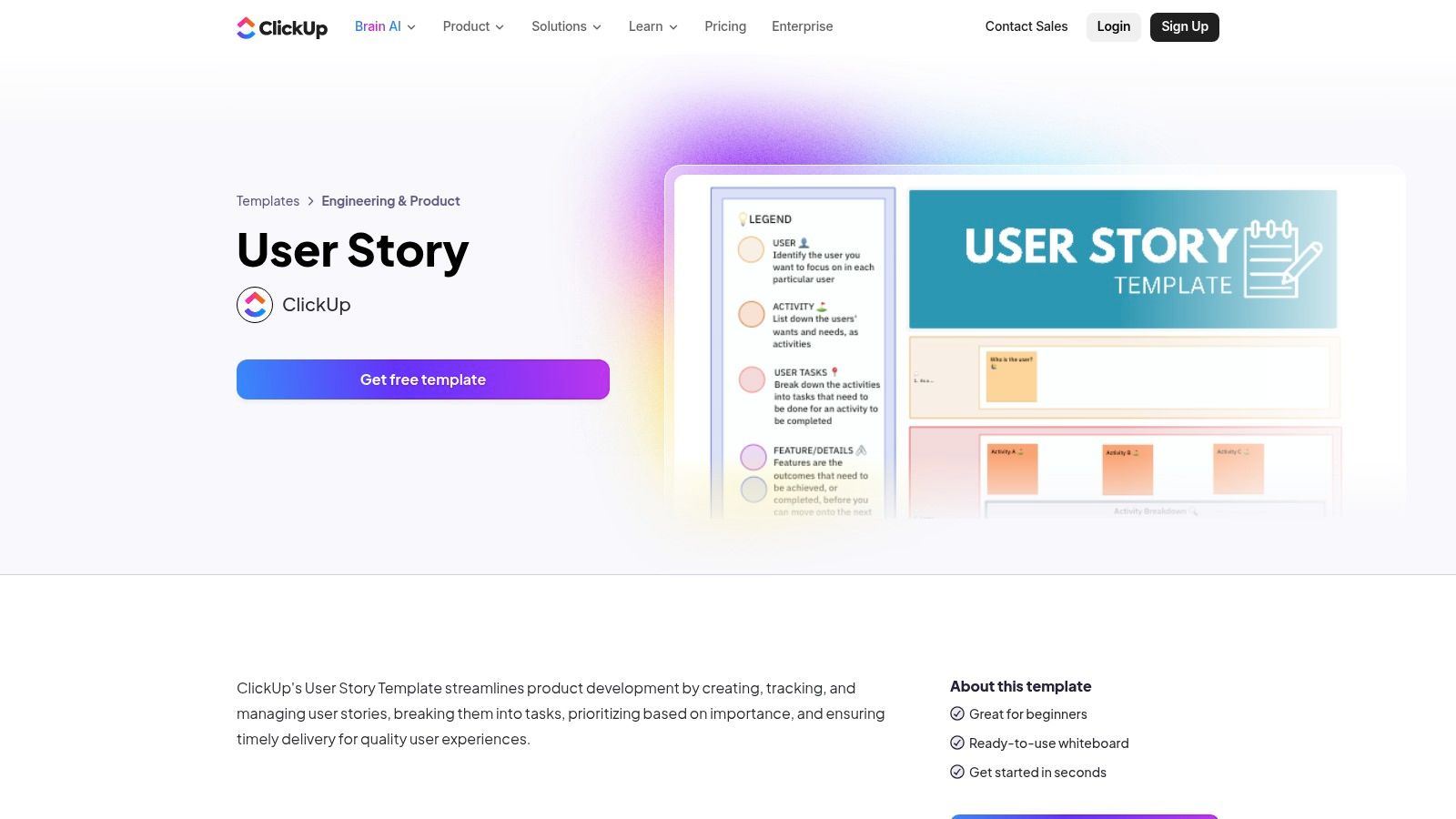
The platform provides a free, pre-configured user story template that instantly creates a dedicated space for managing your product backlog. This template models user stories as tasks, complete with custom fields for story points, epics, priority, and status. It’s designed for teams who want to move beyond simple sticky notes and integrate their stories directly into a structured, trackable system from day one.
Strategic Breakdown & Key Features
ClickUp's strength is its deep integration of agile components into a broader work management ecosystem. It seamlessly connects user stories to tasks, documents, whiteboards, and goals, providing a single source of truth for the entire product development lifecycle. The interface is highly customizable, allowing teams to build workflows that precisely match their process.
- Integrated Agile Toolkit: The template comes with pre-built statuses (like To Do, In Progress, and Done), priorities, and custom fields for story points. You can easily manage sprints, visualize work on a Kanban board, and track progress with burndown charts, all within the same space.
- Epic and Dependency Linking: A standout feature is the ability to link stories directly to larger epics and create dependencies between tasks. This provides crucial context and clarity, helping teams understand how individual stories contribute to broader strategic goals and what blockers exist.
- Jira Import and Sync: For teams transitioning from Jira or working in a hybrid environment, ClickUp offers robust import and two-way sync capabilities. This allows you to migrate your backlog smoothly or keep both platforms updated in real-time, preventing information silos.
Practical Takeaways & Pricing
To begin, you can add the user story template directly from the ClickUp Template Center to a new or existing Space. ClickUp's "Free Forever" plan is very capable, offering unlimited tasks and members, making it accessible for small teams. However, for features like advanced permissions, custom field management, and unlimited storage, you will need to upgrade to a paid plan like Unlimited or Business. It is important to review their latest pricing and guest access policies before committing, as these can sometimes change.
Pro Tip: Use ClickUp Docs to create and embed your product requirement documents (PRDs) or persona profiles directly within the same project as your user stories. This keeps all contextual information just one click away from the development tasks themselves.
Website: ClickUp User Story Template
4. Notion: The All-in-One Workspace for Integrated Story Management
Notion has evolved into the central nervous system for many product and engineering teams, serving as a single source of truth for everything from roadmaps to meeting notes. Its strength in user story management comes from this native integration. Instead of using a separate tool, teams can embed their user stories directly within their existing documentation, creating a deeply interconnected and context-rich environment. This approach is ideal for teams that prioritize documentation and want their user stories to live alongside the product requirements documents (PRDs), design specs, and research that inspired them.
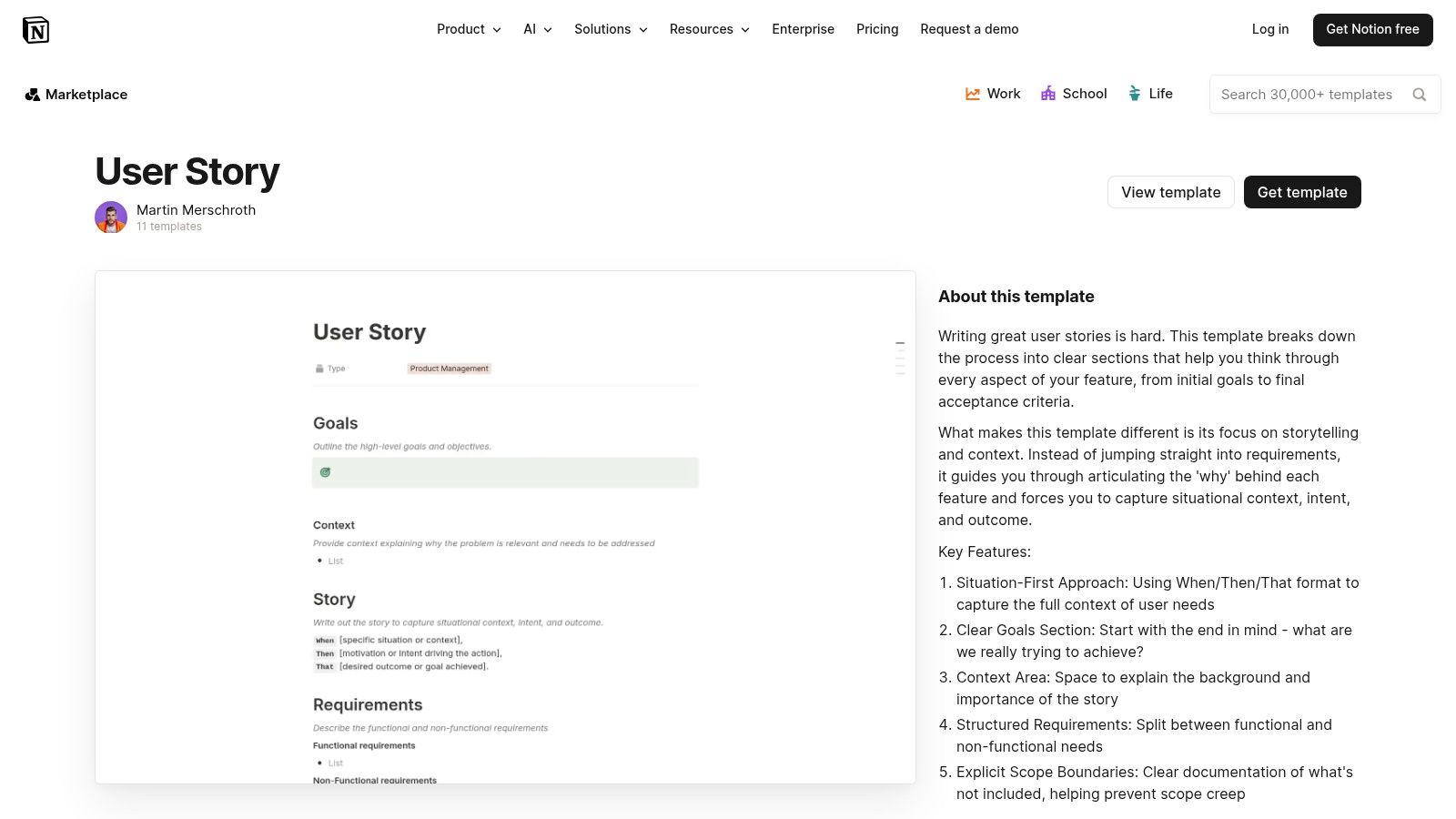
The platform achieves this through a powerful user story template system, available in its community-driven template gallery. With a single click, you can duplicate a pre-built database into your own workspace, complete with properties for priority, status, epics, and sprints. This isn't just a static page; it's a dynamic database that can be viewed as a table, Kanban board, calendar, or timeline, giving teams the flexibility to manage their backlog in whatever way suits their workflow.
Strategic Breakdown & Key Features
Notion’s key advantage is its unparalleled flexibility and the ability to build a completely custom product management OS. It bridges the gap between freeform documentation and structured data, allowing every user story to be a rich document in itself.
- Deeply Integrated Documentation: The killer feature is the ability to link stories to any other page in your Notion workspace. A user story can directly reference the PRD it belongs to, link to specific user research findings, and even embed Figma mockups, all on the same page. This creates a traceable path from high-level strategy to individual work items.
- Customizable Database Views: A single story database can be filtered, sorted, and displayed in multiple ways without duplicating data. Create a "Current Sprint" board view for engineers, a "Priority List" view for product managers, and a "Release Timeline" for stakeholders, all powered by the same underlying set of stories.
- Community Template Gallery: Notion's template gallery is a treasure trove. You can find dozens of user story template variations, from simple backlogs to complex systems that include sprint planning, bug tracking, and release notes, all ready to be duplicated and adapted to your team’s specific needs.
Practical Takeaways & Pricing
To begin, explore the Notion Template Gallery and find a user story template that fits your team’s process. Click "Duplicate" to add it directly to your workspace. Notion's pricing is very accessible; the free plan allows for extensive personal use and small team collaboration. For larger teams needing advanced features like SAML SSO, granular permissions, and unlimited guests, the paid Plus or Business plans are necessary. This structure allows teams to adopt a solid project management strategy without a significant initial investment.
Pro Tip: Use Notion's "Relations" and "Rollup" database properties to connect your user stories to a higher-level "Epics" or "Features" database. This allows you to automatically track the progress of an entire epic based on the completion status of its child stories.
Website: Notion User Story Template
5. Lucid (Lucidspark): The Workshop-Ready Visual Workspace
Lucidspark, part of the Lucid Visual Collaboration Suite, excels at turning user story mapping into a structured and facilitated workshop. While many platforms offer a canvas, Lucidspark’s strength is its emphasis on features that guide teams through the process, making it ideal for backlog refinement sessions, sprint planning, and collaborative brainstorming. It provides a robust environment where ideas can be generated, organized, and then seamlessly pushed into development workflows.
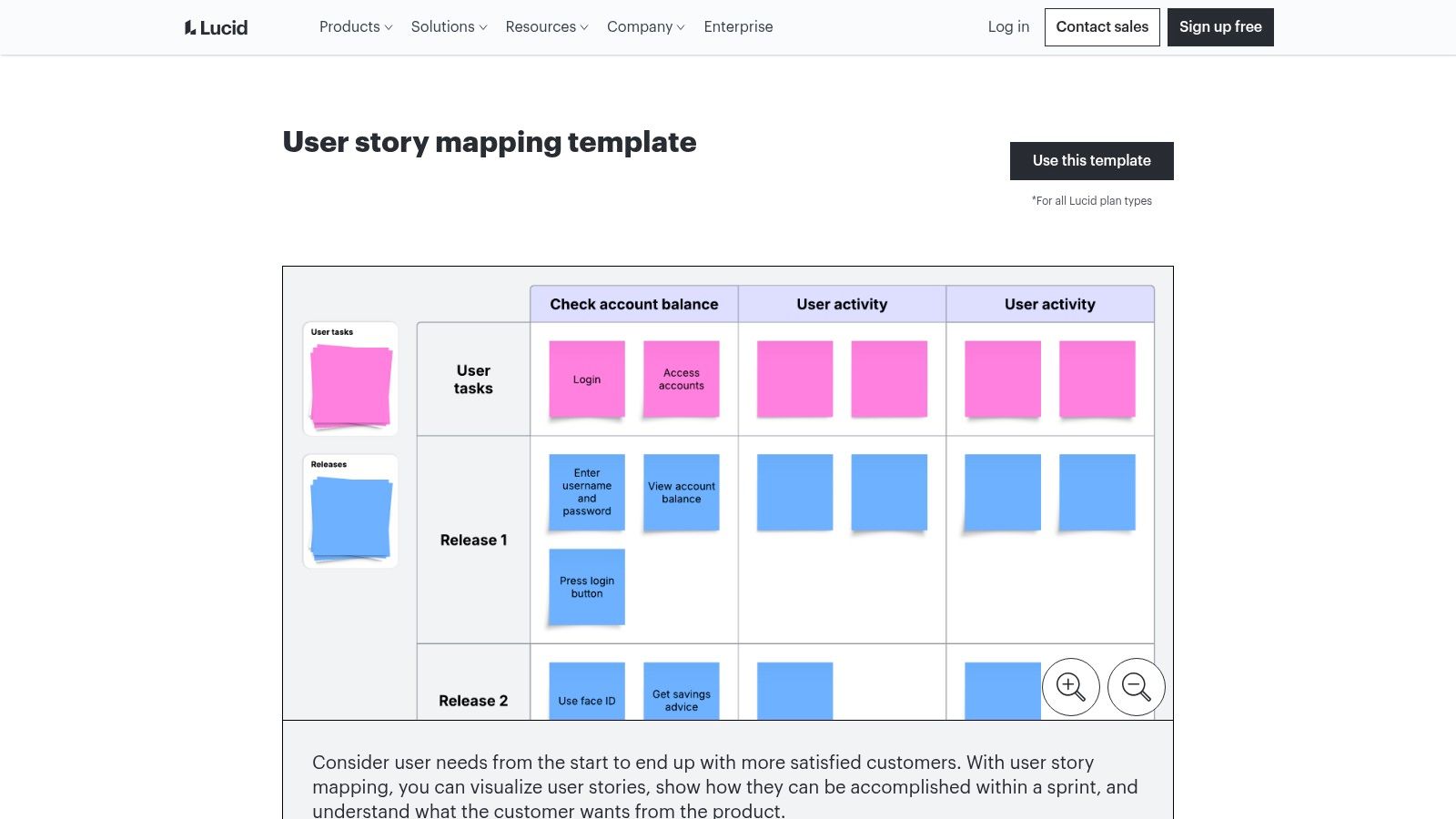
The platform offers a detailed user story mapping template that serves as a highly organized starting point. This template goes beyond simple columns, often including dedicated lanes for user personas, goals, activities, and subsequent releases. This structured approach ensures that every story is tied back to a user need and a specific part of the product journey, preventing context from being lost as the team dives into details.
Strategic Breakdown & Key Features
Lucidspark’s primary advantage is its built-in facilitation toolkit, which transforms a standard story mapping exercise into a productive, engaging workshop. The user interface is clean and intuitive, making it accessible for team members across different disciplines, from product managers to engineers and designers.
- Advanced Facilitation Tools: Lucidspark includes features specifically designed for running meetings. You can use timers to keep discussions on track, a voting tool to prioritize stories democratically, and breakout boards to split a large group into smaller teams for focused brainstorming before reconvening.
- Powerful Integrations (Jira & More): The platform features a deep, two-way integration with Jira. You can convert selected Lucidspark cards directly into Jira issues, and any updates made in Jira will sync back to the card on the Lucidspark board. This keeps the visual map aligned with the formal backlog in your project management tool. It also integrates with Lucidchart, allowing you to link stories to more detailed process flows or diagrams.
- Structured Visual Organization: The template is designed with clear swimlanes for releases or sprints. This allows teams to not only map out the entire user journey but also visually plan and sequence the work over time, making it a powerful tool for release planning.
Practical Takeaways & Pricing
To get started, navigate to Lucidspark’s template gallery and select the user story mapping template. Lucidspark offers a free plan that includes three editable boards and core features, which is suitable for individuals or small teams exploring the tool. For teams needing unlimited boards, advanced facilitation tools (like voting), and the powerful Jira integration, paid plans such as the Team and Enterprise tiers are necessary.
Pro Tip: Use the "Gather" and "Sort" features after a brainstorming session. "Gather" collects all sticky notes with a specific tag or color into one area, and "Sort" helps you quickly organize them by votes or other criteria. This dramatically speeds up the process of synthesizing ideas into a coherent story map.
Website: Lucidspark User Story Mapping Template
6. Smartsheet: Downloadable Office Templates for Structured Documentation
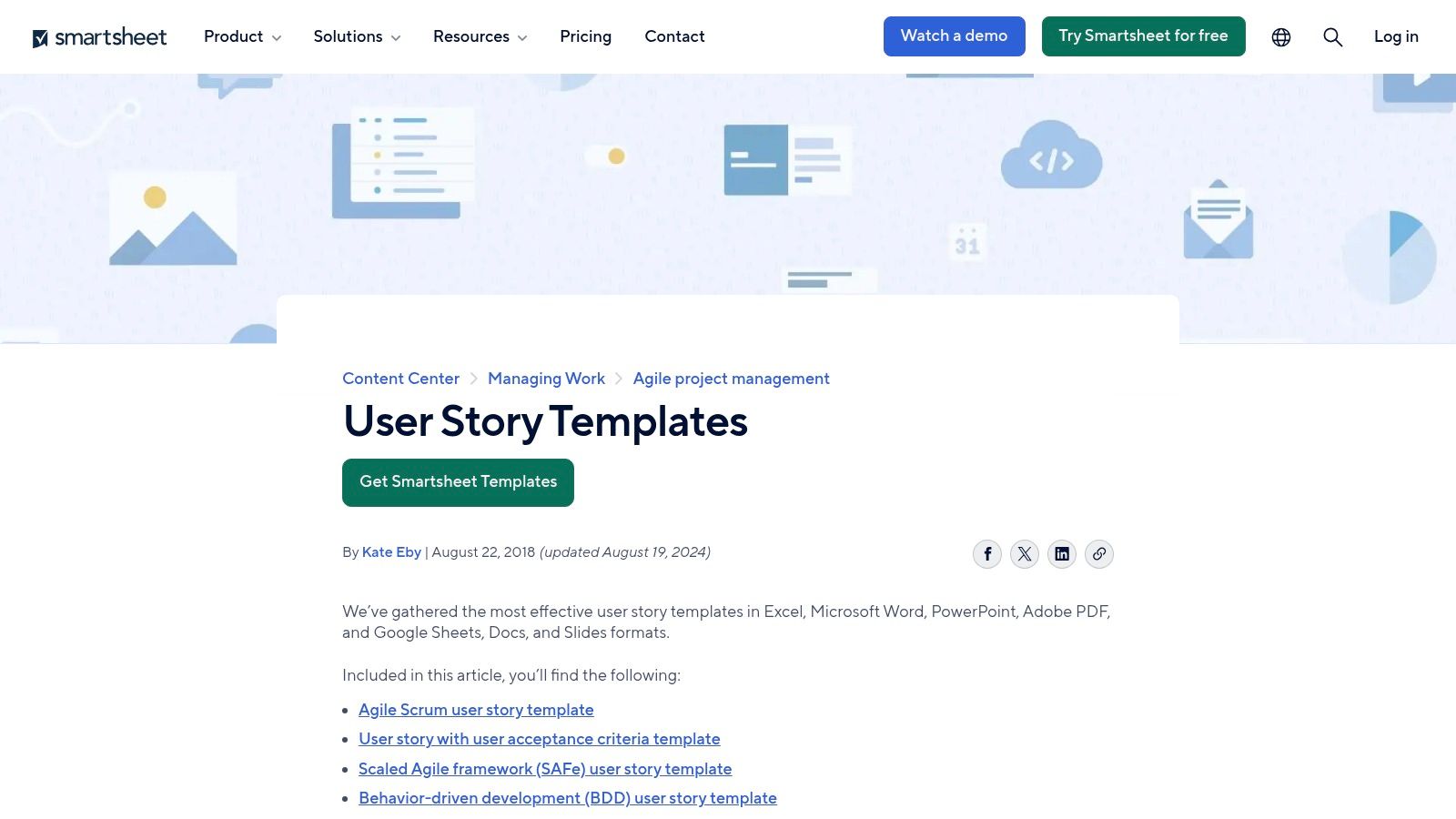
Smartsheet takes a different approach, catering to teams that rely on traditional office document formats or need static, shareable artifacts for planning and reporting. Instead of a collaborative digital canvas, Smartsheet provides a comprehensive library of downloadable user story templates in familiar formats like Excel, Google Sheets, Word, and even PowerPoint. This makes it an ideal resource for organizations that standardize their processes around the Microsoft Office or Google Workspace ecosystems.
This method is perfect for creating offline records, formalizing documentation for stakeholder reviews, or presenting user stories in a structured, slide-based format. The templates are designed to be immediately usable, offering a clean, organized framework for capturing everything from high-level epics to detailed acceptance criteria without requiring new software adoption.
Strategic Breakdown & Key Features
Smartsheet's core advantage is its practicality and accessibility. It lowers the barrier to entry for structured story writing by using tools that virtually every team member already knows how to use. This eliminates the learning curve associated with specialized agile platforms.
- Format Versatility: The platform offers each user story template in multiple file types, including Excel, Google Sheets, Word, Google Docs, PowerPoint, Google Slides, and PDF. This flexibility ensures compatibility regardless of an organization's preferred software suite.
- Specialized Template Variations: Smartsheet goes beyond a single generic template. It provides specialized versions for different contexts, such as templates with built-in acceptance criteria sections, Behavior-Driven Development (BDD) formats, SAFe-aligned structures, and even pre-designed slide decks for PI planning or sprint reviews.
- Sample and Blank Versions: For each template, users can download a blank version for immediate use or a pre-filled sample. The samples are incredibly helpful for new teams, as they provide concrete examples of how to correctly fill out the stories, epics, and criteria.
Practical Takeaways & Pricing
Accessing the templates is straightforward and completely free. Users can navigate to the Smartsheet user story templates page and download their chosen format directly, without needing to sign up or create an account. While the templates themselves are free, they can also be used within the full Smartsheet platform, a powerful work management tool that operates on a paid subscription model (Pro, Business, and Enterprise plans). Using the templates with Google Sheets or Excel, however, costs nothing.
Pro Tip: Download the PowerPoint or Google Slides template to create a standardized format for presenting user stories during sprint review meetings. This ensures clarity and consistency when demonstrating completed work to stakeholders.
Website: Smartsheet User Story Templates
7. Template.net: The Go-To Library for Polished, Printable Story Documents
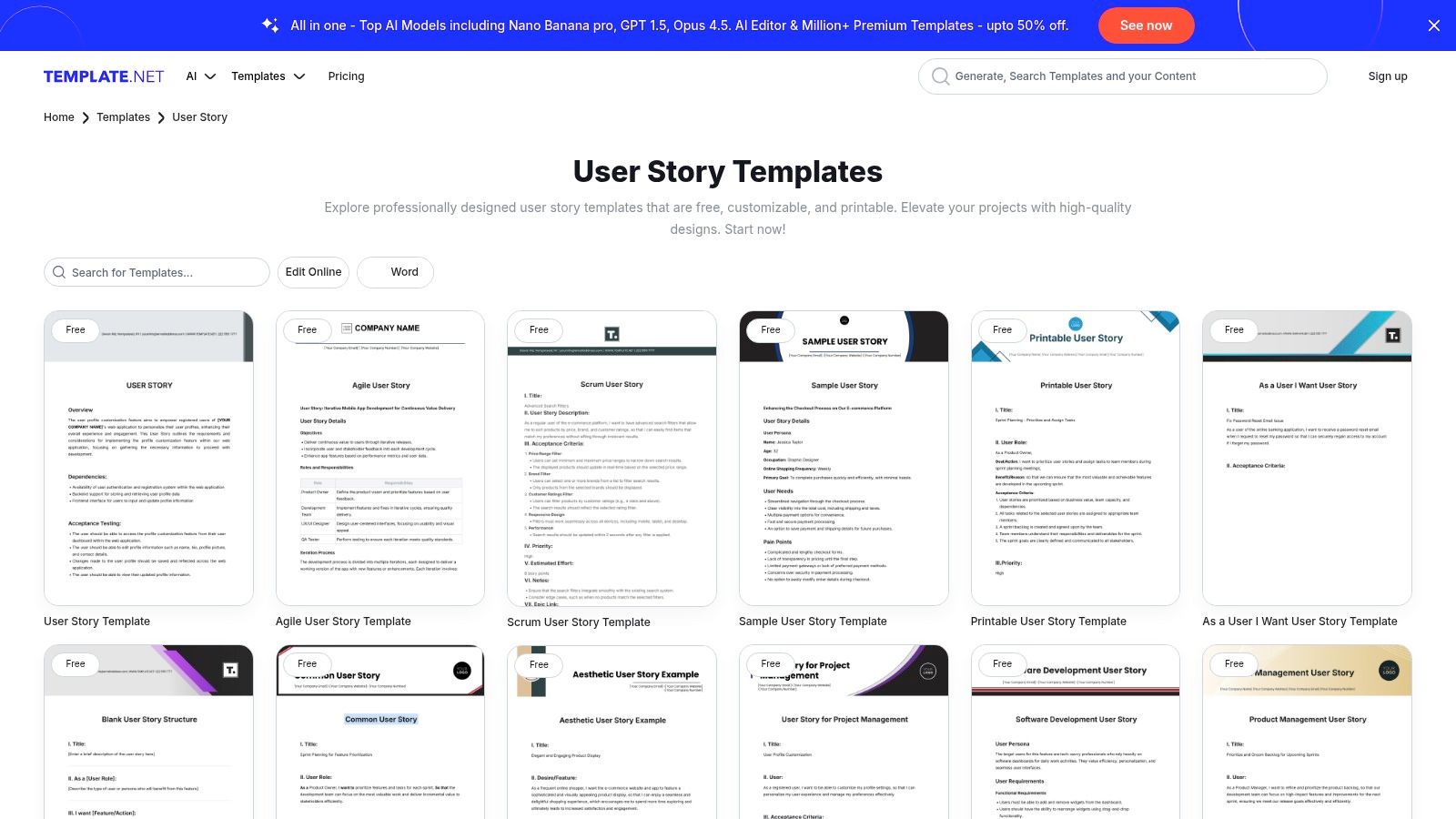
Template.net carves out a unique niche by focusing on professionally designed, document-based user story templates. While many tools emphasize live collaboration within a specific software ecosystem, Template.net provides a massive library of downloadable and editable files perfect for teams that need polished, portable, and often printable documentation. It’s the ideal solution when a user story needs to be formalized in a Word document, shared as a PDF, or included in a branded project report.
This platform excels in providing variety. You can find everything from a classic Agile user story template with the "As a [user], I want [goal], so that [benefit]" structure to more complex Scrum formats with integrated fields for story points, epics, and acceptance criteria. The primary value is speed and presentation; you can produce a professional-looking story document in minutes without designing it from scratch.
Strategic Breakdown & Key Features
Template.net’s strength is its format-agnostic approach, bridging the gap between digital planning and traditional documentation requirements. This is particularly useful in enterprise environments or for client-facing projects where formal hand-offs are common.
- Extensive Format Library: The collection includes dozens of pre-built user story layouts. You can find technical templates, simple story cards, and comprehensive formats designed for detailed record-keeping.
- Online Editor and Export Options: Each template can be customized in Template.net’s web-based editor before being exported. It supports a wide range of formats, including Microsoft Word, Google Docs, Apple Pages, and PDF, ensuring compatibility with your team’s existing toolchain.
- Designed for Documentation: Unlike digital-first tools, these templates are built for clarity in a static format. They are well-suited for printing, attaching to emails, or archiving as part of official project milestones. This focus on clear documentation can also complement other tools, like a daily work log template for tracking progress against these stories.
Practical Takeaways & Pricing
Getting started is as simple as browsing the library, selecting a template, and choosing to either edit online or download it directly. Template.net uses a freemium model. Many basic templates are available for free, but the most polished and feature-rich designs require a Pro subscription. This makes it accessible for quick one-off needs, while offering more value for users who frequently require high-quality document templates. The primary drawback is the lack of live collaboration or integration with agile project management tools like Jira, as it is fundamentally a document creation platform.
Pro Tip: Use the online editor to add your company logo and brand colors to a user story template before exporting. This creates a consistent, professional look for all client-facing or internal project documentation, reinforcing brand identity with minimal effort.
Website: Template.net User Story Templates
Top 7 Tools: User Story Template Comparison
| Tool | Implementation complexity 🔄 | Resource requirements ⚡ | Expected outcomes ⭐📊 | Ideal use cases 💡 | Key advantages |
|---|---|---|---|---|---|
| Miro | 🔄 Low, 1‑click template, drag-and-drop canvas | ⚡ Browser/desktop (free tier); paid for SSO/admin | ⭐⭐⭐⭐, fast, collaborative story maps with live sync | 💡 Remote workshops, sprint planning, visual collaboration | Real-time collaboration; Jira/Azure DevOps two‑way sync; large template library |
| Atlassian Confluence | 🔄 Medium, guided steps, page integration | ⚡ Cloud-hosted; best with Atlassian suite; free limits apply | ⭐⭐⭐⭐, governed maps tied to docs and Jira | 💡 Teams already using Jira/Confluence needing documentation continuity | Seamless Jira integration; better governance and permissions |
| ClickUp | 🔄 Medium, pre-built fields and workflows, config needed | ⚡ ClickUp workspace; free templates; check pricing/guest rules | ⭐⭐⭐⭐, centralized agile management (tasks → epics → sprints) | 💡 Teams centralizing work in ClickUp or migrating from Jira | Story tasks linked to epics; sprint points and backlog workflows; Jira import/sync |
| Notion | 🔄 Low, duplicate templates into workspace, lightweight setup | ⚡ Notion workspace; higher tiers for advanced analytics/permissions | ⭐⭐⭐, flexible linked databases, lightweight story tracking | 💡 Teams keeping PRDs and docs in Notion who want inline stories | Easy linking to docs/roadmaps; simple filtering and views |
| Lucid (Lucidspark) | 🔄 Medium, visual facilitation features, workshop-focused | ⚡ Browser/desktop; some templates/features require paid plan | ⭐⭐⭐⭐, strong facilitation outcomes and Jira export options | 💡 Workshops, refinement sessions, teams using Lucid suite | Voting, timers, breakout boards; export to Jira; diagram integration |
| Smartsheet | 🔄 Low, downloadable file-based templates (static) | ⚡ Office files (Excel/Sheets/Slides/PPT/PDF); Smartsheet paid features optional | ⭐⭐⭐, polished offline artifacts and presentation-ready decks | 💡 Organizations standardizing on office formats or offline planning | Multiple downloadable formats; sample/prefilled versions; slide templates |
| Template.net | 🔄 Low, quick web-editor edits and exports | ⚡ Web editor; free + Pro templates; exports to Word/Google Docs/PDF | ⭐⭐⭐, fast production of branded, printable story docs | 💡 Teams needing branded or printable templates for hand-offs | Broad format support; online editor; quick branded outputs |
Choosing Your Template and Turning Stories into Progress
We have explored a diverse range of powerful tools, each offering a unique approach to crafting the perfect user story template. From the boundless visual canvases of Miro and Lucidspark to the deeply integrated ecosystems of Atlassian Confluence and ClickUp, the right framework exists for every team. Whether you need the unparalleled flexibility of Notion, the structured power of Smartsheet, or the professional formatting of Template.net, the core principle remains constant. A well-crafted user story template is more than just a documentation tool; it is a catalyst for clarity, a shared language that aligns your team around a common goal.
The templates and examples we've analyzed are designed to move you beyond simply writing stories. They are frameworks for thinking critically about user needs and delivering tangible value. By applying the INVEST checklist, defining robust acceptance criteria, and leveraging the specific features of your chosen platform, you transform abstract ideas into actionable development tasks. This process ensures that every story is a clear, concise, and valuable unit of work.
From Template to Tangible Progress
Selecting the right user story template is the first critical step. Your next challenge is to maintain momentum and visibility as those stories move from the backlog to "done." This is where the narrative often breaks down, lost in a sea of project management tickets and status meetings. The key is to separate the work artifact (the story in Jira, ClickUp, etc.) from the progress narrative.
The progress narrative is the human story of what your team is accomplishing week after week. It provides context that a ticket status simply cannot convey. This is where lightweight, asynchronous communication becomes invaluable. Instead of relying solely on your project management tool, a dedicated work log bridges the gap between detailed tasks and high-level team accomplishments.
Key Takeaways for Success
As you implement these strategies, keep these final points in mind:
- Match the Tool to the Team: There is no single "best" user story template. A creative, freewheeling design team will thrive in Miro, while a process-driven engineering team may prefer the structured environment of Confluence. Assess your team's workflow and culture before committing.
- Prioritize Clarity Over Complexity: The goal is communication, not bureaucracy. The most effective user story is one that everyone on the team understands instantly. Avoid jargon and overly complex structures.
- Make Progress Visible: A completed story is a victory that should be shared. Create a simple, low-friction system for your team to log their progress. This async visibility keeps stakeholders informed, boosts morale, and builds a powerful, searchable history of your team’s achievements.
Ultimately, a great user story is the starting point of a conversation. The tools and templates in this guide are designed to help you start those conversations effectively. By combining a well-chosen user story template with a streamlined process for tracking and sharing progress, you create an environment where your team can consistently focus on what truly matters: building great products and delivering exceptional value to your users.
Ready to make your team's progress visible without adding another meeting to the calendar? WeekBlast provides a simple, asynchronous work log that integrates seamlessly with your workflow, allowing your team to share updates on completed user stories and other tasks in seconds. Start your free trial today and build a searchable history of your team's accomplishments at WeekBlast.


