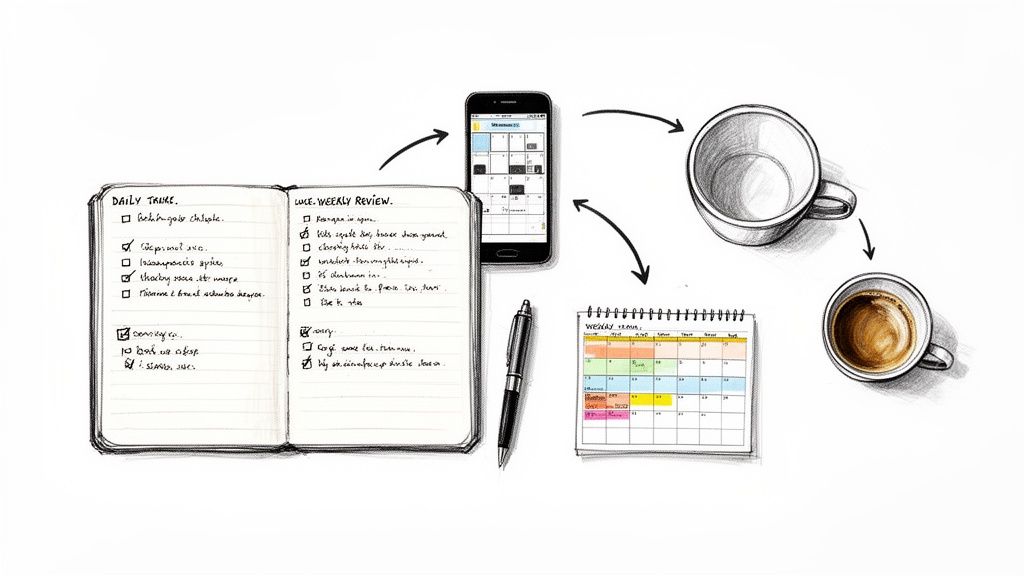
Let's be real for a second. That feeling of drowning in emails, with a to-do list that multiplies overnight and a constant pull in a million directions? That’s not a personal failure. It’s not because you lack willpower or haven't found the magical productivity app. It’s a symptom of a broken system.
For too long, the advice has been to just try harder. Wake up earlier, hustle more, find the one "life hack" that will fix everything. But that’s like trying to patch a sinking ship with a band-aid.
You simply can't muscle your way out of a work environment that’s built on a foundation of chaos—unclear priorities, constant interruptions, and vague communication. It’s a one-way ticket to burnout, and it’s time to stop blaming yourself.
The Hidden Price Tag of Workplace Chaos
This disorganization isn't just stressful for you; it's a silent killer of productivity and a massive drain on the economy. When people don't have clear systems to follow, they feel disconnected and lost. That confusion spreads like wildfire, leading to missed deadlines, redundant work, and a whole lot of frustration.
The data is pretty jarring. A mind-boggling 62% of employees around the globe are disengaged from their jobs. This isn't just a morale issue; it costs the global economy an estimated $438 billion every year in lost productivity.
On the flip side, companies that actually connect their employees to the mission and each other see a 20% to 25% jump in productivity. Teams that are genuinely engaged are 18% more productive and drive 23% higher profits. (If you're a data nerd like me, you can dig into the research on employee engagement from Superhuman).
The takeaway here is huge: being organized isn't about individual heroics. It's the natural result of a well-designed system where people know what to do and, just as importantly, why they're doing it.
Ditching Willpower for a Smarter System
So, if another to-do list app or a motivational poster isn't the answer, what is? It’s about shifting your focus from blaming yourself to building a better framework for how you work.
This isn't about some overly complex, rigid methodology. It's about a few simple, powerful principles:
- Clarity beats quantity: Stop trying to do everything. Instead, get ruthless about identifying the handful of tasks that will actually make a difference.
- Embrace async-first communication: Ditch the endless status meetings and "just checking in" pings. A shared, transparent log of what's happening keeps everyone in the loop without the constant interruptions.
- Build intentional routines: Create simple, repeatable habits to bookend your day. These small rituals provide the structure you need to stay focused when things get hectic.
When you start designing your systems instead of just relying on grit, you stop swimming against the current. You create an environment where staying organized is the easy, natural way to work.
The Daily Triage and Log: A Simple Routine for Real Progress
Let’s be honest: the dream of a perfectly managed, zero-item inbox is a total fantasy. The reality of modern work is a relentless firehose of requests, half-baked ideas, and actual fires you need to put out. The secret to staying organized isn't about building a dam to stop this flow; it's about creating a simple, repeatable routine to surf the waves every single day.
This is where my favorite two-part habit comes into play: the Morning Triage and the End-of-Day Log. Think of this combo as your daily defense against reactive, soul-crushing work. Instead of letting your inbox and Slack notifications dictate your day, you start by grabbing the steering wheel and deciding what actually matters. It’s a game-changing shift from just being busy to being truly effective.
The 15-Minute Morning Triage
Your first 15 minutes can make or break your entire day. Seriously. The Morning Triage is a quick, focused ritual designed to slice through the noise and pinpoint the one or two tasks that will genuinely move the needle. This isn't about crafting some exhaustive, aspirational to-do list. It’s about being a ruthless editor of your own time.
As you scan the overnight pile-up of emails, DMs, and project pings, start sorting everything into four dead-simple buckets:
- Urgent: The house is on fire. Deal with this now.
- Important: This is the real work—the stuff that aligns with your core goals and creates actual value.
- Delegate: Can someone else do this? Get it off your plate.
- Defer: This doesn't need to happen today. Kick it down the road, schedule it, or toss it into a backlog.
This quick sort-and-filter forces you to make decisions. It turns a swamp of anxiety into an actionable game plan, ensuring you spend your best, high-energy hours on work that counts, not just on whatever is screaming the loudest.
The 60-Second End-of-Day Log
At the end of the day, your brain is usually toast. The last thing you want is another complicated, bureaucratic task. That’s the magic of the End-of-Day Log. It’s a tiny, 60-second habit where you jot down what you actually got done in a few simple bullet points.
This isn’t for your boss; it's for you. It creates a searchable, continuous record of your work and your wins. Over time, this log becomes an undeniable history of your contributions. Performance reviews become a walk in the park, and you can finally kill those awful "what did you do today?" status meetings.
Here’s what it looks like in the wild:
- An Engineer: "Fixed the critical authentication bug (T-123) and deployed the hotfix. Users can now log in without getting that infuriating error."
- A Marketer: "Launched the Q3 social campaign and dug into the initial data. We're seeing a 15% higher click-through rate than last quarter's campaign—nice!"
This tiny habit provides a huge hit of clarity and a satisfying sense of closure to your workday. If you need more inspiration, check out this great guide on creating a daily work log template that makes this even easier.
This whole process is about a mental shift—moving from self-blame to system improvement. This diagram nails it:

Feeling overwhelmed isn't a personal flaw; it’s usually just a sign of a broken system. The solution is to build a new one that actually works for you.
To put it all together, here’s a simple table showing how this workflow fits into a typical day.
The Daily Triage and Log Workflow
| Time of Day | Activity | Goal | Tool Example |
|---|---|---|---|
| Start of Day | 15-Minute Triage: Review emails, messages, tasks. | Identify 1-2 top priorities for the day. Defer or delegate the rest. | Todoist filter for "Today" |
| Throughout Day | Focused Work: Execute on triaged priorities. | Make meaningful progress on high-impact tasks. | Your main work tools |
| End of Day | 60-Second Log: Write down key accomplishments. | Create a clear record of progress and provide async visibility. | WeekBlast update |
This simple rhythm takes less than 20 minutes out of your entire day but pays back dividends in focus, clarity, and a real sense of accomplishment.
Build Systems to Beat Distraction and Reclaim Your Focus
Let's be honest, willpower is a total myth. Okay, maybe not a complete myth, but it’s a finite resource that drains faster than your phone battery on a Monday morning. Stop white-knuckling your way through the day, trying to fight off distractions with sheer grit. That's a losing battle.
Instead, let's build some simple systems that make focused work your default setting, not a daily struggle.
Modern work is basically a minefield of productivity killers. Every Slack ping, email notification, and "hey, you got a sec?" is a tiny grenade tossed right at your concentration. This constant context switching isn't just annoying; it’s an energy vampire, quietly sucking the life out of your ability to do anything meaningful.
Protect Your Time Like a Dragon Guards Gold
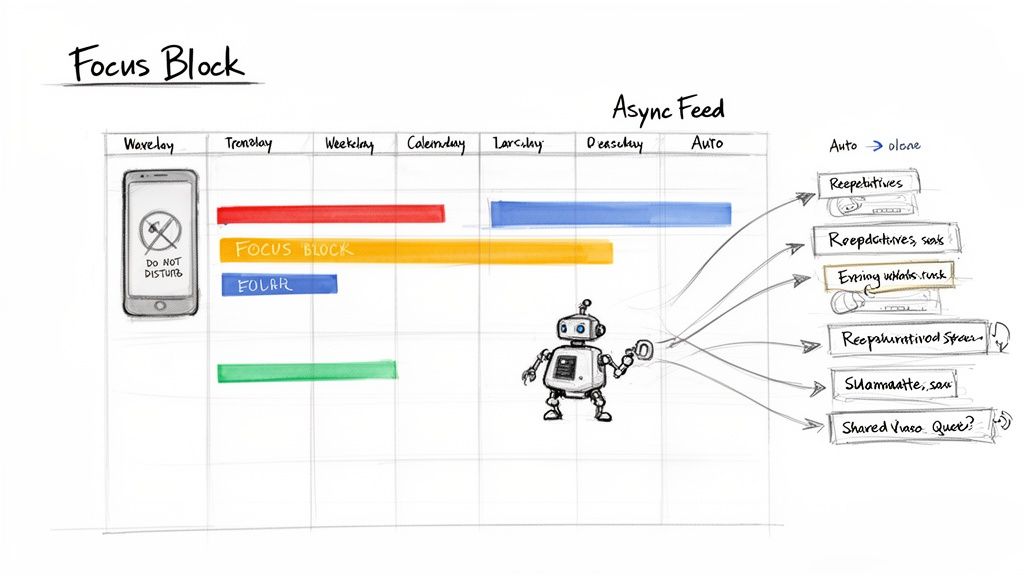
First things first: you have to start treating your time like the precious, non-renewable resource it is. The single most effective way I've found to do this is by scheduling focus blocks directly on my calendar. Think of them as non-negotiable, 90-minute chunks of time dedicated only to your most important work.
When a focus block starts, you go completely dark.
- Silence all notifications. Phone, desktop, everything.
- Close your email and messaging apps. Seriously, close them.
- Put on headphones. This is the universal "do not disturb" sign.
This isn’t about being antisocial; it’s about creating the deep, uninterrupted space your brain needs for real problem-solving and creative work. If you need help figuring out what to work on during these sessions, you can learn more about how to prioritize tasks in our detailed guide.
Embrace the Power of Asynchronous Updates
One of the biggest culprits of distraction? The constant need for status updates. That endless cycle of "just checking in" messages pulls everyone out of their flow. The fix is surprisingly simple: shift to an async-first way of communicating.
Instead of bugging someone for an update, you rely on a shared team feed or a central work log (like WeekBlast). This gives everyone total visibility into what’s happening without the real-time pings. A quick scan of the feed tells you everything you need to know, letting your teammates get on with their day.
This simple shift empowers everyone to control their own schedule. It fosters a culture of trust and autonomy, where deep work is respected and interruptions are the exception, not the rule.
Let Automation Be Your Secret Weapon
The fight against distraction isn't just about discipline; it's also about using smart tools. The data is pretty stark: during a typical 8-hour workday, the average employee is only productive for 4 hours and 12 minutes. Top distractions? Surfing the internet (47%) and scrolling social media (73%).
But here’s the kicker: the most productive people are 242% more likely to use AI to help them stay on track. They save an average of 3.6 hours every week through automation alone. If you're curious, you can read the full research on employee productivity to see just how big an impact this makes.
By building systems—like focus blocks, async updates, and a bit of smart automation—you stop fighting a daily war against distraction. You create an environment where staying organized and focused is finally the path of least resistance.
The Friday Wrap-Up: Your Secret Weapon for a Stress-Free Weekend
Daily habits are great for winning the day-to-day skirmishes, but the long game of staying organized? That’s won with a consistent weekly review.
Now, I'm not talking about some stuffy, corporate report you write for your boss. This is a quick, 20-minute ritual just for you. Think of it as your personal "shutdown sequence" that clears the mental clutter and preps you for a weekend where you can actually unplug.
I call it the Friday Wrap-Up. It’s a dead-simple, three-part process that transforms a chaotic week into a clear story of what you actually accomplished. More importantly, it ensures nothing critical slips through the cracks. It's probably the single most powerful habit for feeling in control long-term.
What Did I Actually Do This Week?
First up, spend five minutes just reviewing your work. And please, don't rely on your memory. By Friday afternoon, my brain's recall ability is shot.
Instead, scroll through your work log from the past five days. Whether you're using a slick little tool like WeekBlast or just a plain text file, this is where you find the ground truth of your week. Seeing your progress in black and white is surprisingly satisfying and gives you a real sense of accomplishment.
Wins, Roadblocks, and What You Learned
Next, it’s time to reflect. This is where the magic happens. Spend about ten minutes mulling over a few key questions. You don’t need to write a novel—a few bullet points for each is perfect.
- What was my biggest win this week? Seriously, give yourself some credit. Did you finally squash that impossible bug? Get a rave review from a client? Ship a new feature? Write it down.
- What was the biggest roadblock? Get honest about what slowed you down. Was it a technical snag, a communication mess, or just a day packed with soul-crushing meetings?
- What did I learn? This could be anything—a new keyboard shortcut, a better way to phrase a difficult email, or an insight into your own productivity patterns.
This little exercise turns every single week into a chance to get a little bit smarter and fine-tune how you work.
This habit has a killer side effect: it makes performance reviews a total cakewalk. When you have a searchable, weekly record of your wins and learnings, you can instantly pull together a powerful summary of your impact. It’s your career highlight reel, written in real-time.
Clear the Decks for Monday
Finally, you reset. This last part is all about clearing your mental cache so you can actually disconnect over the weekend. The goal is to get all those nagging thoughts out of your head and onto a list.
Take your last five minutes and do a quick brain dump of any open loops, lingering to-dos, or random ideas that popped into your head. From that list, pick the top one or two priorities for Monday morning.
Write them down where you can't miss them. Once they're written down, you've officially given yourself permission to forget about work. This simple act is the key to leaving the office—both physically and mentally—and walking into a truly stress-free weekend.
How to Stay Organized as a Distributed Team
Getting your own workflow dialed in is one thing. But keeping a whole team in sync when they’re scattered across different time zones, each with their own work rhythm? That's a whole different ballgame. It means moving beyond personal productivity hacks and building a shared system for clarity.
The secret isn’t some flashy, expensive project management suite. It’s about making a deliberate shift away from the constant noise of real-time chat and into a calmer, more focused way of working. Here’s how you get—and stay—organized when your "office" spans the globe.
Ditch the Daily Stand-Up for a Shared Feed
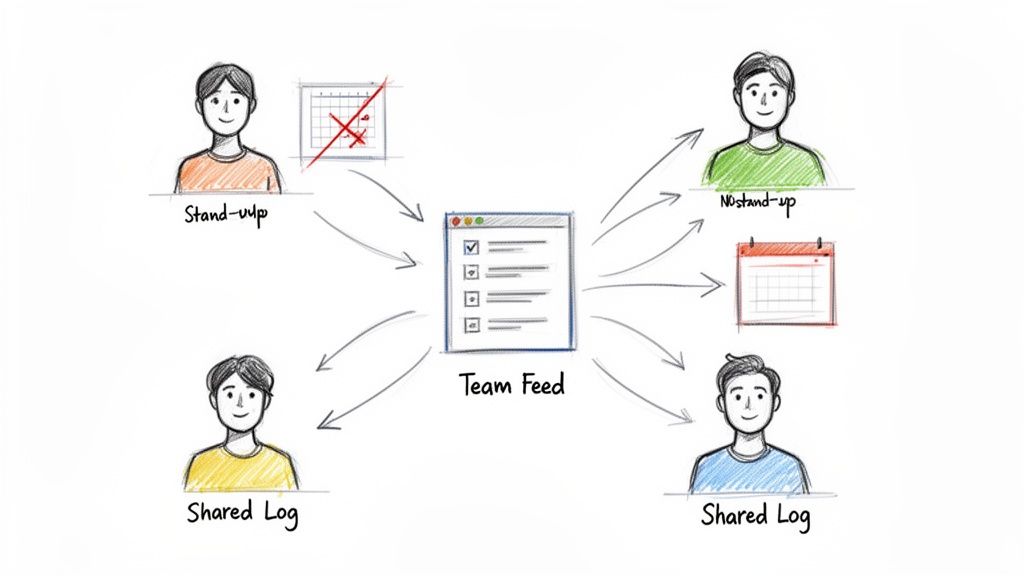
Let's be honest. The daily stand-up meeting is often a colossal waste of time, especially when you're remote. It forces everyone to sync up at a time that's probably inconvenient for someone, yanking them out of deep work just to go around the room reciting updates that could have been an email.
A much smarter move is to use a shared team feed. Think of it as a central, asynchronous channel where everyone posts their daily log or weekly recap. Instead of a forced meeting, people can browse updates on their own time. It creates this constant, quiet hum of visibility without the jarring interruptions. You can see how lightweight tools make this a reality for distributed teams looking to stay aligned.
Establish Crystal-Clear Communication Rules
When you can't just walk over to someone's desk, you absolutely have to be explicit about how you communicate. If you don't, you end up with a tangled mess of emails, DMs, project comments, and carrier pigeons. Nobody knows where to look for what.
A simple set of ground rules works wonders here. For example:
- Urgent & Blocking Issues: Use a designated, high-alert channel (like a #fires channel in Slack where notifications are always on).
- Project Discussions: All chatter and decisions live inside the specific task or document in your project tool. No side-channeling.
- General Updates & FYI: Post to the shared team feed for async visibility.
This simple structure cuts through the chaos. It replaces the constant guesswork with a predictable, organized system that everyone understands.
The goal is to build psychological safety and autonomy. When people know exactly where and how to communicate, they spend less brainpower worrying about the process and more on doing incredible work.
A Real-World Scenario in Action
Picture a product team working on a new feature launch. The engineer in Berlin finishes her day by logging a quick update on a tricky API integration she just cracked. The designer in Portland wakes up, sees the note, and drops new UI mockups into the project tool, tagging the engineer for feedback.
A few hours later, the marketer in Austin skims the feed, sees the feature is humming along, and shares a draft of the launch announcement for review. Zero status meetings were needed. Everyone had the context they needed, right when they needed it, without having to ask.
This isn’t just about convenience; it’s about a competitive edge. Clear, organized systems are crucial as new technologies reshape how we work. Projections show that generative AI could dramatically boost labor productivity by 2040, but only for organizations that effectively reinvest the time saved. You can read more on these global productivity patterns from McKinsey. Building efficient async systems isn't just a nice-to-have—it’s how you win.
Got Questions? Let's Talk Real-World Scenarios
Alright, so you’ve got a shiny new system for staying organized. That’s great. But we both know that a perfectly planned day rarely survives contact with reality.
This is where most systems fall apart—when the chaos of a real workday hits. So, let's tackle a couple of the most common curveballs you're going to face.
What Happens When an "Urgent" Task Blows Up My Day?
It’s 10 AM on a Tuesday. You’re in the zone, finally making headway on that big project. Then, a Slack message hits you like a brick: "EMERGENCY: The main checkout flow is broken!"
So much for your beautifully planned day, right?
Here’s the thing: this system isn't about being a robot who blindly follows a to-do list. It's about making deliberate decisions when things go sideways. When a genuine, five-alarm fire erupts, you drop everything and grab the fire extinguisher. No question.
But here’s the crucial part: you have to log the interruption. Once the flames are out, take literally 30 seconds and jot down a quick note in your work log. Something like, "Pivoted at 10:15 AM to fix critical checkout bug (T-451)."
That tiny action does two massive things. It creates a paper trail explaining why your planned work got pushed, and it makes your heroic, day-saving effort visible to your team. It’s the difference between looking like you got nothing done and showing everyone you saved the company's bacon.
An organization system isn't a rigid cage; it's a launchpad. It’s designed to help you handle emergencies calmly and then get right back on track without missing a beat.
How Can I Get My Team to Adopt This Without Being "That Person"?
You can be the most organized person on the planet, but if you're working in a whirlwind of team chaos, you're just a lighthouse in a hurricane. You’ll constantly get pulled back into the storm.
Getting your team on board isn’t about sending a manifesto or scheduling a big, formal meeting to announce "The New Way." That never works. Instead, you have to be a little sneaky. You lead by example.
Start by just... doing it.
- Post your daily updates religiously. When your colleagues see your crystal-clear logs, a little lightbulb will go off. They’ll realize how much easier it is to know what you’re up to without having to poke you.
- Politely decline meetings. The next time a vague meeting invite comes in, try responding with, "Trying to protect my focus time today. Can we sort this out async? Here's a quick update on my end to get us started..."
- Show them the magic. When your boss asks for a report on what you accomplished last quarter, don't just write a long email. Send them a link to your impeccably organized work log. The value will slap them in the face.
You're not forcing a process on anyone. You're just quietly demonstrating a less stressful, more effective way to work. Trust me, people are naturally drawn to things that make their own lives easier.
Tired of your day being run by good intentions and sheer willpower? WeekBlast is the ridiculously fast, no-fluff work log built for people who’d rather be doing the work than talking about it. Ditch the status meetings, capture your progress in seconds, and build a clear, searchable history of what you’ve actually accomplished. Start your free trial and see how WeekBlast can transform your workflow.


