If you're hunting for a weekly progress report template, chances are you've felt the sting of a status update process that just doesn't work. The right template can be a game-changer, pulling your team out of scattered Slack messages and long, droning meetings. It shifts the focus to what truly matters: outcomes, not just a list of busywork.
Moving Beyond the Dreaded Status Update
Let's face it: most status updates are a colossal waste of time. They’re often crammed into meetings that should have been an email, or they devolve into a chaotic mess of DMs and document comments that are impossible to track. All this back-and-forth creates confusion and kills the precious time your team needs for deep, focused work.
The real frustration with these old-school methods is the total lack of structure. Without a consistent format, every person's update is different. This makes it incredibly hard for managers and teammates to get a quick, clear read on what’s actually happening.
The Problem with Unstructured Updates
When reporting is a free-for-all, the same problems pop up again and again. Key information gets buried, critical context is lost, and accountability becomes a guessing game. This just leads to an endless cycle of follow-up questions and "just checking in" messages, which are really just another form of interruption.
A well-designed weekly progress report template cuts right through that noise. By standardizing how progress is shared, it establishes a reliable single source of truth that everyone can count on. The results are immediate and powerful.
- Clarity over Confusion: A consistent format means everyone reports on the same key areas. No more trying to decipher vague updates.
- A Single Source of Truth: Forget digging through old chat threads. All progress lives in one predictable, easy-to-find place.
- More Time for Real Work: When updates are this clear and concise, you can often skip the status meeting altogether. (We've actually written a whole piece on the benefits of async updates versus status meetings.)
A great weekly report doesn't just list tasks. It tells a story of progress, highlighting accomplishments, identifying roadblocks, and setting clear intentions for the week ahead.
At the end of the day, adopting a simple template turns team communication from a frustrating chore into a real strategic advantage. It helps everyone shift their mindset from "staying busy" to delivering meaningful results, and that's a win for the entire team.
The Go-To Weekly Progress Report Template
Let's cut through the noise. A great weekly progress report isn’t about logging every minute of your day; it’s about telling a clear, concise story of what you achieved, what’s next, and where you need help. It's a communication tool, not a time sheet.
This is the universal template I've seen work time and time again. It’s simple, effective, and gives your manager everything they need to know at a glance.
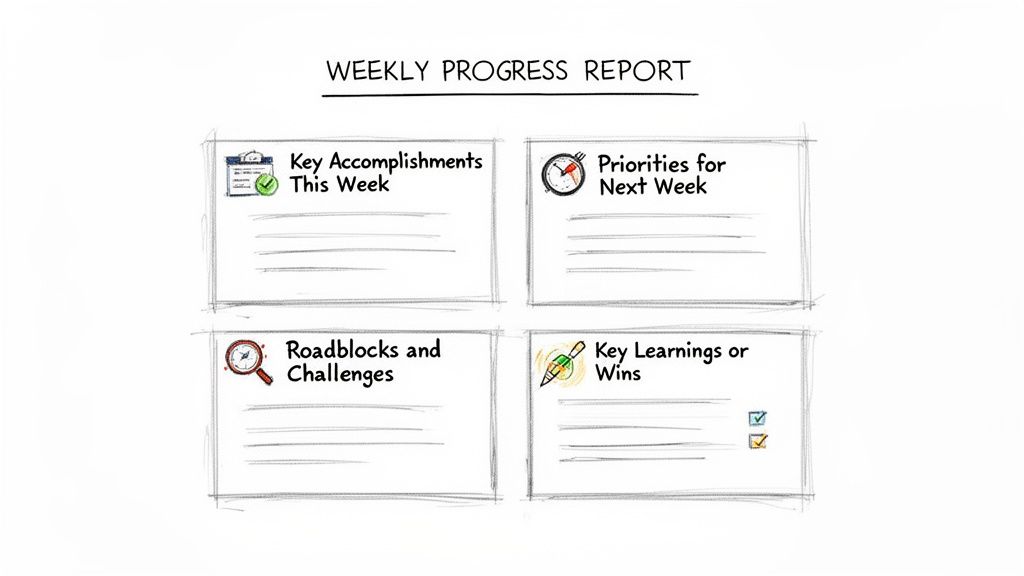
You can copy and paste this structure directly into an email, a Slack message, or whatever tool your team uses. We’ll get into customizing it later, but this is your starting point.
Weekly Progress Report
Name: [Your Name] Date: [Date of Report]
1. Key Accomplishments This Week
- [Accomplishment 1: Describe the outcome and its impact.]
- [Accomplishment 2: What did you complete and why does it matter?]
- [Accomplishment 3: Link to the finished work if applicable.]
2. Priorities for Next Week
- [Priority 1: What is the main goal you will focus on?]
- [Priority 2: What secondary task will you address?]
- [Priority 3: Any other important items on your radar.]
3. Roadblocks and Challenges
- [Blocker 1: Clearly state the issue and the help you need.]
- [Potential Risk: Identify something that might become a problem.]
4. Key Learnings or Wins
- [A brief note on something new you learned, a small victory, or positive feedback.]
Breaking Down the Core Components
Every field in this template is there for a reason. It's designed to shift your thinking from "what I was busy with" to "what I accomplished."
A well-structured report gives your manager a clear picture without needing a follow-up meeting. Below is a breakdown of what each section is for and how to think about it.
Core Components of an Effective Weekly Report
| Section | Purpose | Example Entry |
|---|---|---|
| Accomplishments | To showcase completed work and its value. This is your highlight reel. | "Launched the new user dashboard, which is projected to reduce support tickets by 15%." |
| Priorities | To align on upcoming focus and manage expectations for the week ahead. | "Finalize the Q3 marketing budget proposal and submit it for review by EOD Wednesday." |
| Roadblocks | To proactively flag issues and request specific help before they derail progress. | "Blocked on API access from the data team. Need credentials to move forward on the integration." |
| Learnings/Wins | To share knowledge, boost morale, and foster a culture of continuous improvement. | "Discovered a new SQL function that cuts our query time in half. Shared it with the team." |
By covering these four areas, you provide a 360-degree view of your work (past, present, and future) in a format that takes just a few minutes to read.
The Real Power Is in Roadblocks and Learnings
The first two sections are standard, but the last two are where the magic happens. They transform a simple status update into a powerful tool for team growth and transparency.
Roadblocks and Challenges This is, without a doubt, the most important part of your report. It’s your official channel to ask for help. Don't be vague. "Waiting for API access from the data team" is a clear, actionable problem. "Blocked on a dependency" is not. Being specific here is what prevents small hiccups from turning into major delays.
A great progress report doesn’t just look backward at what was done; it looks forward to define intent. It transforms a simple update into a tool for alignment and planning.
Key Learnings or Wins This section is all about the human side of work. Sharing a small win (like a customer complimenting your work on Twitter) lifts team morale. Noting a key learning (like a new keyboard shortcut that saves you an hour a week) spreads knowledge. It’s what keeps the reporting process from feeling like a chore and turns it into a genuinely useful team ritual.
How to Write a Report People Will Actually Read
A great weekly progress report template is a fantastic starting point, but it's just a tool. The real skill is in how you fill it out. Your goal isn't just to list off tasks; it's to communicate your value, get everyone on the same page, and stay ahead of your workload.
A lot of people treat their weekly report like a chore to get over with. That’s a huge missed opportunity. Think of it less as a list and more as a concise story of your week, one that a busy manager can digest in under five minutes.
Focus on Outcomes, Not Just Activities
If you make one change, make it this: stop reporting on activities and start reporting on outcomes. Honestly, no one wants to read a laundry list of every meeting you went to or every email you sent. What they really need to know is the impact your work had.
Spot the difference here:
- Activity-focused: "Spent Monday and Tuesday coding the new login page."
- Outcome-focused: "Completed and deployed the new login page. It now supports single sign-on (SSO), which boosts security for all our enterprise users."
The second one is so much more powerful, right? It connects what you did directly to business value. It shows why your work matters. This one tweak turns your report from a simple to-do list into a highlight reel of your contributions.
A well-written report does more than just inform; it builds trust. When you consistently communicate your progress with clarity and context, you give your manager confidence that you are on top of your responsibilities.
This outcome-first thinking helps you, too. When you get in the habit of explaining the "why" behind your tasks, you stay more plugged into the bigger team goals and find it easier to prioritize what’s truly important.
Frame Blockers as Problems to Solve Together
Your "Roadblocks and Challenges" section is the best way to ask for help, but you have to handle it carefully. The tone here is everything. You want to avoid sounding like you're complaining or pointing fingers.
Instead, frame your blockers as a chance to collaborate. Be specific, state the problem clearly, and suggest a next step or ask for a specific kind of help.
For instance, instead of writing, "Still waiting on the design team," try something more constructive. Something like, "I'm ready to start development on the user profile feature, but I need the final mockups from design. Could you help me get a clearer timeline for when those will be ready?" This approach is professional, non-confrontational, and makes it super easy for your manager to jump in and help out.
Set Clear Intentions for the Week Ahead
The "Priorities for Next Week" section is your chance to set expectations and make sure you and your manager are aligned before the week kicks off. Don't just list tasks, explain what you plan to accomplish. This simple step can prevent a world of misunderstanding and ensure you're working on what matters most.
This forward-looking piece is what makes structured reporting so effective. In fact, consistent reporting helps teams spot project delays way faster than just relying on random updates. Teams that stick to a standardized weekly progress report template can actually cut project completion delays by 25-35%. You can discover more insights about project tracking on MorningMate.com.
By clearly stating what you're planning, you open up a feedback loop. Your manager can immediately see if your priorities are off and gently nudge you back on course, saving you from spending an entire week on the wrong thing. It turns your report into a proactive planning tool, not just a reactive summary of the past.
Making the Template Work for Different Roles
A good weekly progress report template is a great starting point, but it's not a one-size-fits-all solution. To get real value out of it, you need to tweak it to fit your specific role. After all, the way an engineer talks about their week is worlds apart from how a product manager or a team lead does.
The core idea is to shift the focus of each section to match your unique responsibilities. An individual contributor will naturally be down in the weeds, talking about specific tasks. A manager, on the other hand, needs to zoom out and report on team health and bigger-picture strategy.
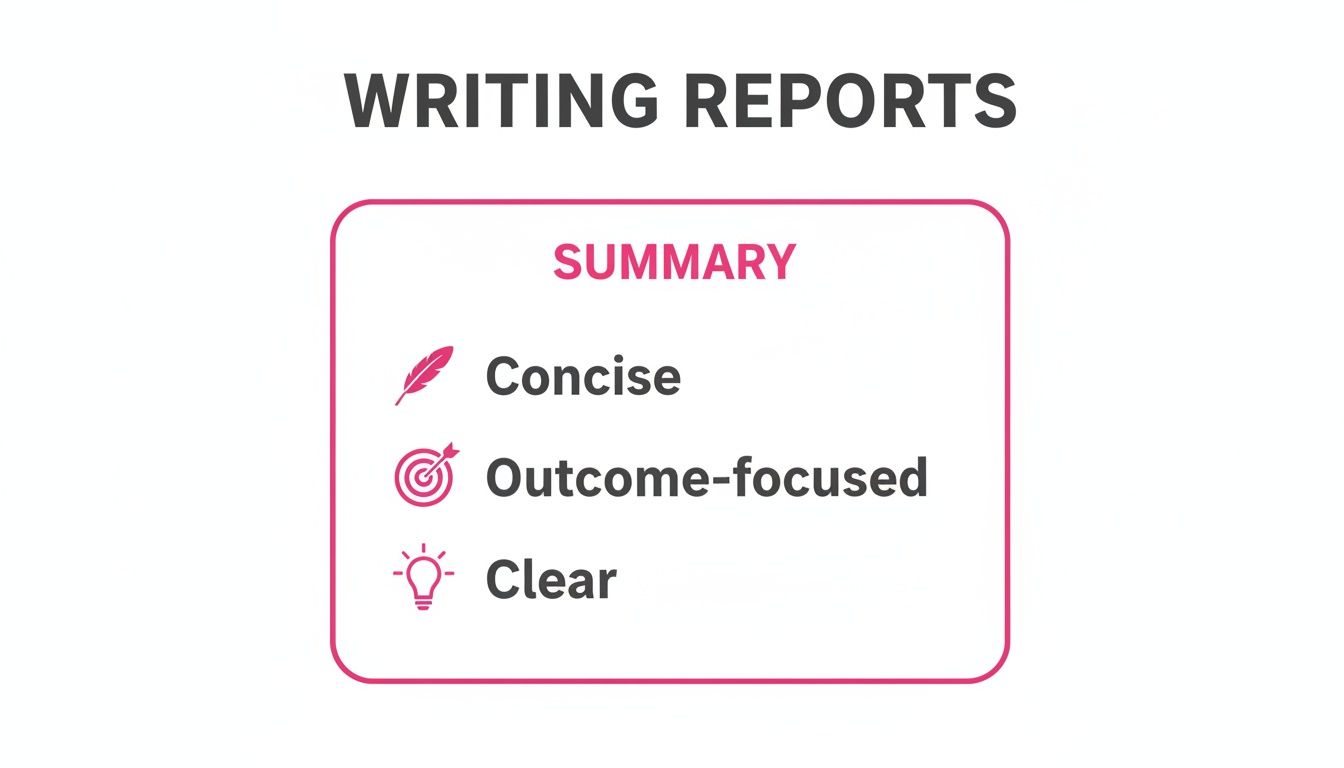
No matter what your title is, the fundamentals of a great report are the same. Whether you’re writing about code commits or summarizing user feedback, always aim to be concise, outcome-focused, and crystal clear.
For Individual Contributors
If you're an individual contributor (IC), your weekly report is your best tool for showing off what you've accomplished and keeping your workload on track. Your focus should be squarely on your personal progress, the tasks you’ve knocked out, and any specific blockers holding you up. You’re communicating the direct value you delivered this week.
Here’s how you can adapt the template:
- Accomplishments: Get specific. List the exact tickets, features, or tasks you finished. Even better, link directly to your work, like a pull request, a design file, or a completed document.
- Priorities: What’s next on your plate? List the main tasks from the sprint or project plan that you're picking up. This is a great way to show you're aligned with the team's goals.
- Roadblocks: Don't be vague. Pinpoint exactly what's stopping you. Name the person, team, or specific piece of information you need to get moving again.
A Quick Example from an IC's Report:
- Shipped the front-end code for the new user profile page (Ticket #582), which finally gives users an easier way to manage their accounts.
- Refactored the old billing component and cut its load time by a solid 40%.
For Product Managers
As a Product Manager, your report is for a different audience entirely. You need to communicate progress on features, pass along key customer insights, and tie the team's day-to-day work back to the bigger business goals. The focus shifts from individual tasks to the overall health and momentum of the product.
A PM’s customized report might look like this:
- Accomplishments: Frame your updates around feature milestones and user feedback. Instead of "tickets closed," think in terms of "user story validated" or "hypothesis proven."
- Priorities: Outline the big product questions you need to answer next week. This could be anything from user testing goals to backlog grooming sessions.
- Roadblocks: Call out any cross-functional dependencies, risks to the product timeline, or conflicting stakeholder feedback that needs a decision.
What a PM's Priorities Might Look Like:
- Finalize the user stories for the upcoming payment gateway integration and get engineering sign-off.
- Dig into the latest user survey feedback (150+ responses) to pull out the top feature requests for the Q4 roadmap.
For Engineering Managers
When you're an Engineering Manager, your weekly report provides a high-level look at your team's health, technical progress, and any systemic issues bubbling up. You aren't reporting on a collection of individual tasks; you're reporting on the team as a single, cohesive unit. If you want to go deeper, there are some great strategies for managing engineering team updates effectively.
An EM’s report should put the spotlight on:
- Accomplishments: Summarize the team's major wins. Did you have a successful deployment? Did you hit a sprint velocity goal or squash a critical bug?
- Priorities: Talk about the team’s main goals for the next sprint. This is the place to mention any planned architectural work or efforts to pay down technical debt.
- Roadblocks: Escalate blockers that are affecting the entire team. This could be things like environment issues, delays in the hiring pipeline, or a recurring bug that’s slowing everyone down.
This kind of structured reporting isn't just a nice-to-have; it's becoming a standard practice everywhere. Projections show that over 34.3 million professionals across 133 countries will be using digital reporting tools by 2026. This just goes to show the universal need for clear, consistent progress tracking, especially as more teams go remote.
Taking Your Reporting Workflow to the Next Level with WeekBlast
Once you've got the hang of the manual weekly progress report, you'll start to see its value. But you'll also notice the little bit of friction it takes to keep it going. The next logical step is to make the whole process disappear into the background with a bit of smart automation.
A solid template gives you structure, but a dedicated tool like WeekBlast builds an unbreakable habit. It turns reporting from a recurring chore into a seamless, automatic part of your team's workflow.
Instead of manually chasing down updates or trying to remember your wins from last Tuesday, WeekBlast handles the heavy lifting. It makes it dead simple to capture progress, sends out reminders so no one falls behind, and creates a permanent, searchable archive of everything your team accomplishes.
Let Technology Lock in Good Habits
The real magic of automation isn't just clawing back a few minutes each week. It's about cementing the very principles of great communication that make progress reports so valuable in the first place. When you remove the administrative busywork, your team can focus on what actually matters: the work itself.
Suddenly, reporting isn't a calendar appointment you dread. It's just something that happens.
- Capture Wins on the Fly: Did you just crush a big task? Send a quick email or drop a note in an app. No more end-of-week scramble trying to reconstruct your accomplishments from memory.
- Keep Everyone Consistent: Automated, scheduled reminders ensure everyone gets their updates in on time, every time. This creates a reliable rhythm of communication the whole team can depend on.
- Build a Searchable History: Every update is automatically filed away, creating a living, searchable log of your team's journey. This is a goldmine for performance reviews, project handoffs, or just looking back to see how far you've come. You can even tap into this data with other tools, as outlined in our WeekBlast API documentation.
The best reporting processes are the ones you don't even notice. Automation takes care of the logistics, freeing up your team to do what they were hired to do: build amazing things.
By bringing your weekly reporting workflow into a tool, you're doing more than just adopting new software. You're building a system that champions transparency and accountability, making sure great work is always seen, shared, and celebrated.
Answering Your Team's Questions About Weekly Reports
Whenever you introduce a new process, questions are bound to pop up. That's a good thing because it means people are thinking about it. Changing how a team communicates is a big deal, and getting ahead of the common concerns will make the transition to a weekly reporting habit much smoother for everyone.
Think of these as the FAQs I've heard over and over again. Having solid answers ready will help you reinforce the best practices we've covered and lead the change with confidence.
How Long Should My Weekly Report Be?
Honestly? As short as you can make it without sacrificing clarity. Nobody has time to read a novel every Friday afternoon. The whole point is to deliver high-impact information quickly, not to create a minute-by-minute log of your week.
As a rule of thumb, aim for a report that someone can scan and fully grasp in under five minutes. That usually breaks down to:
- 3-5 bullet points for what you accomplished and what's next.
- 1-2 bullet points for any roadblocks holding you up.
- A single, punchy sentence for a key learning or win.
The best weekly reports are concise enough to be scannable but detailed enough that your manager doesn't have to ask follow-up questions. Brevity is a feature, not a bug.
If you find your report is creeping into essay territory, take a step back. You're probably listing activities instead of summarizing outcomes. Zoom out and focus on the results.
What are the Biggest Mistakes People Make?
The most common mistake, by far, is treating the report like a chore. When it feels like just another box to tick, the quality plummets, and it stops being a useful communication tool. You're just going through the motions.
Another major pitfall is being too vague. An update like "Worked on the dashboard project" tells me almost nothing. On the other hand, "Completed the data visualization components for the new user dashboard (Ticket #721)" is incredibly helpful. Specificity makes all the difference.
Finally, don't save your problems for Friday. A blocker you've been stuck on since Tuesday shouldn't be a surprise in your weekly report. The report is for documenting and escalating issues you’ve already tried to solve, not for dropping brand-new problems in your manager's lap right before the weekend.
How Can I Get My Team to Actually Use the Template?
Getting a team to adopt a new habit comes down to two things: making it incredibly easy and showing them it's worth their time.
First, you have to lower the barrier to entry. Don't make them log into a separate system they never use. Weave the weekly progress report template directly into the tools they already live in, like Slack or email. The less friction, the better.
Second, lead by example. As a manager, you have to fill out your own report diligently. But more importantly, you need to engage with the reports your team submits. Publicly acknowledge their wins, jump in to help with blockers, and reference their updates in 1:1s. When people see their reports are actually being read and acted upon, they quickly realize it's not just busywork.
Ready to make reporting effortless and build an unbreakable team habit? WeekBlast turns the principles of a great weekly progress report template into a seamless workflow. Start for free and see how easy it is to capture wins, stay aligned, and get back to doing the work that matters.


