Remember the remote work dream? The one with focus, flexibility, and fewer soul-crushing meetings? For many, that dream has warped into a nightmare of back-to-back video calls, a constant barrage of Slack pings, and the gnawing feeling of being perpetually busy but never truly productive. You end your day with a fried brain and a to-do list that somehow grew longer.
The problem isn't remote work itself; it's the broken, office-era habits we dragged home with us. We tried to replicate the physical office online, and the result is a chaotic digital panopticon where everyone feels pressured to be constantly available. True remote productivity isn't about working harder or installing another time-tracking app; it's about adopting a completely different playbook built for asynchronous, focused work.
This guide is your escape plan from the "Zoom vortex." We're diving straight into nine actionable, non-obvious remote work productivity tips that will help you reclaim your focus, eliminate pointless status meetings, and build a system for calm, sustainable output. Forget generic advice like "take breaks." We'll cover everything from mastering asynchronous communication and intentional deep work scheduling to setting up clear progress tracking that makes your contributions visible without constant check-ins. We'll even provide concrete examples, showing how to use simple tools like WeekBlast to make these strategies stick. Get ready to swap meeting fatigue for meaningful progress and finally make the remote dream a reality.
1. Asynchronous Communication and Work Logging
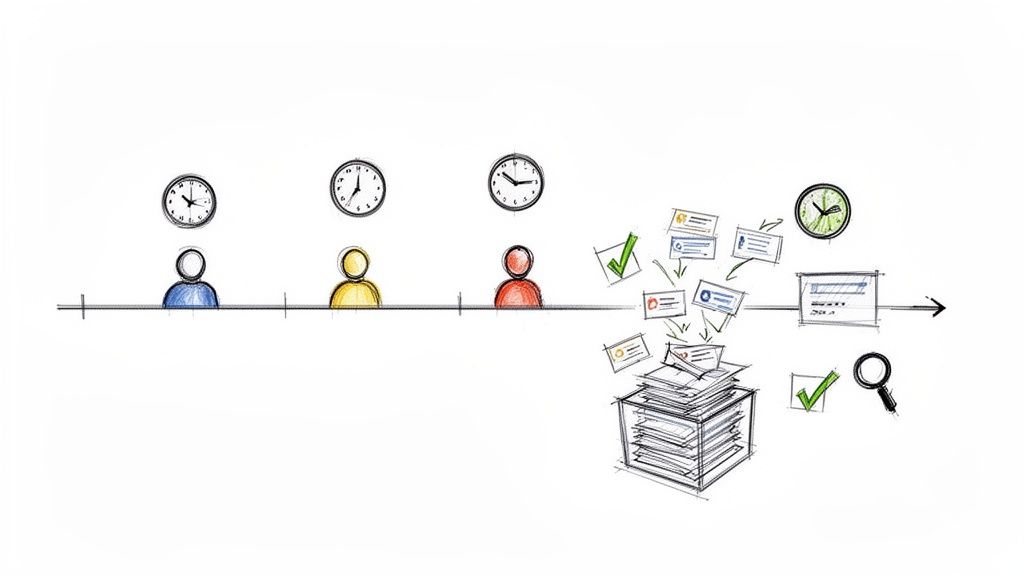
If your calendar looks like a game of Tetris gone horribly wrong, this one’s for you. Asynchronous communication is the art of collaborating without needing everyone online at the same time. Instead of instant replies, the focus is on thoughtful, written communication that respects everyone's deep work schedules and time zones. Paired with work logging, it becomes a superpower for remote work productivity.
Work logging is simply the practice of documenting your tasks, progress, and wins as they happen. This creates a living, searchable record of your contributions. When your whole team does it, you get a real-time feed of what everyone is accomplishing, effectively killing the need for those soul-draining "what did you do this week?" status meetings. It’s all about silent visibility, not silent monitoring.
Why It's a Game-Changer
Pioneered by remote-first giants like GitLab and Automattic, this async-first approach returns huge chunks of time back to your day. Instead of interrupting a developer mid-flow for a quick question, you leave a detailed comment. Instead of a 30-minute daily standup, everyone posts a quick, written update. This simple shift protects focus and empowers team members to work when they are most effective, not just when they are expected to be available.
How to Implement It Now
Getting started is easier than you think. You don't need a massive cultural overhaul overnight.
- Block Time for Logging: Dedicate 15 minutes every Friday afternoon to log your week’s achievements. Use a tool like WeekBlast to capture wins via email or an app, making the process frictionless.
- Keep it Scannable: Use bullet points. No one wants to read a novel. A good log entry includes what you finished, what's in progress, and any blockers. For a structured approach, you can find a helpful guide on crafting the perfect daily work log template. You can explore how to set up a great system with this daily work log template.
- Read, Don't Interrupt: Get into the habit of checking your team’s work log feed or a dedicated Slack channel for updates before scheduling a meeting. You'll often find your questions are already answered.
2. Time Blocking and Deep Work Scheduling
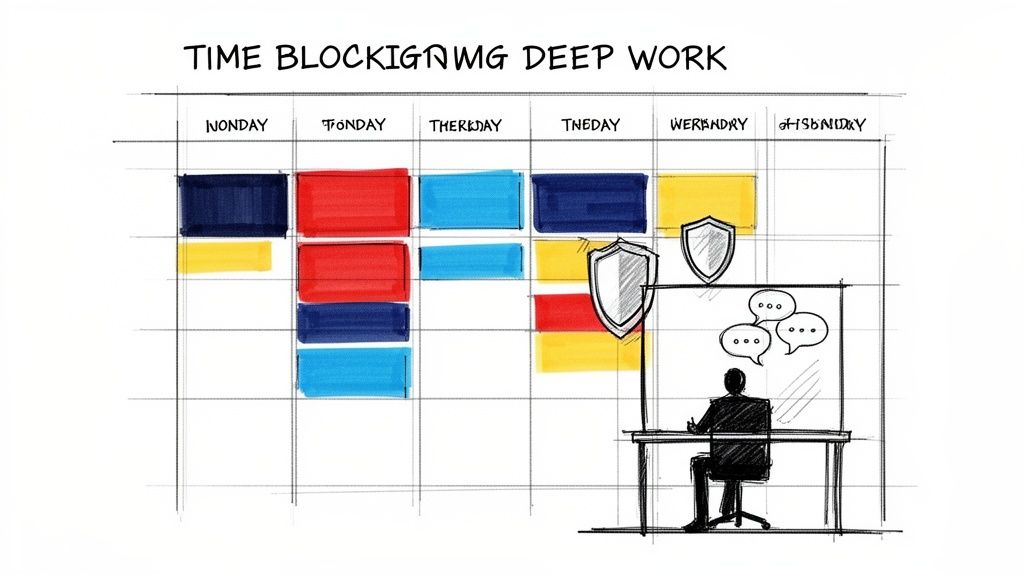
If you ever reach the end of a busy day feeling like you were pulled in a dozen directions and accomplished nothing substantial, time blocking is your new best friend. It’s the simple yet radical act of treating your to-do list like a calendar. Instead of a vague list of tasks, you schedule specific, uninterrupted blocks of time to tackle your most important work, effectively building a fortress around your focus.
This method transforms your calendar from a mere record of meetings into a strategic plan for your day. By pre-committing chunks of time to high-priority projects, you defend your attention from the endless stream of notifications and "quick questions" that derail deep, concentrated effort. It's about being proactive with your time, not reactive to others' demands.
Why It's a Game-Changer
Popularized by thinkers like Cal Newport in his book Deep Work, this technique is a cornerstone of modern remote work productivity tips. It acknowledges the difference between "maker time" (long, focused stretches for creating) and "manager time" (broken up into meetings and calls). For engineers, writers, designers, and anyone whose job requires deep thought, protecting maker time is non-negotiable. It’s how you move from just being busy to being genuinely productive.
How to Implement It Now
You don't need fancy software to get started; your existing calendar app is perfect. The key is consistency and communication.
- Schedule Your Peaks: Identify your most energetic and focused hours of the day (for many, it's the morning) and block them out for deep work. Title the calendar event something clear like "Deep Work: Project X" or "Focus Time: DO NOT BOOK."
- Communicate Your Blocks: Let your team know about your focus time. A simple Slack status like "Heads down until 11 AM" or a shared team calendar can prevent interruptions before they happen.
- Batch Similar Tasks: Group smaller, related tasks like answering emails or reviewing code into their own dedicated time blocks. This minimizes context switching and keeps you in a consistent mental flow. For more strategies on maintaining concentration, you can find a helpful guide on how to stay focused at work.
- Log Your Progress: After a successful deep work session, log what you accomplished in a tool like WeekBlast. This creates visibility for your focused efforts and reinforces the value of your protected time.
3. Clear Progress Tracking and Visibility
Ever feel like you’re screaming into the void, wondering if anyone actually knows what you're working on? Clear progress tracking is the antidote. It’s the practice of making work visible, not by chaining yourself to a status meeting, but by creating a transparent, always-on record of what’s done, what’s in progress, and what’s next. This creates a shared understanding that keeps teams aligned, especially when scattered across continents and time zones.
This isn’t about micromanagement; it's about mutual trust and effortless alignment. When progress is visible, you don't need to constantly poke your colleagues for updates. It allows managers to pull information for performance reviews based on actual contributions, not just on who talks the loudest in meetings. This is one of the most powerful remote work productivity tips for demonstrating value and killing ambiguity.
Why It's a Game-Changer
Pioneered by engineering teams running async standups and remote-first advocates, this approach replaces the need for synchronous check-ins. Instead of a manager asking, "What's the status on Project X?" they can simply view the team’s work log. This system fosters a culture of accountability and empowers individuals to own their work and showcase their accomplishments without interruption. It’s the difference between being asked for updates and proudly presenting them on your own terms.
How to Implement It Now
You can build this transparent system without adding a bunch of administrative overhead. The key is to make it a natural part of your workflow.
- Focus on Outcomes: When logging work, don't just list tasks. Frame entries around outcomes and wins, like "Shipped the new user onboarding flow" instead of "Worked on onboarding tickets." This makes your impact clear and easy to understand.
- Keep It Human-Readable: Use a simple, scannable format for your updates. Bullet points are your friend. The goal is to make it easy for anyone on the team to get the gist of your progress in 30 seconds or less.
- Review Asynchronously: Set a team norm to review the collective progress log once a week, perhaps every Friday afternoon. This replaces the weekly 1-on-1 status discussion and gives everyone a holistic view of team momentum without a single meeting.
4. Distraction Minimization and Communication Boundaries
Is your focus constantly being shattered by a relentless barrage of Slack pings, emails, and "quick question" video calls? If so, it's time to build a fortress around your attention. Distraction minimization isn't about ignoring your team; it's about creating clear, intentional rules of engagement that protect everyone's ability to do meaningful work. It’s the digital equivalent of putting on noise-canceling headphones and a "do not disturb" sign.
This strategy involves setting explicit boundaries around how and when you communicate. Instead of a free-for-all where every message is treated as urgent, you create a system that distinguishes between "on fire" emergencies and "can wait a few hours" updates. This allows for deep, uninterrupted work sessions, which are the lifeblood of remote work productivity, while ensuring the team stays connected and coordinated. It’s about working smarter, not just being more available.
Why It's a Game-Changer
Pioneered by thoughtful companies like Basecamp and championed by productivity experts like Cal Newport, this approach tackles the single biggest threat to remote focus: constant context switching. Each notification, no matter how small, pulls you out of your flow state. By setting communication boundaries, you reclaim control over your schedule. An engineering team with a "no Slack before 10 am" rule can solve complex problems without interruption, and a manager who batches their questions for an afternoon check-in respects their team's most productive hours.
How to Implement It Now
You don't need a top-down mandate to start reclaiming your focus. Small, personal changes can have a huge impact.
- Be a Status Signal Pro: Use your Slack, Teams, or Discord status to communicate your availability. A simple "🎧 Deep Work - will reply after 2 PM" status works wonders. It tells your team you're not ignoring them; you're just focused.
- Define Your Channels: Create clear guidelines for communication tools. For example, use a specific Slack channel for urgent issues only, while all other discussions happen asynchronously. Reserve real-time calls for complex problem-solving, not simple status updates.
- Batch Your Communication: Instead of sending ten separate messages as thoughts pop into your head, collect them in a draft. Send them as a single, organized message once or twice a day. This respects your colleagues' focus and encourages more thoughtful responses.
5. Weekly Reflection and Work Summary Practices
If your work week feels like a blur of tasks, tickets, and Slack messages, this practice is your clarity compass. Weekly reflection is the habit of pausing to review your accomplishments, challenges, and learnings. When paired with a work summary, it transforms scattered activities into a coherent narrative of your contributions, making your impact visible to yourself and your team.
This isn’t about writing a novel every Friday. It’s about creating a concise, auditable record of your work. Instead of trying to recall what you did two months ago for a performance review, you have a week-by-week log of your progress. This practice shifts the focus from "being busy" to "being effective," which is one of the most powerful remote work productivity tips for showcasing your value without constant meetings.
Why It's a Game-Changer
Pioneered by remote-first leaders like GitLab, this habit builds a culture of accountability and recognition. It gives you a moment to celebrate your own "Friday wins," identify patterns in your workflow, and spot potential roadblocks before they become major issues. For managers, these summaries provide a clear, asynchronous view of team output, eliminating the need for micromanagement and fostering trust. It’s a simple system that pays huge dividends in both personal satisfaction and team alignment.
How to Implement It Now
You can integrate this powerful habit into your routine without adding hours to your schedule. The key is consistency and a lightweight process.
- Schedule a Reflection Ritual: Block out 20 minutes on your calendar every Friday afternoon. Treat it like a non-negotiable meeting with yourself to review your week and compile your summary.
- Capture Wins As They Happen: Don't wait until Friday to remember your successes. Log your wins and key tasks throughout the week. Using a tool like WeekBlast makes this effortless, allowing you to capture progress via email or an app so it’s ready for your weekly summary.
- Use a Scannable Format: Structure your summary with bullet points for easy reading. A great format includes three sections: What I finished, What’s in progress, and Learnings/Challenges. This gives your manager and team a quick, comprehensive update.
6. Strategic Use of Synchronous vs. Asynchronous Communication
Think of your team's communication channels like a toolbox. You wouldn't use a sledgehammer to hang a picture frame, right? This is all about choosing the right tool for the job: real-time (synchronous) versus on-your-own-time (asynchronous) communication. It’s the intentional decision to use a live video call for a complex brainstorm but rely on written updates for everything else.
This strategic approach is a cornerstone of effective remote work productivity tips because it respects everyone’s most valuable asset: their focus. By defaulting to asynchronous methods for status updates and general information sharing, you free up the calendar for the high-stakes, collaborative moments that actually benefit from live interaction. It’s about being intentional with every interaction, not just available.
Why It's a Game-Changer
Companies that master this balance, like Basecamp and GitLab, reclaim countless hours from the meeting monster. Instead of pulling everyone into a meeting for a simple status check, they use written, asynchronous updates. This empowers team members across different time zones to contribute thoughtfully without being tied to a rigid schedule. It’s the difference between a team that’s constantly reacting and a team that’s proactively accomplishing.
This isn't about eliminating meetings entirely; it's about making them count. Synchronous time becomes a precious resource reserved for building relationships, making tough decisions, and creative problem-solving. Everything else happens in a calm, documented, and organized asynchronous space.
How to Implement It Now
You can start protecting your team's focus today with a few simple shifts.
- Default to Asynchronous: Make written communication the standard for anything that doesn't require immediate back-and-forth. This includes status updates, sharing documents for feedback, and asking non-urgent questions.
- Give Every Meeting a Mission: Before scheduling a synchronous call, ask yourself, "Is this for a decision, a complex discussion, or team bonding?" If the answer is no, it should probably be an email or a logged update.
- Document Everything: After a synchronous meeting, document key decisions and action items in a shared, searchable space. This ensures anyone who couldn't attend stays in the loop and creates a permanent record. To dive deeper into this, you can explore the power of asynchronous updates for your team.
7. Environmental and Workspace Optimization
If your "home office" is just the least-cluttered corner of your dining room table, this tip is your intervention. Optimizing your workspace is about intentionally designing your physical environment to trigger focus, reduce distractions, and support your well-being. It’s not about having a Pinterest-perfect office; it's about creating clear psychological boundaries that tell your brain, "When I'm here, it's time to work."
This practice transforms a patch of your home into a dedicated productivity zone. A proper setup improves your professional demeanor on calls, prevents physical strain from a slouched-on-the-sofa posture, and signals to others in your home that you're in deep work mode. It's one of the most fundamental remote work productivity tips because your environment dictates your mindset.
Why It's a Game-Changer
Pioneered by ergonomics experts and championed by remote-first companies like Buffer and Zapier, a dedicated workspace drastically cuts down on context switching. Instead of your brain associating the couch with both Netflix and quarterly reports, you create a space solely for focus. This separation makes it easier to "switch off" at the end of the day, protecting your personal time and preventing burnout. Investing in your workspace is a direct investment in your long-term health and career performance.
How to Implement It Now
You don't need a corner office to reap the benefits. Start with small, strategic changes that have a big impact.
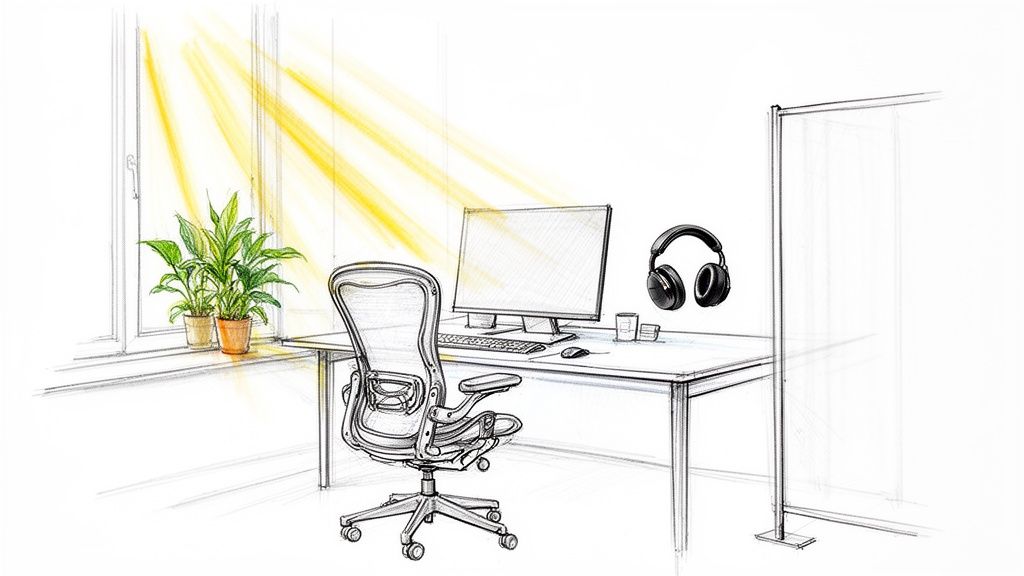
- Invest in Your Chair: Your future back will thank you. An ergonomic chair isn't a luxury; it's a necessity for preventing the aches and pains that kill focus. Don't skimp here.
- Command Your Light and Sound: Position your desk near a window for natural light if possible. Use noise-canceling headphones or a white noise app to drown out household chaos and create a bubble of concentration.
- Create a Visual Boundary: Even if you don't have a separate room, use a bookshelf or a simple room divider to physically separate your workspace from your living space. This small visual cue makes a huge psychological difference.
- Master the Ergonomics: Your screen should be at eye level, and your wrists should be straight when typing. This isn't just for comfort; it's for preventing repetitive strain injuries.
8. Regular One-on-One Check-ins with Clear Intent
If the thought of another one-on-one makes you want to fake a Wi-Fi outage, it’s probably because you’re doing them wrong. In a remote setup, one-on-ones aren't for reading off a list of tasks you just finished. That’s what work logs are for. Instead, these meetings transform into high-value sessions focused on growth, feedback, and unblocking real challenges.
Think of it this way: your work log handles the "what," freeing up the one-on-one to explore the "how" and the "why." How are you feeling about your workload? Why did that project feel so energizing (or draining)? This shift turns a tedious status report into a powerful tool for connection and career development, making it one of the most essential remote work productivity tips for managers and team members alike.
Why It's a Game-Changer
When you strip out the status updates, you’re left with pure, uncut human connection and strategic alignment. Managers can stop interrogating and start coaching. Team members get a dedicated space to discuss career goals, ask for help on complex problems, and give candid feedback without an audience. This approach, championed by modern management frameworks like Radical Candor, builds trust and psychological safety, which are the bedrock of high-performing remote teams. It’s no longer a meeting you have to attend; it’s a meeting you want to attend.
How to Implement It Now
You can pivot your one-on-ones from mundane to meaningful almost immediately. It just takes a little prep work and a new mindset.
- Share an Agenda 24 Hours Ahead: The meeting owner (it can be the manager or the report) should share a simple, collaborative document with 2-3 key talking points. This gives both people time to think.
- Do Your Homework: Before the meeting, the manager should review the team member’s recent work logs. Use a tool like WeekBlast to quickly see accomplishments and progress, allowing you to walk in with context and thoughtful questions, not "So, what are you working on?"
- Focus on Growth and Blockers: Structure the conversation around open-ended questions. Ask, "What part of your work is most exciting right now?" or "What's one thing we could change to make your week less stressful?"
- Document Action Items: End the meeting by clearly defining next steps. Who is doing what, and by when? This ensures the conversation translates into tangible progress.
9. Accountability Through Shared Progress Visibility and Team Feeds
If you’ve ever wondered, "What is everyone actually working on?", then you know the remote work black hole. Shared progress visibility fills that void, creating accountability and team cohesion without resorting to creepy surveillance software. This isn't about tracking keystrokes; it's about creating a transparent, central feed where everyone can see what their colleagues are tackling, shipping, and celebrating.
Think of it as your team’s private social media feed, but for accomplishments. This ‘silent, always-on visibility’ allows team members to organically understand who is working on what, preventing duplicate efforts and siloed knowledge. It’s the ultimate antidote to the "out of sight, out of mind" problem that plagues so many remote teams, fostering a sense of shared purpose and momentum.
Why It's a Game-Changer
This approach, championed by remote-first companies that value transparency, transforms accountability from a top-down mandate into a peer-to-peer reality. When progress is public, a healthy sense of ownership and responsibility emerges naturally. Instead of a manager chasing for updates, the entire team has a real-time pulse on projects. This visibility makes it easy to spot blockers, offer help, and celebrate wins together, which is crucial for morale and one of the best remote work productivity tips for strengthening team bonds.
How to Implement It Now
You can build this culture of transparency without installing a single new, complex platform.
- Frame it as Collaboration, Not Micromanagement: When you introduce the idea, emphasize that the goal is to improve collaboration and reduce interruptions, not to monitor activity. The focus is on outcomes, not hours logged.
- Establish a Simple Cadence: Start with a simple commitment, like a weekly log of accomplishments. Using a tool like WeekBlast, each person can share their wins, and this automatically populates a team feed, making cross-team visibility effortless.
- Use the Feed to Celebrate: Actively use the shared feed to give shout-outs and recognize great work. When team members see their efforts acknowledged publicly, it reinforces the positive, collaborative nature of the system.
- Reference it in Conversations: Integrate the team feed into your regular workflows. During 1-on-1s or performance reviews, use the documented progress as a starting point for discussion. This shows it’s a valued and integrated part of how your team operates.
9-Point Remote Work Productivity Comparison
| Practice | Complexity 🔄 | Resources ⚡ | Expected outcomes ⭐📊 | Ideal use cases 📊 | Key advantages ⭐ | Quick tip 💡 |
|---|---|---|---|---|---|---|
| Asynchronous Communication and Work Logging | Moderate 🔄 — policy + consistent habits | Low–Medium ⚡ — email/app + storage | High ⭐⭐⭐ — fewer meetings, searchable audit trail | Distributed, multi-timezone teams | Reduces meeting fatigue; permanent records | Schedule weekly log time; use bullet points |
| Time Blocking and Deep Work Scheduling | Moderate 🔄 — calendar discipline | Low ⚡ — calendar + DND features | High ⭐⭐ — improved focus and quality | Knowledge workers, engineers, designers | Reduces context-switching; predictable availability | Block peak-energy times; announce blocks |
| Clear Progress Tracking and Visibility | Moderate 🔄 — integrations & norms | Medium ⚡ — tracking tools + analytics | High ⭐⭐⭐ — data-driven reviews; fewer interruptions | Managers, remote teams, review cycles | Accurate performance data; early blocker detection | Log outcomes (not minutes); use summaries |
| Distraction Minimization and Communication Boundaries | Moderate 🔄 — norms + enforcement | Low ⚡ — status/DND tools, filters | High ⭐ — improved flow; lower burnout | Teams with heavy notifications or deep-work needs | Protects focus; reduces stress and context-switching | Define channel SLAs and use status indicators |
| Weekly Reflection and Work Summary Practices | Low 🔄 — simple cadence & templates | Low ⚡ — summary tools; optional AI | Medium ⭐ — clearer accomplishments; easier reviews | Individuals preparing for reviews or retros | Consolidates wins; simplifies review prep | Capture wins continuously; set Friday review |
| Strategic Use of Synchronous vs. Asynchronous Communication | Higher 🔄 — policy + cultural change | Low–Medium ⚡ — guidelines + training | High ⭐⭐ — fewer unnecessary meetings; clearer decisions | Distributed orgs needing meeting/decision clarity | Preserves sync for decisions; searchable records | Default to async; reserve sync for complex decisions |
| Environmental and Workspace Optimization | Low–Medium 🔄 — physical setup changes | Medium–High ⚡ — ergonomic furniture, soundproofing | Medium ⭐ — better focus, health, professionalism | Remote workers with a dedicated space | Reduces physical strain; enables sustained focus | Invest in an ergonomic chair; use natural light |
| Regular One-on-One Check-ins with Clear Intent | Low 🔄 — agenda + preparation | Low ⚡ — scheduled time + prep | High ⭐ — deeper coaching and development | Managers and reports focused on growth | More meaningful feedback; relationship building | Share agenda 24h ahead; review work logs first |
| Accountability Through Shared Progress Visibility and Team Feeds | Moderate 🔄 — norms + opt-in controls | Medium ⚡ — team feed tools & archives | High ⭐⭐ — transparency, collaboration, trust | Cross-functional and remote teams | Silent visibility; prevents silos without meetings | Set update cadence and privacy options |
Build Your New Remote Work Default
So, you've made it through the gauntlet of remote work productivity tips. If your brain feels a bit like a browser with too many tabs open, that's completely normal. We’ve covered everything from asynchronous work logging and deep work scheduling to the Zen-like art of distraction minimization. The temptation now might be to grab this entire list, staple it to your wall, and try to implement all nine strategies by tomorrow morning.
Please, for the love of focused work, don’t do that.
The true goal here isn't to perfectly execute a checklist. It's to fundamentally rewire your approach to work by building a new default setting. The old default, inherited from decades of office culture, was one of performative presence, synchronous chaos, and meetings as a stand-in for progress. Your new remote default should be built on intentionality, visibility, and a deep respect for your own (and your team's) time and focus.
From Checklist to Culture Shift
Mastering these concepts isn't just about reclaiming a few hours in your week. It’s about orchestrating a profound shift in how you operate, moving from a reactive state to a proactive one.
- Before: You were drowning in shoulder taps, Slack notifications, and "quick sync" requests. Your calendar looked like a game of Tetris gone horribly wrong. Productivity was measured by how busy you looked.
- After: You operate with clear boundaries. Asynchronous communication is your first line of defense, not your last resort. Your progress is consistently visible, eliminating the need for constant check-ins. Productivity is measured by meaningful output, not by your online status indicator.
Think of the tips we've discussed as individual ingredients. Time blocking is the flour, asynchronous updates are the water, and clear progress tracking is the yeast. You can’t just throw them in a bowl and expect a perfect loaf. You have to combine them thoughtfully, knead them into your existing workflows, and give them time to rise. The ultimate recipe is unique to you and your team.
Your Actionable First Steps
Instead of a complete overhaul, aim for a strategic upgrade. The secret to lasting change lies in starting small and building momentum. Pick just one or two of these remote work productivity tips to focus on for the next month.
Here’s a simple way to choose:
- Identify Your Biggest Pain Point: Is it the endless, soul-crushing meetings? Start with strategic asynchronous updates and work logging. Are you constantly derailed by distractions? Begin with time blocking and setting firm communication boundaries.
- Pick the Path of Least Resistance: What’s the easiest strategy to implement right now? Maybe it's optimizing your physical workspace or committing to a weekly reflection practice. A small, easy win can provide the motivation needed to tackle bigger challenges later.
- Find a Partner in Crime: Grab a teammate and agree to try a new practice together, like using a shared work log to keep each other accountable. A shared journey makes the process less daunting and more sustainable.
The ultimate value of mastering remote work isn't just about getting more done. It's about creating a calmer, more focused, and more fulfilling work life. It’s about trading the anxiety of the "always-on" culture for the confidence that comes from visible, consistent progress. You're not just learning to work from home; you're learning to build a system that respects your energy, protects your focus, and allows you to do your best work, no matter where your desk happens to be.
Ready to build your new default with a tool designed for asynchronous clarity? WeekBlast makes it effortless to log your progress, share updates without meetings, and create a permanent record of your team's accomplishments. Start your free trial at WeekBlast and see how simple it is to replace the noise with a clear signal.


