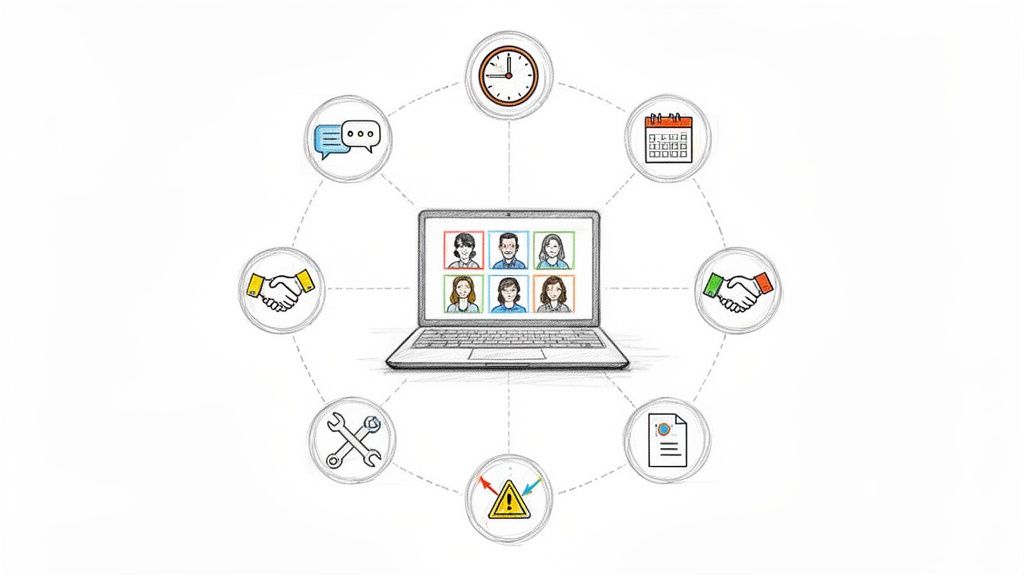
Managing a remote team often feels like trying to conduct an orchestra where every musician is in a different country, using a different instrument, and can't always hear the others play. The old rules of leadership, the ones built on physical presence and impromptu desk chats, are officially obsolete. Relying on them is like using a flip phone to run a tech startup; you're just not equipped for the job. Success in this environment requires more than a premium Zoom subscription and a library of custom emojis. It demands a fundamentally new playbook.
This isn't another article rehashing the obvious. You won't find generic advice like "schedule regular check-ins" here. Instead, we’re diving deep into the actionable strategies that top-tier remote companies use to not just function, but to innovate and dominate their industries. These aren't just theories; they are battle-tested remote team management tips designed for immediate implementation. We'll cover everything from eradicating useless status meetings and mastering asynchronous workflows to building genuine psychological safety when you're thousands of miles apart.
Think of this as your definitive guide to transforming remote work from a logistical challenge into your team's greatest competitive advantage. We’ll give you the concrete steps, the templates, and the critical pitfalls to avoid for each strategy. You'll learn how to foster a culture of trust, clarity, and high performance without ever needing to share a physical office. Whether you're a manager struggling to connect with your team or a leader aiming to build a world-class distributed organization, these insights will provide the clarity you need. Let’s get to the list.
1. Asynchronous Communication Over Real-Time Meetings
Imagine a world without back-to-back Zoom calls, where your calendar isn't a chaotic game of Tetris. Welcome to the power of asynchronous communication, one of the most transformative remote team management tips you'll ever implement. It’s a fancy way of saying, "Let's talk, but not necessarily at the same time." Team members document updates, decisions, and feedback in writing, allowing everyone to contribute on their own schedule. This respects different time zones, protects precious deep-work time, and creates a searchable history of everything important.
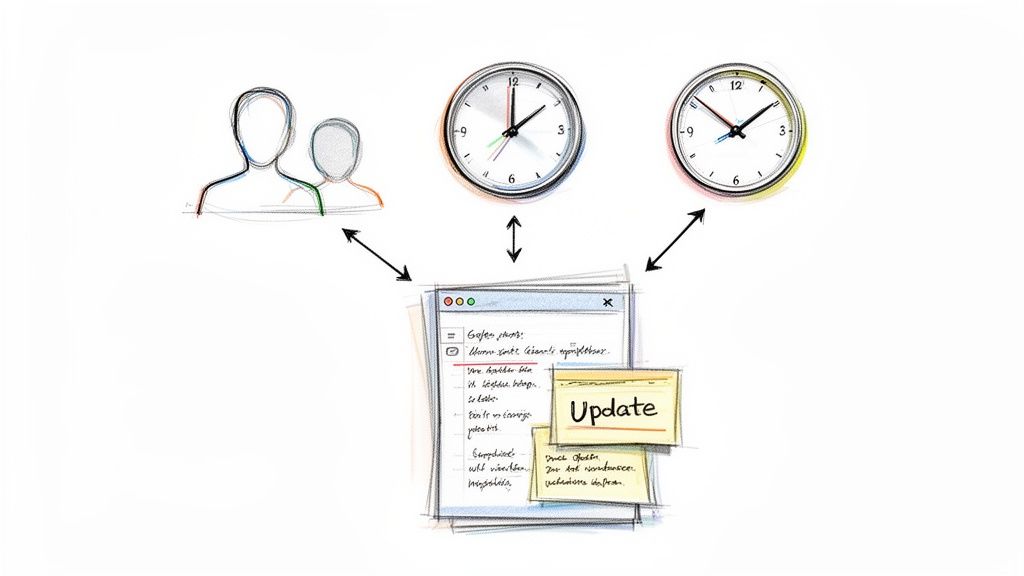
Remote-first giants like GitLab and Automattic (the parent company of WordPress) have built their empires on this principle. They prove that you don't need constant real-time check-ins to build incredible products with a globally distributed team. The key is intentionality and clear documentation.
How to Make Asynchronous Work for You
Ready to reclaim your team's focus? Here’s how to get started:
- Set Clear Expectations: Don't leave response times to chance. Establish guidelines, like a 24-hour window for non-urgent messages, so no one is left anxiously refreshing their inbox.
- Document Everything: Every significant decision, project update, or piece of feedback should live in a centralized, accessible place like a company wiki or project management tool. If it isn't written down, it didn't happen.
- Use the Right Tools: Instead of daily stand-ups, use tools designed for written updates. For a deeper dive into making this shift, you can explore how to implement better async updates with dedicated platforms.
- Create Templates: Standardize common async communications, like project briefs or weekly progress reports. Templates reduce mental overhead and ensure everyone includes the necessary information.
Key Takeaway: Reserve synchronous meetings for high-stakes, nuanced conversations like complex brainstorming, conflict resolution, or critical one-on-one feedback. For everything else, write it down.
2. Implement Clear Work Visibility and a Searchable Archive
Ever feel like you’re managing ghosts? You know brilliant work is happening, but you can’t see it, track it, or find it later. This is the remote work "black box" problem, and the solution is creating transparent work visibility and a searchable archive. It means establishing a clear, living record of what everyone is working on and has accomplished. This transforms management from guesswork to a data-driven conversation, builds institutional memory, and prevents crucial progress from vanishing into the digital ether.
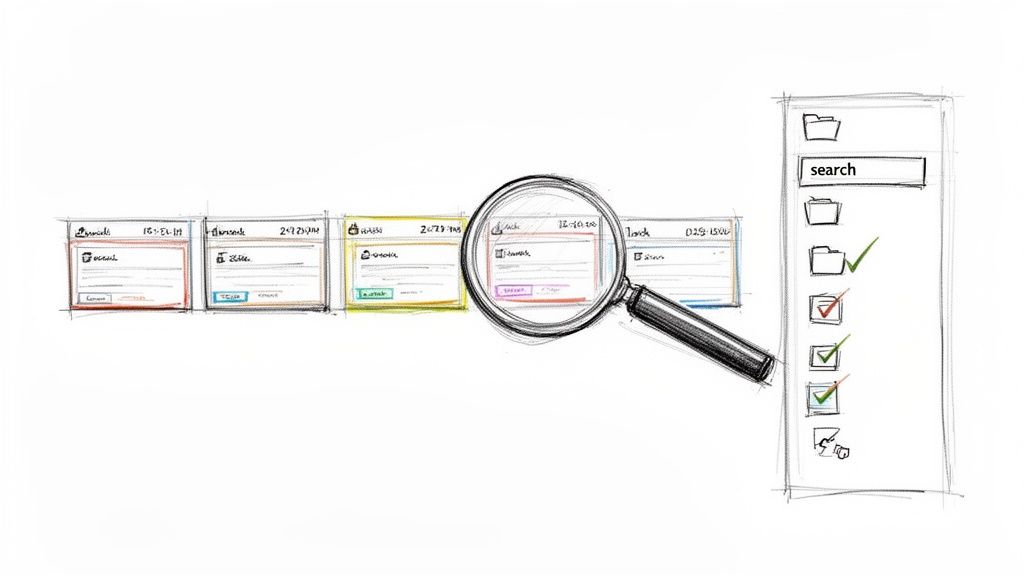
This isn't about surveillance; it's about celebration and continuity. Modern development teams have been doing this for years with Git commit histories, where every change is documented. Similarly, platforms like Notion and Linear provide visible Kanban boards and project docs that turn individual tasks into a shared, searchable narrative. The goal is to make progress visible and past achievements easily accessible for everyone.
How to Build Your Team's Archive
Ready to shine a light on your team's amazing work? Here's how to create a system of record:
- Make Logging Effortless: If tracking work feels like a chore, it won’t happen. Use tools with simple entry methods, like email integrations or quick-add features, to lower the barrier to participation.
- Combine Metrics with Context: Don't just track what was done (e.g., "5 tasks completed"). Encourage qualitative updates that explain the why and the impact of the work, adding human context.
- Automate Archiving: The best archive is one that builds itself. Choose tools that automatically log and index work as it happens, creating a historical record without manual effort. For a deeper look, you can explore strategies to boost team visibility and create a frictionless system.
- Use the Archive for Reviews: Leverage this historical data during performance reviews. It provides concrete examples of contributions, challenges, and growth, making feedback more specific and fair.
Key Takeaway: Treat your team’s completed work like a valuable asset, not a disposable checklist. A searchable archive turns past efforts into future wisdom, empowering better decisions, fairer evaluations, and a shared sense of accomplishment.
3. Establish Regular One-on-One Check-ins
If you think managing a remote team means less face time, think again. It just means the face time you do get needs to be incredibly intentional. Enter the humble one-on-one meeting, the single most powerful tool in your remote management arsenal. This isn't another status update call. It’s a dedicated, recurring conversation focused entirely on your team member: their growth, their challenges, and their well-being. It’s the scheduled time to be a human, not just a manager.
This practice is a non-negotiable at high-performing companies like Google and Basecamp for a reason. They understand that in a remote setting, where spontaneous chats by the coffee machine don't happen, you must manufacture opportunities for connection and support. These check-ins are the bedrock of trust, psychological safety, and individual development, making them one of the most crucial remote team management tips you can adopt.
How to Make One-on-Ones Actually Work
Ready to turn a dreaded meeting into a highlight of the week? Here’s how to do it right:
- Make it Their Meeting, Not Yours: Let the direct report set the agenda. This empowers them to bring up what’s truly on their mind, transforming the dynamic from an interrogation to a supportive coaching session.
- Keep a Consistent Cadence: Schedule them weekly or bi-weekly and protect that time fiercely. Predictability builds trust and shows your team member that they are a priority.
- Go Beyond Project Talk: The goal is to discuss career goals, skill development, roadblocks, and overall well-being. Use their work logs or updates as a starting point for deeper conversations, not the entire focus.
- Document and Follow Through: Take notes on action items for both of you. Following up on a challenge they mentioned last week shows you were listening and are invested in their success.
Key Takeaway: Treat one-on-ones as sacred time for connection and development, not a tactical project review. The health of your remote team depends on the strength of these individual relationships.
4. Eliminate Status Update Meetings
Picture this: it's 9 AM, and instead of hopping on another "quick sync" where everyone recites their to-do list, your team is already deep in productive work. This isn't a fantasy; it's the result of one of the most impactful remote team management tips you can adopt: killing the traditional status update meeting. These meetings, whether daily stand-ups or weekly check-ins, are notorious time-sinks that disrupt focus, offer low-value information, and create scheduling headaches across time zones. By replacing them with written, asynchronous updates, you reclaim hours of valuable time and create a searchable, permanent record of progress.
Remote pioneers like Basecamp and GitLab have long championed this async-first approach, proving that high-performing teams thrive on written communication, not on-the-spot reporting. They understand that progress isn't measured by who speaks the most in a meeting, but by what gets done. This shift empowers individuals to share updates when it makes sense for them, protecting their creative and problem-solving energy.
How to Ditch the Status Meeting (Without Losing Visibility)
Ready to break free from the meeting cycle? Here’s a practical guide to making the switch:
- Start Small: Don't go cold turkey. Begin by replacing daily stand-ups with a simple weekly written summary. This eases the team into the new workflow without causing whiplash.
- Use Simple Templates: Structure is key. Ask your team to follow a format like: 1. What I accomplished this week. 2. What I’m working on next. 3. Any blockers I'm facing. This keeps updates concise and scannable.
- Leverage Smart Tools: Make it easy for your team to share updates. A tool like WeekBlast simplifies the process, allowing team members to submit their updates via a quick app entry or by just emailing a dedicated address. For more ideas on what works, explore this guide to find the right status meeting alternative for your team.
- Protect Synchronous Time: Once status updates are handled asynchronously, reserve your valuable real-time meetings for high-value activities that truly require collaboration, like strategic planning, complex problem-solving, or building team rapport.
Key Takeaway: Stop using expensive, synchronous time for simple information transfer. A status update is a report, not a conversation. Treat it as such by moving it to a written format, and watch your team’s productivity and focus skyrocket.
5. Build Psychological Safety and Trust
Ever been on a video call where you had a question but stayed silent, terrified of looking incompetent? That silence is the sound of psychological safety evaporating. It’s the shared belief that your team is a safe space for taking interpersonal risks, like admitting mistakes or challenging the status quo, without fear of humiliation. For remote teams, where you can’t rely on a reassuring nod or a friendly chat by the coffee machine, intentionally building this trust is one of the most critical remote team management tips you can master.

This isn’t just a feel-good concept; it’s a performance powerhouse. Google’s famous Project Aristotle identified psychological safety as the single most important factor in high-performing teams, trumping even individual talent. It’s the secret sauce behind Pixar’s culture of open feedback and GitHub’s respectful code reviews, enabling innovation and preventing catastrophic errors. Without it, your team is just a group of individuals working in isolation.
How to Cultivate Psychological Safety Remotely
Ready to turn your team into a collaborative fortress of trust? Here’s your blueprint:
- Model Vulnerability: You go first. As a manager, openly admit your own mistakes or knowledge gaps. Saying "I don't know, but let's find out together" is a powerful signal that it's okay for others to do the same.
- Frame Work as a Learning Process: When a mistake happens, replace blame with curiosity. Instead of asking, "Why did you mess that up?" try, "What did we learn from this, and what can we do differently next time?" This reframes failures as valuable data points, not personal shortcomings.
- Normalize Asking for Help: Create explicit channels and moments for team members to ask for support. Celebrate when someone raises their hand for assistance, reinforcing that collaboration is a strength, not a weakness.
- Respond, Don't React: When someone offers a "bad" idea or highlights a problem, thank them for their input before analyzing it. This protects team members from the sting of public criticism and encourages them to keep speaking up.
Key Takeaway: Psychological safety isn't about being artificially nice; it's about creating a climate of respectful debate and candor. It's the foundation that allows your team to tackle tough challenges, innovate fearlessly, and perform at its peak without the safety net of physical proximity.
6. Set Clear Goals and Expectations Aligned with Business Outcomes
Ever feel like your remote team is just a collection of busy people rowing in slightly different directions? Without clear goals, even the hardest-working teams can drift off course. Setting crystal-clear expectations aligned with business outcomes is one of the most vital remote team management tips because it replaces the ambiguity of remote work with a shared, visible destination. It empowers individuals to make autonomous decisions, knowing exactly how their work contributes to the bigger picture.
This isn't just about writing a to-do list. It's about creating a framework for purpose and impact. Tech giants like Google built their success on frameworks like OKRs (Objectives and Key Results), popularized by John Doerr's book Measure What Matters. This approach ensures that every task, from the intern's first project to the CEO's strategic plan, is a measurable step toward a common objective. The result is a team that self-manages effectively because they understand the why behind their work.
How to Make Goal Alignment Work for You
Ready to give your team a compass? Here’s how to get started:
- Cascade Goals from the Top Down: Start with high-level company objectives and break them down into team and then individual goals. This creates a clear "line of sight" so everyone can see how their contributions directly fuel the company's success.
- Embrace a Framework: Don't reinvent the wheel. Adopt a proven system like OKRs for quarterly planning or SMART (Specific, Measurable, Achievable, Relevant, Time-bound) goals for individual projects.
- Make Goals Public and Visible: Post your team's goals in a shared space like a project management tool or company wiki. Transparency ensures everyone understands cross-functional priorities and how their work connects.
- Track Progress Consistently: Goals aren't "set it and forget it." Use weekly work logs or check-ins to monitor progress. This allows you to celebrate small wins and adjust your strategy if something isn't working, rather than waiting for an annual review.
Key Takeaway: In a remote setting, clear, outcome-focused goals are your best proxy for managerial oversight. They build trust, foster autonomy, and ensure everyone is pulling together to achieve meaningful results.
7. Use Intentional Communication Channels for Different Message Types
Imagine your Slack is for quick chats, email is for official records, and project updates live neatly in one place without you having to hunt them down. This isn't a remote work fantasy; it's the result of using intentional communication channels. Without clear rules, urgent messages get buried under a flood of GIFs, and critical decisions disappear into the chat void. By assigning a specific purpose to each tool, you create a system that reduces noise, prevents burnout, and ensures information flows to the right place.
This structured approach is a cornerstone of effective remote team management tips because it replaces communication chaos with clarity. When everyone knows where to post and what to expect, the cognitive load of staying informed drops dramatically. Your team spends less time guessing where to find information and more time doing meaningful work. This isn't about rigid rules; it's about creating a shared language for how you communicate.
How to Make Intentional Channels Work for You
Ready to bring order to your team's communication? Here’s how to set up your channels for success:
- Define Clear Channel Protocols: Create a simple guide that outlines the purpose of each tool. For example: Slack for quick questions and social chatter, Email for formal external communication, and a dedicated work log like WeekBlast for structured, async progress updates.
- Set Response Time Expectations: Let your team know the expected response time for each channel. For instance, Slack messages might be for same-day replies, while emails can wait 24-48 hours. This prevents the anxiety of a constantly "on" culture.
- Establish a 'Source of Truth': Make it clear that ephemeral chat tools like Slack are not for long-term information storage. Important decisions or documents should always be linked to a permanent home, like your project management tool or company wiki.
- Review and Adapt Regularly: Communication needs evolve. Check in with your team quarterly to see if the current protocols are working. Are certain channels becoming too noisy? Is information still getting lost? Adjust your approach based on real-world feedback.
Key Takeaway: Treat your communication channels like tools in a workshop. Each one has a specific job. Using the right tool for the right task makes work smoother, faster, and far less stressful for everyone involved.
8. Celebrate Wins and Recognize Contributions
In an office, a simple "great job" in the hallway or a round of applause after a presentation provides instant validation. Remote teams miss these spontaneous moments of recognition, leaving employees feeling like their hard work vanishes into a digital void. Deliberately celebrating wins is one of the most powerful remote team management tips because it recreates that essential feedback loop, boosting morale and making people feel seen. It's about turning invisible efforts into visible, celebrated achievements.
This isn't just about fluffy feel-good gestures. Companies that excel at recognition benefit from higher engagement and lower turnover. When people know their contributions matter, they are more motivated to bring their A-game every day. A dedicated Slack channel like #wins or #shoutouts is a simple but incredibly effective starting point, creating a public forum for both peer-to-peer and manager-led praise that reinforces a positive and appreciative culture.
How to Make Recognition a Remote Reality
Ready to build a culture of appreciation? Here's how to get it right:
- Be Specific and Timely: Don't wait for a quarterly review. Acknowledge an achievement as soon as it happens. Instead of a generic "good work," say, "Amazing job on the Q3 report, Sarah. The data visualizations you created made a complex topic easy for the entire leadership team to understand."
- Go Public (When Appropriate): Share wins in team channels, all-hands meetings, or company newsletters. Public praise amplifies the impact for the individual and sets a clear example of what success looks like for the rest of the team.
- Connect Wins to Impact: Tie individual accomplishments back to team or company goals. Explaining why a contribution mattered gives the recognition more weight and reinforces strategic priorities.
- Empower Peer-to-Peer Recognition: Don’t make recognition a top-down-only activity. Encourage and provide tools for team members to celebrate each other. This builds stronger team bonds and ensures no good deed goes unnoticed.
Key Takeaway: In a remote setting, recognition can't be an afterthought; it must be a deliberate, consistent practice. If you don't actively create systems to celebrate contributions, you risk creating a culture where employees feel invisible and undervalued.
9. Establish Boundaries and Protect Work-Life Balance
Picture your team's laptops as friendly, helpful colleagues that know when to go home. In a remote world, those colleagues can feel more like relentless houseguests who never leave. Without physical separation, the line between "work" and "life" dissolves into a murky, always-on puddle of burnout. Establishing clear boundaries isn't a fluffy HR initiative; it's a critical remote team management tip for sustainable performance. The goal is to create a culture where logging off is as celebrated as logging on.
This philosophy is championed by companies like Basecamp, known for its "It Doesn't Have to Be Crazy at Work" mantra and 4-day summer workweeks. They prove that you can build successful products without sacrificing your team's well-being. The secret is treating rest and personal time as essential ingredients for productivity, not as rewards to be earned after a period of overwork.
How to Build a Culture of Balance
Ready to help your team reclaim their evenings and weekends? Here’s your game plan:
- Lead by Example: If you’re sending emails at 10 PM, you’re setting a standard, whether you mean to or not. Use a "send later" feature, take your full vacation, and be vocal about your own offline time. Your actions speak louder than any policy.
- Define Availability Expectations: Establish core collaboration hours but give your team flexibility outside of them. Make it clear that an instant response is not the default expectation for messages sent after hours.
- Measure Outcomes, Not Hours: Focus on the quality and completion of work, not the green status light on Slack. Trust your team to manage their time effectively, which reduces the pressure to be perpetually "online."
- Celebrate Time Off: When someone takes a vacation, celebrate it. Frame it as a necessary and positive action for long-term success. This fights the "work martyr" culture that quietly praises those who never disconnect.
Key Takeaway: In a remote setting, work will expand to fill all available time if you let it. Actively protect your team's personal time by setting clear boundaries, modeling healthy behavior, and building a culture that values rest as much as it values results.
10. Invest in Remote-Specific Communication and Relationship Building
You can't bump into a coworker at the coffee machine when your kitchen is your office. Those spontaneous chats, inside jokes, and casual check-ins that build workplace friendships don't just happen in a remote setting. This is why one of the most crucial remote team management tips is to deliberately engineer opportunities for human connection. It’s about creating the virtual water cooler, the digital coffee break, and the online happy hour to build the trust and rapport that fuel high-performing teams.
Remote-first pioneers like Zapier and GitLab have mastered this art. Zapier uses dedicated Slack channels like #random for everything from pet photos to weekend plans, while GitLab encourages team members to document personal interests in their company handbook. These aren't frivolous perks; they are strategic investments in team cohesion that prevent isolation and foster a sense of belonging among a distributed workforce.
How to Build a Connected Remote Team
Ready to turn your group of individuals into a genuine team? Here’s how to get started:
- Create a Digital Water Cooler: Designate a specific, non-work-related channel (e.g., #random, #watercooler, #pets) in your chat tool. Make it clear this space is for fun, personal updates, and casual conversation.
- Humanize Your Updates: Encourage personality in work communications. Instead of just listing tasks, team members can share a quick note about their day or a challenge they overcame. This transforms a sterile report into a human story.
- Prioritize Video for Key Moments: Use video for one-on-one meetings, sensitive feedback, and important team announcements. Seeing facial expressions and body language builds trust in a way that text or audio alone cannot.
- Schedule Optional Social Time: Organize virtual coffee chats, game sessions, or themed happy hours that are explicitly optional and low-pressure. This gives team members a chance to connect without it feeling like another mandatory meeting.
- Implement a Buddy System: Pair new hires with a veteran team member (not their direct manager) to help them navigate the company culture, answer "silly" questions, and feel connected from day one.
Key Takeaway: In a remote environment, relationships don't happen by accident. You must intentionally create the space and rituals for personal connections to form, turning a distributed group into a cohesive and supportive team.
10-Point Remote Team Management Comparison
| Approach | 🔄 Implementation Complexity | ⚡ Resource & Tooling Needs | ⭐📊 Expected Outcomes | 💡 Ideal Use Cases | 📊 Main Risks / Drawbacks |
|---|---|---|---|---|---|
| Asynchronous Communication Over Real-Time Meetings | Medium — requires standards, templates, and training | Low–Medium — docs, async platforms, templates | ⭐ High: increased focus, permanent records, fewer interruptions | Global/distributed teams, deep-work priorities | Slower for urgent decisions, can feel impersonal |
| Implement Clear Work Visibility and a Searchable Archive | Medium–High — integrations, governance, culture change | High — search/storage, integrations, privacy controls | ⭐📊 Strong: accountability, evidence for reviews, trend analysis | Scaling orgs, audit/compliance, performance reviews | Perceived surveillance, storage cost, privacy concerns |
| Establish Regular One-on-One Check-ins | Low–Medium — scheduling discipline and agenda norms | Low — calendar, note-taking tool, context logs | ⭐ Improved engagement, early issue detection, development | People development, retention, complex roles | Time-consuming for managers, inconsistent execution reduces value |
| Eliminate Status Update Meetings | Medium — behavior change and clear async structure | Low — async update tool or work-log system | ⭐📊 Time recovered, reduced meeting fatigue, searchable updates | Mature async teams, distributed timezones, deep-work focus | Loss of synchronous connection for some, needs clear structure |
| Build Psychological Safety and Trust | High — long-term leader modeling and consistent norms | Low–Medium — training, coaching, rituals | ⭐ High: more innovation, candid communication, faster learning | Teams doing high-risk work or innovation | Slow to build, fragile (can be undone quickly), hard to measure |
| Set Clear Goals & Expectations Aligned to Business Outcomes | Medium — strategic alignment and regular reviews | Medium — goal frameworks (OKRs), tracking tools | ⭐📊 Better prioritization, autonomous decisions, fair evaluation | Remote teams needing autonomy and alignment to strategy | Can become rigid, needs maintenance and clear metrics |
| Use Intentional Communication Channels for Message Types | Medium — define protocols and enforce norms | Medium — multiple tools + integrations, training | ⭐📊 Reduced noise, clearer routing, faster triage of info | Organizations with many tools/channels, distributed teams | Requires discipline, risk of delays if rules are too rigid |
| Celebrate Wins and Recognize Contributions | Low — habit-building and consistent rituals | Low — public channels, recognition programs | ⭐ Increased engagement, retention, sense of belonging | Remote teams with low visibility of day-to-day work | Can feel inauthentic or unequal without visibility and fairness |
| Establish Boundaries & Protect Work‑Life Balance | Medium — policy, leader modeling, ongoing reinforcement | Low — settings, scheduling, asynchronous tools | ⭐📊 Reduced burnout, sustainable productivity, better retention | Always-on cultures, global teams, high-burnout roles | Short-term productivity trade-offs, timezone coordination issues |
| Invest in Remote‑Specific Communication & Relationship Building | Medium — planned rituals, onboarding, optional events | Medium — social channels, virtual events, occasional travel | ⭐📊 Better cohesion, reduced isolation, stronger collaboration | New or distributed teams, onboarding, retention efforts | Time/cost overhead, events may feel forced or exclude some |
Your Turn: Build a Remote Team That Thrives, Not Just Survives
Well, there you have it. You’ve navigated the ten commandments of remote team management, from banishing the soul-crushing status meeting to championing asynchronous communication. We’ve covered a lot of ground, but if you take away just one thing, let it be this: great remote management is an act of intentional design, not a happy accident.
It’s about consciously choosing clarity over chaos, trust over surveillance, and outcomes over office hours. It’s about building a system where your team can do their best work, regardless of their time zone or their proximity to a physical water cooler. The old playbook of “management by walking around” is officially obsolete. The new playbook is written in the language of clear documentation, intentional connection, and radical trust.
Weaving the Golden Thread: The Power of Intentionality
Think of each of these remote team management tips as a thread. Individually, they're strong. Woven together, they create an unbreakable fabric of high-performance culture.
- Asynchronous communication and eliminating status meetings aren’t just about saving time; they're about giving your team the gift of deep, uninterrupted focus.
- Clear work visibility and setting outcome-driven goals aren’t about micromanagement; they're about providing the autonomy and context everyone needs to make smart decisions.
- Building psychological safety and celebrating wins aren’t just feel-good extras; they are the very foundation upon which collaboration, innovation, and retention are built.
The common denominator is a shift from reactive to proactive leadership. Instead of putting out fires sparked by miscommunication, you're building fireproof systems. You're trading the frantic energy of a synchronous-first office for the calm, focused productivity of an async-first powerhouse. This isn't about replicating the office online; it's about transcending its limitations to create something far more efficient, inclusive, and human.
Your Action Plan: From Reading to Leading
Reading about these tips is one thing; implementing them is another. The good news is you don't have to boil the ocean. Start small and build momentum.
Here’s your mission, should you choose to accept it:
- Pick ONE Pain Point: What's the biggest source of friction for your team right now? Is it endless meetings? Murky project statuses? A sense of disconnection?
- Choose ONE Tip: Select the single tip from this list that directly addresses that pain point. If your team is drowning in meetings, your first move is to eliminate the weekly status update. If no one knows what anyone else is doing, focus on creating a central source of truth for work visibility.
- Commit for 30 Days: Run a small experiment. Announce the change to your team, explain the "why" behind it, and commit to trying it for one month.
- Gather Feedback and Iterate: At the end of the 30 days, ask your team: What worked? What didn’t? How can we make this better? Use their feedback to refine your approach.
By mastering these remote team management tips, you're not just becoming a better manager. You're becoming a steward of your team's most valuable resources: their time, their focus, and their well-being. You're building an organization that can attract and retain top talent from anywhere in the world, creating a competitive advantage that’s impossible to replicate. The future of work is distributed, and with this playbook in hand, you’re ready to lead the charge.
Ready to take your first, most impactful step? Replace your status meetings and create effortless visibility with a tool designed for modern remote teams. Get started with WeekBlast for free and see how a simple, async-first changelog can give your team back hours of focus time every single week.


