
Let's get real for a second—most "workplace communication" feels less like collaboration and more like a chaotic game of digital whack-a-mole. We're drowning in a sea of notifications, our inboxes are a dumpster fire, and we're constantly pulled into meetings that could have easily been an email.
This constant stream of interruptions isn't just annoying; it's a silent killer of productivity and team morale.
We've somehow accepted this digital chaos as the normal way to work, but it's a fundamentally broken system. It trains us to be reactive, where the loudest ping wins our attention, not the most important task. This problem gets even worse for remote and hybrid teams, where you can't just swivel your chair to get clarity.
The Staggering Price of Miscommunication
We've all felt the frustration of chasing down a simple answer or sitting through a pointless meeting. It’s a shared, universal pain. But when you step back and look at the cumulative effect of all those little interruptions, the true cost is staggering. The time lost to sloppy communication habits adds up to a massive productivity black hole that swallows company resources.
The numbers are pretty grim. Employees can spend a mind-blowing 88% of their week just on communication tasks. Think about that. Nearly 19 of those hours are eaten up by emails and reports alone. The real gut punch? Poor communication can cost a business anywhere from $10,000 to $55,000 per employee every single year in lost productivity. You can dig into more of these workplace communication statistics on high5test.com.
This isn't just about a few wasted minutes here and there. It's about the constant erosion of focus, the slow burn of employee burnout, and the great ideas that get buried under an avalanche of pings and pointless chatter.
The good news? You can absolutely reclaim that lost time and energy. It all starts with a simple shift in mindset: moving away from the "always-on" expectation and toward a more thoughtful, structured way of sharing information.
Let's take a quick look at the real-world impact of poor communication versus the benefits of a more intentional, asynchronous approach.
The Communication Breakdown: What It Costs vs. What You Gain
| Problem Area | The Hidden Cost | The Async Solution |
|---|---|---|
| Constant Interruptions | Lost focus, fragmented work, and it takes an average of 23 minutes to get back on track after a single distraction. | Teams protect "deep work" time, leading to higher-quality output and less stress. |
| Too Many Meetings | Wasted hours, "Zoom fatigue," and decisions get delayed until the next scheduled sync. | Fewer, more focused meetings. Updates are shared in writing, so meeting time is reserved for actual problem-solving. |
| Ambiguous Updates | Confusion, duplicated work, and endless back-and-forth clarification emails and messages. | Clear, written updates in a central place (like a work log) create a single source of truth that everyone can reference. |
| Time Zone Headaches | Remote teams struggle to collaborate. Colleagues in different time zones are either left out or forced to work odd hours. | Asynchronous tools allow everyone to contribute on their own schedule, making global collaboration seamless. |
By adopting smarter communication habits and the right lightweight tools, you can turn communication from a draining chore into a genuine team superpower. The goal isn't to stop talking; it's to create a system where clarity is the default and interruptions are the rare exception.
Mastering Asynchronous Communication for Deep Work
The constant ping of notifications is the real enemy of getting things done. It doesn't just interrupt you; it shatters your focus and throws your entire team into a reactive mess. This constant firefighting chips away at the deep, concentrated work that actually moves the needle.
The answer isn't to work harder or faster. It's about working smarter by getting a handle on asynchronous communication.
This means changing your team's default setting from "reply instantly" to "collaborate thoughtfully." It's about building a system where people share information clearly and concisely, letting their colleagues jump in when it makes sense for them, not just when a notification demands it.
Shifting From Reactive To Intentional
The first move is to reset expectations. Let's be honest, a culture that demands constant availability is just a breeding ground for anxiety and burnout. Start by setting clear, reasonable guidelines for response times on different channels. Not every message is a five-alarm fire, and empowering your team to tell the difference is the first step toward reclaiming focus.
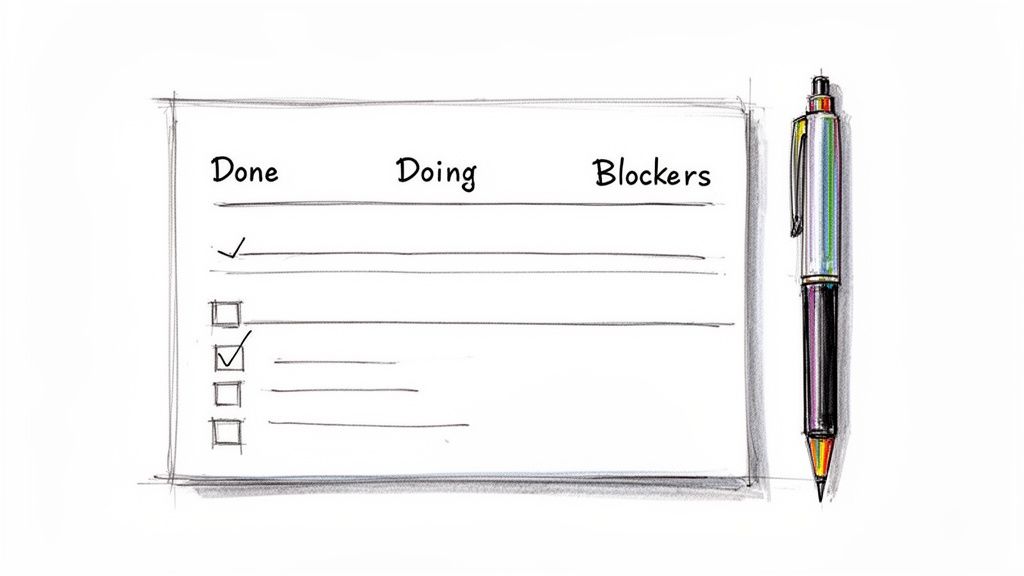
For example, I've seen engineering teams completely ditch their daily stand-up meeting in favor of a simple, written check-in. Every morning, each person posts their priorities, what they got done yesterday, and any roadblocks. This takes just a few minutes to write but gives everyone total visibility without hijacking their morning momentum. It lets people dive straight into complex problems without that looming dread of an upcoming meeting.
This decision tree nails the choice we all face: continue with communication chaos or build a focused, async-first workflow.
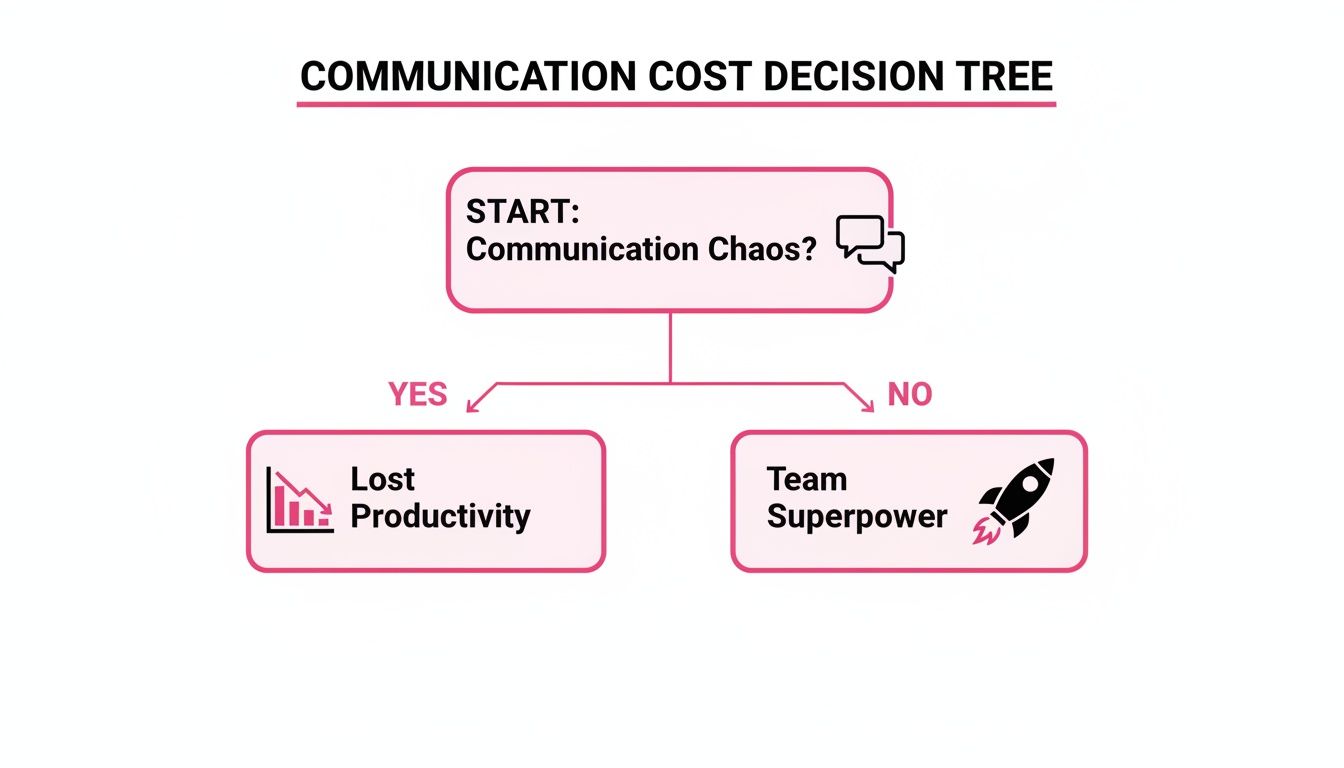
As you can see, sticking with interruption-driven habits is a direct path to lost productivity. But when you build a more intentional system, communication becomes one of your biggest assets.
Using The Right Tools For The Job
You can't go async without the right tools. The goal is to find platforms that keep everyone in the loop without demanding constant, real-time attention. This is especially crucial for remote teams, where 44% of people feel hybrid work has hurt their company culture. Getting the tools right can completely change that dynamic.
In fact, some eye-opening workplace communication statistics show 64% of leaders and 55% of knowledge workers report a direct productivity boost from better communication.
A great async system creates what I call "silent, always-on visibility." Anyone can get the context they need, anytime, without having to interrupt someone else's workflow.
A perfect example is a simple, lightweight work log. Instead of chasing people for updates, team members can just scan a central feed to see what everyone is working on. This isn't about micromanagement; it's about building trust and alignment effortlessly.
Think about it: a product manager can keep tabs on multiple projects without scheduling a single status meeting, just by checking the team's work logs. You can learn more about how to set up effective async updates for your team.
Knowing when to have a meeting versus when to send an update is half the battle. This table should help clarify when to choose each approach.
Sync vs Async: When to Use Each
| Scenario | Choose Synchronous (Meeting/Call) | Choose Asynchronous (Work Log/Email) |
|---|---|---|
| Brainstorming creative ideas | Best for riffing off each other's energy and building on concepts in real-time. | Good for initial idea collection, but can be slow for rapid back-and-forth. |
| Complex problem-solving | Ideal for untangling tricky issues where multiple perspectives are needed immediately. | Use this for documenting the problem and proposed solutions before a sync meeting. |
| Delicate conversations (feedback, HR) | Always. Tone and non-verbal cues are critical for empathy and understanding. | Never. This is a recipe for misinterpretation and hurt feelings. |
| Quick, urgent decisions | Perfect for when you need an immediate answer from a specific group of people. | Not for emergencies. This is for decisions where input can be gathered over time. |
| Standard project updates | A huge waste of time. Avoid at all costs. | The absolute best use case. Provides full visibility without derailing anyone's day. |
| Onboarding a new team member | Great for initial meet-and-greets and complex training sessions. | Essential for providing documentation, guides, and answering non-urgent questions. |
Choosing the right mode isn't about getting rid of meetings entirely; it's about making the ones you do have incredibly valuable. For everything else, async is your new best friend.
Ultimately, the goal is to make progress visible and searchable, eliminating all those "just checking in" pings that kill productivity. By embracing asynchronous methods, you give your team their most valuable resource back: long, uninterrupted stretches of time to do their absolute best work.
Actionable Strategies for Clearer Individual Communication
Let's be real: fixing workplace communication isn't just a job for management. Real, lasting change starts with you. By tweaking your own habits, you can cut through the noise, reduce a ton of interruptions for your team, and get some of that precious focus time back. It's all about being more intentional.
The easiest place to start? Your written updates. Ditch the long, meandering paragraphs that bury the lead. Get straight to the point. Lead with the most important bit—the outcome, the decision, the thing you're stuck on—and then fill in the context.
Embrace the Power of the Work Log
I’m going to let you in on a little secret weapon: the humble work log. Seriously. Think of it as your personal changelog that gives everyone on your team "silent, always-on visibility." It’s the single best way I’ve found to kill most of those “Hey, what are you working on?” pings that shatter your concentration.
This isn’t just a nice idea; it's becoming a necessity. Globally, 33% of employees are unhappy with their work communication channels, and 32% find talking to coworkers harder than it used to be. You can dive deeper into these communication trends on high5test.com. A simple log respects everyone's time by making progress transparent without needing a meeting to explain it.
Your work log is more than just a task list; it’s a narrative of your progress. It tells the story of what you’ve accomplished, what challenges you've faced, and where you're headed next, all without a single meeting.
By jotting down your wins and roadblocks as they happen, you create a goldmine of information for performance reviews and your own reflection. It's also a foundational skill for figuring out how to stay organized when you're juggling a dozen different things.
Simple Scripts to Send Clearer Updates
Knowing what to say is half the battle. A vague "can you look at this?" message just creates a chain of annoying follow-up questions. Here are a few scripts I’ve used and seen work wonders. Feel free to steal them.
For a Progress Update: "Quick update on the Q3 report: The data analysis is done, and the first draft is ready for review. Next, I'll be plugging in the graphs. No blockers."
When Requesting Feedback: "Could I get your eyes on the new landing page copy by EOD Wednesday? I’m mostly concerned with the headline and CTA. Draft is attached."
To Flag a Blocker: "I'm blocked on the user login feature—still waiting on the final API keys. Can someone on the infra team help me out? This is holding up the next chunk of work."
See how that works? They're direct, they give just enough context, and they make it crystal clear what's needed. Adopting this style helps everyone move faster. No guesswork required.
Alright managers, let's get real. Your most important job isn't just about dishing out tasks. It's about building an environment where solid communication just happens, without you having to constantly poke and prod everyone. You're the architect of a transparent culture where people feel seen, heard, and plugged into the bigger mission.
This all starts with you. If you want your team to break free from the endless cycle of "just checking in" pings, you have to lead the charge. The easiest first step? Kill the soul-sucking status meeting.
We've all been in that meeting. The one where everyone takes a turn reading their to-do list out loud while half the room is secretly answering emails under the table. Ditch it. A simple asynchronous check-in using a shared team feed or a work log gives everyone the same info without hijacking an hour of their day.
Automate the Grunt Work, Focus on Your People
Can we agree that compiling progress reports and prepping for performance reviews is a drag? It's a painful archeological dig through old emails, Slack DMs, and project boards, all to piece together what someone actually did for the last three months.
This is a classic "work smarter, not harder" moment. Modern tools with AI-generated summaries can pull together a clean narrative from your team's weekly updates in seconds. One click, and you've got a report highlighting key wins and progress. It saves you from hours of administrative misery.
By automating the tedious task of information gathering, you free up your mental energy for the work that truly matters: coaching, mentoring, and removing roadblocks for your team.
This one change helps you graduate from being a project tracker to being a real leader. You can stop chasing people for updates and start having meaningful conversations about their careers and what they need to succeed.
Put Wins on Display and Celebrate Loudly
One of the most potent—and criminally underused—ways to boost workplace communication is public recognition. When people feel like their hard work is actually seen, their motivation goes through the roof. It’s a simple, powerful feedback loop that gets the whole team buzzing.
Don't just take my word for it. A staggering 37% of employees say they would put in more effort if they just got a little more recognition. You can dig into the full employee motivation findings yourself. Tools that make progress visual with things like streaks and stats turn these wins into something tangible and hard to miss.
Celebrating doesn't require a parade or a massive budget. It’s often the small things that count the most:
- A quick shout-out in the team feed: "Huge props to Sarah for squashing that nasty bug in the checkout flow. You saved us a major headache!"
- A 'win of the week' highlight: Kick off your team messages by calling out a small but important accomplishment.
- Recognizing the grind, not just the glory: "Just wanted to say I see the hustle you're putting into the Q4 presentation. It's looking fantastic."
These little acts build psychological safety and create a culture where everyone feels like their contribution matters. When you consistently make progress visible, you aren’t just tracking work—you’re building a connected and motivated team. Creating this kind of team visibility is how you build the trust that makes every other part of communication flow naturally.
Choosing the Right Tools Without Adding Complexity
Let's be honest, the market is flooded with massive, "all-in-one" project management platforms. They promise the world—a single solution for every problem you've ever had. In reality? They’re often bloated, slow, and create more soul-crushing admin work than they solve. You end up spending more time feeding the beast than actually getting things done.
There’s a better way. Instead of hunting for one tool to rule them all, I've found it's far more effective to build a stack of lightweight, high-speed tools that do one thing exceptionally well. For workplace communication, this means a simple, human-first work log, not a monster of a project tracker.
Why Simplicity Wins Every Time
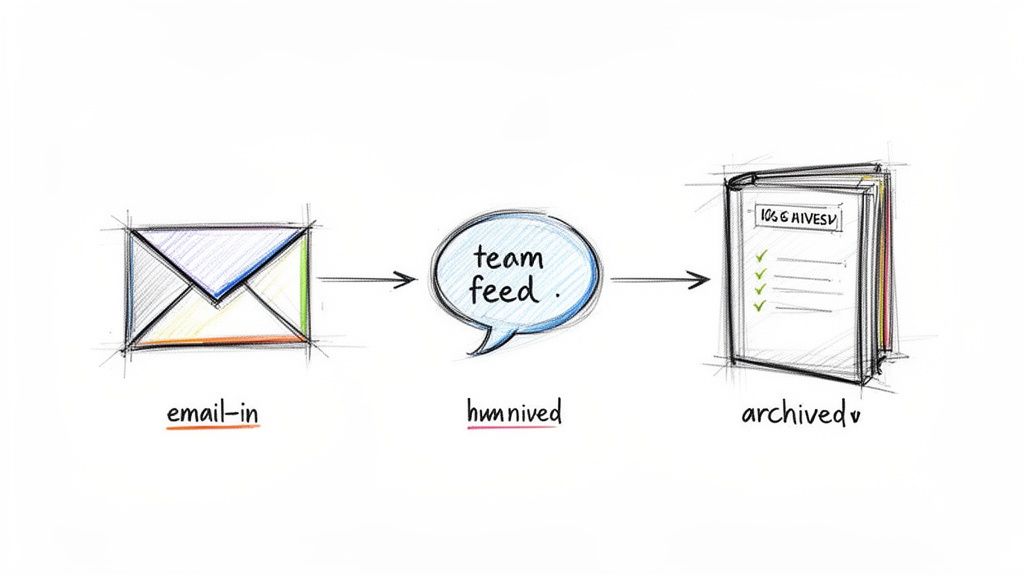
Think about how a simple work log actually fits into your day. The best ones have slick features like email-in functionality. You can fire off a quick update from your inbox without ever breaking your flow to open another app. That email gets parsed, cleaned up, and dropped into a permanent, searchable archive for the whole team.
This isn't just a minor convenience; it's a game-changer for async visibility. Teams that switch to dedicated, focused communication tools report a 79% improvement in internal comms and a jaw-dropping 62% higher project success rate. The data, which you can dig into with these communication tool statistics on high5test.com, shows that the right lightweight tool makes a huge difference.
The goal is to build a tech stack that gets out of the way and lets your team focus on what they were hired to do. A tool should serve your workflow, not the other way around.
Features That Actually Matter for Async Work
When you're trying to cut through the marketing fluff, you need to know which features genuinely help your team communicate and which are just shiny distractions. Forget the Gantt charts and complex dependency mapping for a minute and focus on what creates effortless transparency.
Here’s what I've seen deliver the most bang for your buck in a remote or async setup:
- Effortless Entry: How fast can you log an update? If it’s not seconds, it’s too long. Email-in functionality or a dead-simple text box is non-negotiable. If it takes five clicks to log a single task, people just won't do it.
- A Central Team Feed: Imagine a single, chronological stream of updates from everyone. This creates what I call "silent, always-on visibility," and it completely kills the need for those constant "So, what are you working on?" interruptions.
- Smart Integrations: The tool has to play nice with others. Does it connect to the places your team already lives, like Slack or Discord? This pipes updates directly into existing conversations, so you’re not forcing everyone to check yet another app.
- Easy Export Options: Your data is your data. You absolutely must be able to get it out. The ability to export to simple formats like Markdown or CSV is crucial for pulling info for performance reviews, client reports, or even just personal archives.
By zeroing in on these core features, you can build a system that radically simplifies how your team shares information. This is how you genuinely improve communication without just piling on another layer of complexity that slows everyone down.
Got Questions About Workplace Communication? Let's Talk.
Even with the best game plan, trying to fix how a team talks to each other can feel… well, a bit abstract. It’s easy to get stuck. Let's tackle some of the most common hurdles with some straight-to-the-point advice to get you moving.
How Do We Start This Without It Feeling Weird and Corporate?
Ah, the classic "forced fun" dilemma. Rolling out a new process can feel like you're suddenly the office hall monitor. The trick is to not make a big deal out of it. Seriously. Ditch the grand announcement memo about a "new communication paradigm."
Instead, just start. You go first.
For one week, keep a simple, public work log. Let your team see it. Frame it as a personal experiment: "Hey, I'm trying this out to see if it helps me cut down on interruptions. Curious to see how it goes." When your team sees you getting more done and experiencing less chaos—all without adding meetings—they'll get curious. The best adoption happens when people pull, not when you push.
What's The Best Tool For Asynchronous Communication?
Everyone's looking for that one magic bullet. But honestly, there isn't a single "best" tool—it's about the philosophy behind the tool. My advice? Go for something lightweight and fast. Stay far, far away from those bloated, all-in-one project management beasts that need a dedicated person just to keep them updated.
The whole point is to find something that makes progress visible effortlessly.
Look for a tool that slides right into your team's existing habits. Key things I'd look for are:
- Email-in functionality: Can people log updates without leaving their inbox? This is a huge win.
- A central team feed: You need one place to get a quick, scannable overview of what everyone’s chipping away at.
- Simple integrations: Does it play nice with the tools you already rely on, like Slack or Discord?
The right tool shouldn't feel like another chore. It should feel like it's taking work off your plate.
How Do I Get My Less Tech-Savvy Teammates On Board?
This is a big one. And it’s a totally valid concern. You can’t just expect everyone to be excited about learning new software. The secret is to choose a tool that's so ridiculously simple, there’s basically nothing to learn.
If a person can send an email, they can use the system. That’s the bar. This is where features like emailing updates directly into a work log are absolute gold.
Don't sell the tech; sell the outcome. Tell your team you're trying a new way to kill pointless status meetings and slash all those "just checking in" pings. When you frame it as a way to give them back precious, uninterrupted time, even the most tech-resistant person will be willing to play along.
At the end of the day, making communication better shouldn't feel like a top-down mandate. It should feel like a group effort to make work less chaotic and more focused for everyone involved.
Stop losing track of your incredible work. WeekBlast turns your scattered updates into a clear, searchable narrative of progress, helping you kill status meetings and ace performance reviews. Start your free account today and never forget the work you did. Get started at https://weekblast.com.


