
Let's be honest, data entry is the digital equivalent of watching paint dry. It's the soul-crushing, mind-numbing task of copying information from one place and pasting it into another, over and over again. We've all been there.
It’s 4:45 PM on a Friday. You’re supposed to be wrapping up, but instead, you're frantically trying to piece together your work logs for Monday's big review. That means digging through a week's worth of emails, Slack threads, and project management tickets, manually typing updates into a spreadsheet. Sound familiar? It’s a painful, error-prone ritual that drains your energy and kills your weekend vibe.
But it doesn't have to be this way.
Why You Literally Can’t Afford Manual Data Entry Anymore
That Friday afternoon scramble isn't just an annoyance; it’s a symptom of a much bigger problem. Manual data entry is a silent killer of productivity and a breeding ground for costly mistakes.

The Hidden Costs of Doing Things by Hand
Think about it. Every typo, every misplaced decimal, every forgotten update—they all have consequences. Those tiny errors snowball into skewed reports, flawed projections, and ultimately, bad business decisions. The hours you and your team burn on these repetitive tasks are hours stolen from strategic planning, creative brainstorming, and genuine collaboration.
Automating this stuff isn't some futuristic tech fantasy; it's a practical, must-have strategy for anyone who wants to get more done. The shift is already happening on a massive scale. The global data entry software market is set to grow at a compound annual rate of 7.8% through 2031. Why? Because businesses are waking up to the fact that paying smart people to do robot work is just plain bad business.
To put it into perspective, here’s a quick look at how the two approaches stack up.
Manual vs. Automated Data Entry: A Quick Comparison
This table provides a clear, at-a-glance comparison highlighting the dramatic differences between traditional manual data entry and modern automated workflows.
| Metric | Manual Data Entry | Automated Data Entry |
|---|---|---|
| Speed | Slow and plodding, limited by human typing speed. | Nearly instantaneous. Processes thousands of entries in minutes. |
| Accuracy | Prone to human error (typos, omissions, fatigue). | Extremely high. Follows rules with perfect consistency. |
| Cost | High. Involves ongoing labor hours and associated costs. | Low. One-time setup cost and minimal ongoing maintenance. |
| Scalability | Poor. Scaling requires hiring more people. | Excellent. Can handle massive increases in volume without a problem. |
| Employee Morale | Low. Repetitive, boring work leads to burnout. | High. Frees up people to do interesting, valuable work. |
The difference is stark, isn't it? One path leads to burnout and inefficiency, while the other opens the door to smarter, more impactful work.
From Tedious Drudgery to Meaningful Impact
Making the switch to automation is about fundamentally changing how you work. You stop being a human copy-and-paste machine and become the architect of an efficient system. This is where the real magic happens.
- Kill the Typos: Automated systems don't get tired or distracted. They move data with robotic precision, meaning your reports and records are finally clean and reliable.
- Work at Machine Speed: A task that takes you an hour of focused effort can be completed by an automation in seconds. This puts everything from invoicing to project reporting on hyperspeed.
- Get Your Brain Back: When you’re not bogged down by monotony, you have the mental bandwidth to focus on what actually matters—solving complex problems, delighting customers, and thinking creatively.
By eliminating the repetitive grind, automation allows teams to achieve a higher level of performance. It also unlocks better https://weekblast.com/team-visibility by ensuring progress is logged consistently and accurately—not just when someone remembers to do it.
Ultimately, this isn't just about doing the same old work faster. It’s about elevating your role from a task-doer to a strategic thinker and making a much bigger impact.
Picking the Right Tool for the Job
Okay, you're on board with automating the soul-crushing parts of data entry. Awesome. But now you're facing the "how," and it can look like a confusing mess of tech-speak. Let's clear the fog.
Picking the right tool isn’t about learning to code overnight. It's about matching the tool to the task. You wouldn't use a sledgehammer to hang a picture, right? Same idea here. Let's walk through the main options, from the simplest to the most powerful.
Robotic Process Automation (RPA): Your Digital Assistant
First up, we have Robotic Process Automation, or RPA. The easiest way to think about this is to imagine a digital assistant you can train to copy your exact clicks and keystrokes on a computer. You literally record yourself opening an app, copying data from a specific cell, navigating to another program, and pasting it into a field. The bot then does that exact same thing over and over, perfectly, without ever needing a coffee break.
RPA tools like UiPath or Automation Anywhere are lifesavers in a few very specific situations:
- You're working with ancient software. We’ve all been there—that one critical program that looks like it was designed in 1998 and has zero modern ways to connect to anything else (no API).
- Your entire workflow lives on the desktop. If you’re just moving information between different applications on your computer, RPA shines.
- The task is pure, mind-numbing repetition. Think endless copy-pasting, clicking the same three buttons in a sequence, or filling out identical forms.
Basically, if your process is trapped on your screen with no other way to access the data, RPA is your escape hatch.
No-Code Platforms: The App Super-Connectors
Next are the true darlings of the modern automation scene: no-code platforms like Zapier and Make. If RPA is a digital assistant, these are the universal adapters for all your cloud-based apps. They build bridges between the tools you already use every day—like Google Sheets, Slack, Trello, Salesforce, and literally thousands more.
These platforms have been a total game-changer. They put seriously powerful automation into the hands of anyone, no matter their technical background. You can build a sophisticated, multi-step workflow in just a few minutes using a simple drag-and-drop editor.
For instance, you could build a workflow that automatically:
- Grabs a new lead from a form on your website.
- Creates a new row for them in a Google Sheet.
- Pings your sales team on Slack with the new lead's info.
This is exactly where I recommend most people start. They're visual, they're intuitive, and you'd be shocked at what you can build. If you want to see how they stack up against each other, checking out some automation tool comparisons can help you decide which one plays best with the apps you already use.
APIs and Custom Scripts: The Skeleton Key
Finally, for the folks who need total control or have a truly unique problem to solve, there are APIs (Application Programming Interfaces) and custom scripts. An API is like a secret back-door entrance to a piece of software that lets developers communicate with it directly using code. A custom script, usually written in something like Python or JavaScript, is the set of instructions you send through that door.
This is, without a doubt, the most powerful route, but it does require some coding chops. You’d go this way when you need to:
- Crunch through massive, complex datasets from a CSV or database.
- Manipulate data in a very specific way that no-code tools just can't handle.
- Create a totally custom connection between an internal company tool and an external service like WeekBlast.
Think of this as the skeleton key that can unlock any door—but you have to know how to use it. For most day-to-day data entry headaches, a no-code platform will get you where you need to go far faster.
Your First Automation Wins You Can Build Today
Theory is great, but there’s nothing quite like watching a clunky, manual task vanish before your very eyes. The secret to getting started with automation is to think small. Don't try to overhaul your entire department's workflow on day one. Seriously, don't.
Instead, let's focus on scoring a few quick, high-impact wins. These are the kinds of automations that save you real time and give you the confidence to tackle bigger, gnarlier problems down the road.
Here are a couple of my favorite starter projects that solve some of the most common data entry headaches.
From Project Task to Spreadsheet Row Automatically
Ah, the classic. So many of us live and breathe in project management tools like Asana, Trello, or Jira, but we still have to copy-paste our completed work into a spreadsheet for reporting. Doing this manually at the end of the week is a recipe for forgetting half of what you did.
Let's build a bridge between the two using a no-code tool like Zapier or Make.
- The Trigger: First, pick the action that kicks things off. A great one is "Task Marked Complete" in Asana or "Card Moved to 'Done' Column" in Trello. This ensures only finished work gets logged.
- The Action: Next, tell it where to go. The action will be something like "Create a New Spreadsheet Row" in Google Sheets. Easy.
- Mapping the Data: This is where the magic happens. The tool will show you all the data from your task—Task Name, Due Date, Assignee, Description, you name it. You just have to connect the dots. Map the
Task Nameto your "Task" column, theCard URLto your "Link" column, and so on.
Flick the switch, and that's it. Every completed task now shows up in your log instantly and perfectly. You've just killed that end-of-week scramble to remember what you accomplished.
Turn Emails into Clean Work Log Entries
Emails are the black hole of important updates. They're a messy tangle of signatures, reply chains, and weird formatting. But what if you could just email an update and have it neatly logged?
This is where an email parser comes in, and it's a feature we built right into WeekBlast because it's so incredibly useful.
The workflow is beautifully simple:
You just send or forward an email to a unique, dedicated address. The system gets to work, instantly stripping out all the junk—signatures, headers, and previous replies—leaving just the good stuff.
The clean content, often just the subject and the first few lines of the body, gets added as a perfectly formatted entry in your work log or changelog.
This is a game-changer for teams on the move. A field tech can CC their automation address when emailing about a fix, and the update is logged instantly without them ever having to switch apps. It’s documentation without the friction.
Whether you're using a visual builder or a direct API, the basic flow for these tools looks pretty similar.
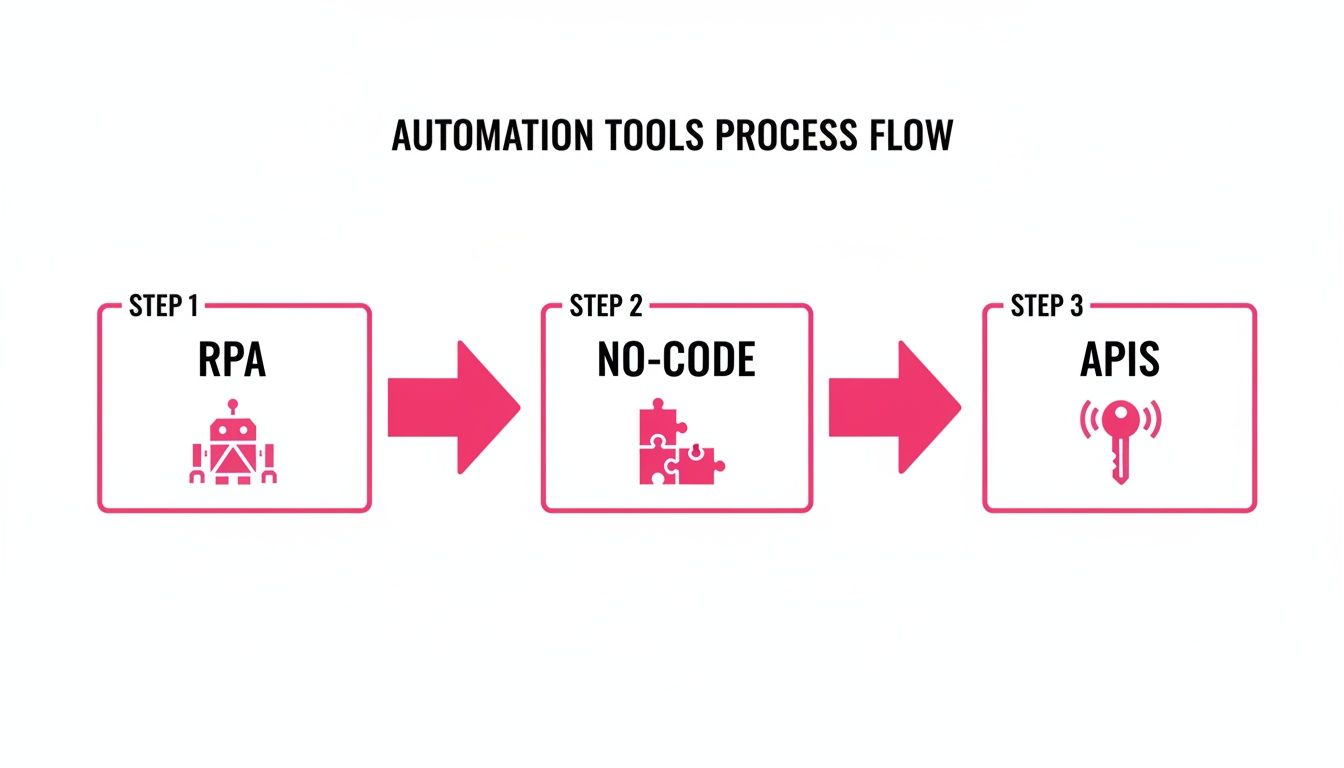
This just shows the main pathways you can take—from bots that mimic clicks to no-code tools that connect your apps, all the way to custom solutions with APIs.
Nailing these small wins is how you build momentum. They prove the value of automation and get you hooked on finding the next manual task to eliminate.
Let’s Get Real: How WeekBlast Puts Your Work Log on Autopilot
Alright, let's talk turkey. Theory is great, but how do you actually apply this stuff to your day-to-day grind? As someone who has spent years wrestling with project updates and trying to keep teams on the same page, I can tell you that the right tool makes all the difference. This is exactly why we built WeekBlast—to take the soul-crushing task of logging your work and make it so easy you forget you're even doing it.
This isn't about adding another app to your already bloated tech stack. It's about plugging smart automation directly into the way you already communicate, making progress tracking a natural side effect of just doing your job.
The Absolute Magic of Parsing Emails
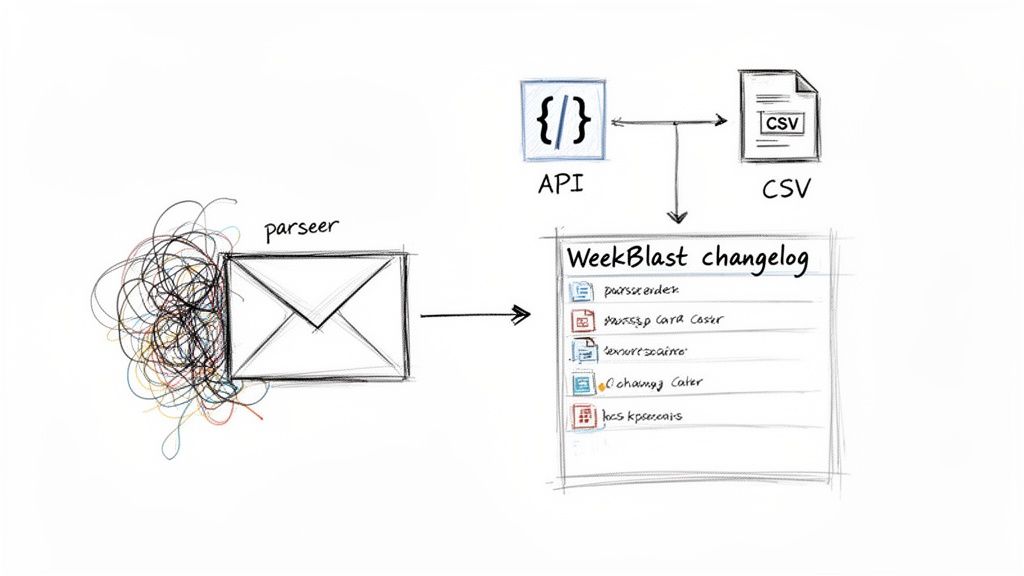
One of my favorite features—and probably the simplest way to get started—is the WeekBlast email parser. It's brilliant. Every user gets their own secret email address. Anything you send, forward, or even just CC to that address gets zapped right into your work log.
Our system is smart enough to cut through all the garbage. It automatically strips out the signatures, the "Re: Re: Fwd:" reply chains, and all the other email clutter, leaving just the juicy, relevant text. For remote teams swimming in a sea of email updates, this is a lifesaver. Instead of painstakingly summarizing a long thread for your log, just hit "forward." Done.
This kind of tech is a big deal. The market for intelligent document processing is projected to hit $6.78 billion by 2025 for a reason: it's incredibly effective at taming the chaos of unstructured data like emails.
Go Deeper with the WeekBlast API
For the developers and power users out there who want to build truly custom workflows, our API is where the real fun begins. It lets you push updates into your work log from literally any other system you use, transforming WeekBlast into the single source of truth for all project activity.
Picture a DevOps team. They could pop a simple one-liner into their deployment script.
A simple cURL command to log a successful deployment
curl -X POST -H "Authorization: Bearer YOUR_API_KEY"
-H "Content-Type: application/json"
-d '{"content": "Successfully deployed version 2.1.5 to production."}'
https://api.weekblast.com/v1/entries
Just like that, every time new code is pushed to production, a timestamped entry appears in the log. Nobody has to ask, "Hey, did that fix go live yet?" It's already there, in black and white. This is perfect for all sorts of things:
- CI/CD Pipelines: Automatically log every single build, test run, and deployment.
- Internal Tools: Hook up your custom scripts and internal dashboards to post important events.
- Monitoring Systems: Push critical alerts or system health updates directly into the feed.
The real win here is making documentation a byproduct of your work, not another task on your to-do list. The API creates a bulletproof, real-time record of what’s happening without anyone having to manually type a thing.
Get Your Data Out for Analysis
Automation isn't just a one-way street. Getting data in is half the battle, but getting it out so you can analyze it is just as important.
With WeekBlast, you can export your entire work log history into a nice, clean CSV file. From there, the possibilities are endless. You can pump that data into a BI tool to create slick visualizations of team productivity, or run a simple script to generate custom reports for your next performance review.
By mixing and matching these features, you can see how WeekBlast helps turn a firehose of scattered updates into a clear, reliable story of your team's progress.
Best Practices for Bulletproof Automation
Building your first automation is a huge rush. But let's be honest, the real test comes weeks later. Will it hold up, or will it crumble the first time it sees something unexpected? Creating a truly bulletproof workflow is an art, and it all starts with resisting the urge to boil the ocean.
Don’t try to automate an entire department on your first day. I've seen that movie, and it always ends in chaos. Instead, pick one single, high-impact task that's a repetitive thorn in your side. Master that, prove its value, and then expand.
This approach lets you learn the ropes in a low-stakes environment. And the payoff is huge. The global workflow automation sector hit $20.3 billion in 2023 for a reason—it helps teams slash unnecessary busywork. For many, this leads to a massive 40-50% reduction in status meeting time. You can dive deeper into these workflow automation trends to see the bigger picture.
Plan for When Things Go Wrong
Your automation is going to fail. That’s not pessimism; it's realism. The difference between a minor hiccup and a full-blown catastrophe is how well you've planned for it with robust error handling.
What happens when your workflow expects a number but gets text? What about a missing file? A great automation doesn't just work with perfect data; it knows how to handle messy, real-world data gracefully. Think through every potential breaking point and build in a safety net.
Failure Notifications: Don’t let your automation fail in silence. Set up an immediate alert via email or Slack the moment something breaks. A silent failure can corrupt your data for weeks before anyone even notices.
Clear Documentation: You might be the automation wizard today, but what happens when you’re on vacation? Write down what the workflow does, what apps it connects, and how to troubleshoot the common issues. Your future self (and your teammates) will thank you.
Test Like You Mean It
Before you unleash your creation on the world, you have to put it through its paces. And I don't just mean testing the "happy path" where everything is perfect.
I once saw an automation go live without proper testing. It was supposed to email a small group but instead sent 1,000 emails to the entire company because of a filter error. Test with good data, bad data, and weird edge cases you think will never happen. Because trust me, they will.
This isn't about being paranoid; it's about being a professional. By starting small, planning for failure, and testing relentlessly, you can build automations that are not just clever, but truly reliable.
Got Questions About Automating Your Data Entry?
Let's be real—diving into automation can feel like you've been dropped into a foreign country without a phrasebook. You hear words like "API" and "workflow," and it’s totally normal to feel a bit out of your depth. So, let's pull back the curtain and tackle some of the biggest questions that come up.
Spoiler alert: It's a lot less scary than it sounds.
Do I Need to Be a Coder to Do This?
Heck no! This is probably the biggest myth that stops people dead in their tracks. The idea that you need a computer science degree to automate anything is completely outdated.
These days, we have a whole playground of no-code platforms like Zapier, Make, and Airtable. These tools were built specifically for people who don't code. They use visual, drag-and-drop editors. Imagine building with digital LEGOs—you just snap different app "blocks" together to create an automation. No code, no problem.
What are the Classic Rookie Mistakes I Should Avoid?
Oh, I've seen a few. The number one mistake is trying to automate your entire life in one go. You get a rush of inspiration, map out some 27-step mega-workflow, and then it inevitably breaks, leaving you more frustrated than when you started. It's the classic "trying to boil the ocean" problem.
Start with one small, painfully boring task. Just one.
Another major pitfall is completely forgetting about error handling. What happens if someone uploads a file in the wrong format or leaves a critical field blank? Your automation will just grind to a halt.
Don't let your automation fail in silence. Set up a simple email or Slack notification for when things go sideways. It’s the difference between a tiny hiccup and a full-blown data disaster. A little foresight saves a world of hurt.
And for the love of all that is holy, jot down a few notes about what you built. Your future self will thank you when you have to troubleshoot it six months from now.
How Can I Tell if a Task is Even Worth Automating?
Great question. Not every task is a prime candidate. The best ones to automate usually scream, "Please automate me!" Look for tasks with these traits:
- Is it repetitive? Are you doing the exact same clicks and keystrokes on a loop?
- Is it rule-based? Does it follow a predictable, "if this, then that" logic every single time?
- Does it involve moving data? Is your life a series of copy-paste-paste-paste?
- Is it mind-numbingly dull? Honestly, this is a fantastic indicator.
Here’s a great rule of thumb: the "five-minute rule." If a task takes you just five minutes every day, automating it will claw back over 20 hours a year. That's basically half a week of vacation you just earned.
Ready to finally ditch the copy-paste grind and get your time back? WeekBlast makes it dead simple to automate your work logs with smart email parsing and a powerful API. Start logging your work in seconds, not hours, at WeekBlast.


