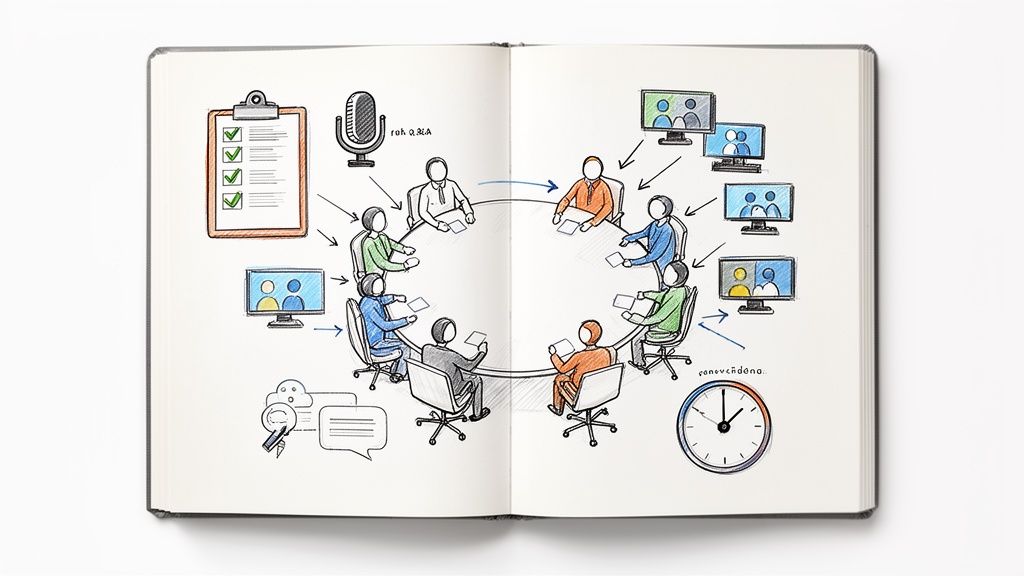
An all-employee meeting is supposed to be a company-wide get-together that aligns everyone on the big picture, shares critical news, and strengthens the company culture. It’s the one time leadership gets to talk to everyone at once, hopefully creating a shared sense of mission.
Why Most All-Employee Meetings Are Falling Flat
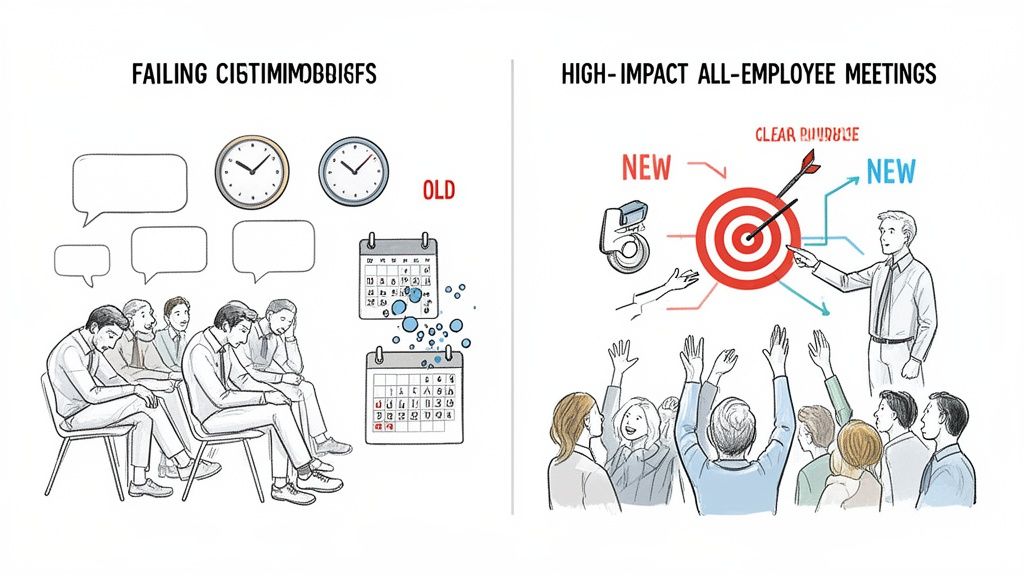
Let's be honest, for many people, the words "all-employee meeting" trigger an eye-roll, not excitement. It often feels like just another mandatory calendar invite, a passive hour where employees listen to a string of disconnected updates before they can get back to their real work. This isn't just a feeling; it's a real problem with how these crucial meetings are run.
Many companies fall into the same traps, turning these intended culture-builders into expensive time-wasters. Hybrid work schedules often leave remote employees feeling like they’re tuning into a broadcast meant for someone else. Worse, a fuzzy purpose leads to content that feels totally irrelevant to a wide audience of people from different departments and roles.
The Hidden Costs of Bad Meetings
The true cost of a checked-out all-hands isn't just the wasted payroll for that hour. It's the slow-burn erosion of trust. It's the missed opportunity to get everyone pulling in the same direction. It’s the silent confusion that spreads when key messages don't land.
When these meetings miss the mark, employees disengage, morale takes a hit, and the company’s most important announcements get lost in the digital noise.
And these meetings happen a lot. Data shows 34% of companies hold them monthly, with another 27% running them quarterly. For many, they’re just another drain on a packed schedule, where employees already spend an average of 11.3 hours a week in meetings.
The secret is to stop thinking of the all-employee meeting as a top-down information dump and start treating it like a powerful, two-way strategic moment. Success hinges on three simple principles:
- Have a clear purpose. Every meeting needs a "why" that everyone understands before they join.
- Create engaging content. The agenda must be relevant, interactive, and connect with people on a human level.
- Follow up thoughtfully. The conversation shouldn’t end when the call does. Reinforce key takeaways and actions.
An exceptional all-employee meeting doesn't just inform; it inspires. It makes every single person feel connected to the bigger mission and valued for their part in it. It turns passive attendees into genuine advocates for where the company is headed.
The difference between the old way and a modern, high-impact approach is night and day. Shifting your focus to intentional design and real engagement can turn these meetings from something people dread into a true cornerstone of your company culture.
This table really highlights the shift in thinking:
Old vs. New All Employee Meeting Approach
| Characteristic | Outdated Approach | Modern Approach |
|---|---|---|
| Purpose | Information broadcast from leadership | Strategic alignment and culture building |
| Content | Dry, siloed department updates | Compelling stories, wins, and challenges |
| Format | Passive listening (lecture-style) | Interactive with polls, live Q&A, and chat |
| Focus | Leadership-centric monologue | Employee-centric dialogue and recognition |
| Follow-Up | A recording is sent out (maybe) | Action items, summary, and feedback survey |
By moving towards the "Modern Approach," you stop wasting time and start building momentum. For more ideas on this, our guide on how to improve communication in the workplace offers a ton of other practical strategies.
Designing Your Meeting with Purpose and Precision
A truly great all-employee meeting doesn’t just happen; it’s meticulously designed. The most successful gatherings are built on a strategic foundation long before the first slide is created or anyone even thinks about a calendar invite. This is where the magic really happens, and it’s what separates a forgettable update from an energizing, alignment-building experience.
It all boils down to one simple question: Why are we meeting? Before you book a room or a Zoom link, you need to have a crystal-clear goal. Are you celebrating a record-breaking quarter? Guiding the team through a significant organizational change? Or maybe you just need to reinforce a specific part of your company culture? Your answer will shape every single decision that follows.
Define Your Core Objective
Your meeting's purpose should be so sharp you can state it in a single sentence. Think of this as your promise to your team, a reason why their time is being well spent.
- Celebrating wins? Try something like: "We're meeting to recognize the teams and individuals who drove our Q3 success and show how their work directly impacts our future."
- Navigating change? Be direct: "Our goal is to transparently explain the new market strategy and answer your questions to build confidence and clarity."
- Reinforcing culture? Make it about connection: "We want to reconnect with our core values by sharing customer stories that truly bring our mission to life."
Once you have this north star, every agenda item and talking point should serve it. If a particular update doesn't fit, that's a huge red flag. It probably belongs in an email or an async update tool like WeekBlast, not your precious live meeting time. This keeps the session focused and prevents it from becoming a cluttered information dump.
Understand Your Audience and Cadence
With your goal locked in, you can start thinking about your audience. An all-hands has to resonate with everyone, from engineering to sales to customer support. What does each department need to hear to feel connected to the main objective? For instance, when talking about a new product launch, don't just focus on the technical achievements for the engineers. You also need to highlight the customer impact for the support team and the market potential for sales.
Frequency and duration are just as critical. A weekly all-hands can quickly lead to fatigue, while a quarterly one might feel too infrequent to keep momentum. For most companies, a monthly or quarterly rhythm strikes the perfect balance.
And please, respect people’s time. A focused 45-60 minute session is almost always more powerful than a rambling 90-minute one.
The time suck is real. Professionals lose hundreds of hours every year to meetings. On average, employees spend 392 working hours per year in them. With the number of meetings tripling since 2020, it’s no surprise that 65% of employees say meetings keep them from their actual work. If you're curious, you can explore more data on meeting effectiveness to see the full picture.
Assign Key Roles for a Polished Delivery
A smooth meeting depends on people knowing their parts. Spontaneity is great for Q&A, but the overall structure needs to feel professional and well-managed.
- The Host/MC: This is your guide. They set the tone, keep the agenda moving, and maintain the energy. They’re the glue holding the whole thing together.
- Presenters: These are your subject matter experts. They need to be prepped not just on their content but on how to deliver it in a crisp, engaging way. No one wants to be read a slide deck.
- Q&A Facilitator: Having someone dedicated to monitoring, sorting, and teeing up questions is a game-changer. It ensures the Q&A segment runs smoothly and that the tough-but-important questions don't get lost in the shuffle.
Driving Engagement: Before, During, and After the Meeting
A great all-employee meeting feels less like a mandatory check-in and more like a shared experience that actually energizes people. Pulling that off requires a smart approach to engagement that starts well before the meeting, runs through the event itself, and continues long after everyone has logged off. Think of it as building a continuous conversation, not just hosting a one-time event.
The pre-meeting phase is all about building a little buzz and making sure people show up ready to engage. Instead of just sending a dry calendar invite, why not have a key leader record a quick, high-energy teaser video? Another trick I love is using a Slack or Teams poll to let employees vote on an agenda topic. It’s a small thing, but it gives them a real stake in the content and starts to shift the dynamic from passive listening to active participation.
Building Interaction Into the Meeting Itself
Once the meeting starts, your main job is to break the passive listening habit. This is especially true in today's hybrid world, where it’s incredibly easy for remote folks to feel like they're just watching a show.
The numbers don't lie. Research shows that 86% of all-hands meetings now have a mix of remote and in-person staff. And the really scary part? A staggering 75% of employees admit they lose focus during these calls. They're multitasking, with 39% browsing the news and 38% scrolling through social media. This insightful report on meeting statistics really drives home how big of a challenge this is.
To fight this, you have to intentionally weave in interactive moments that pull people back in.
- Live Q&A Sessions: Tools like Slido or Mentimeter are fantastic for this. They let people submit and upvote questions in real-time, which gives a voice to quieter employees and ensures you’re tackling what’s truly on people’s minds.
- Real-Time Polls: Break up long presentations with quick polls. You can ask for opinions on a new initiative or something as simple as, "How are you feeling this week?" It’s a fast way to gauge the room's energy and make everyone feel seen.
- Employee-Generated Content: Nothing breaks up the monotony of executive updates like featuring a short video from a team showcasing a recent win. It puts the spotlight on the people doing the amazing work every day.
This whole process of designing a meeting for impact really boils down to three core steps.
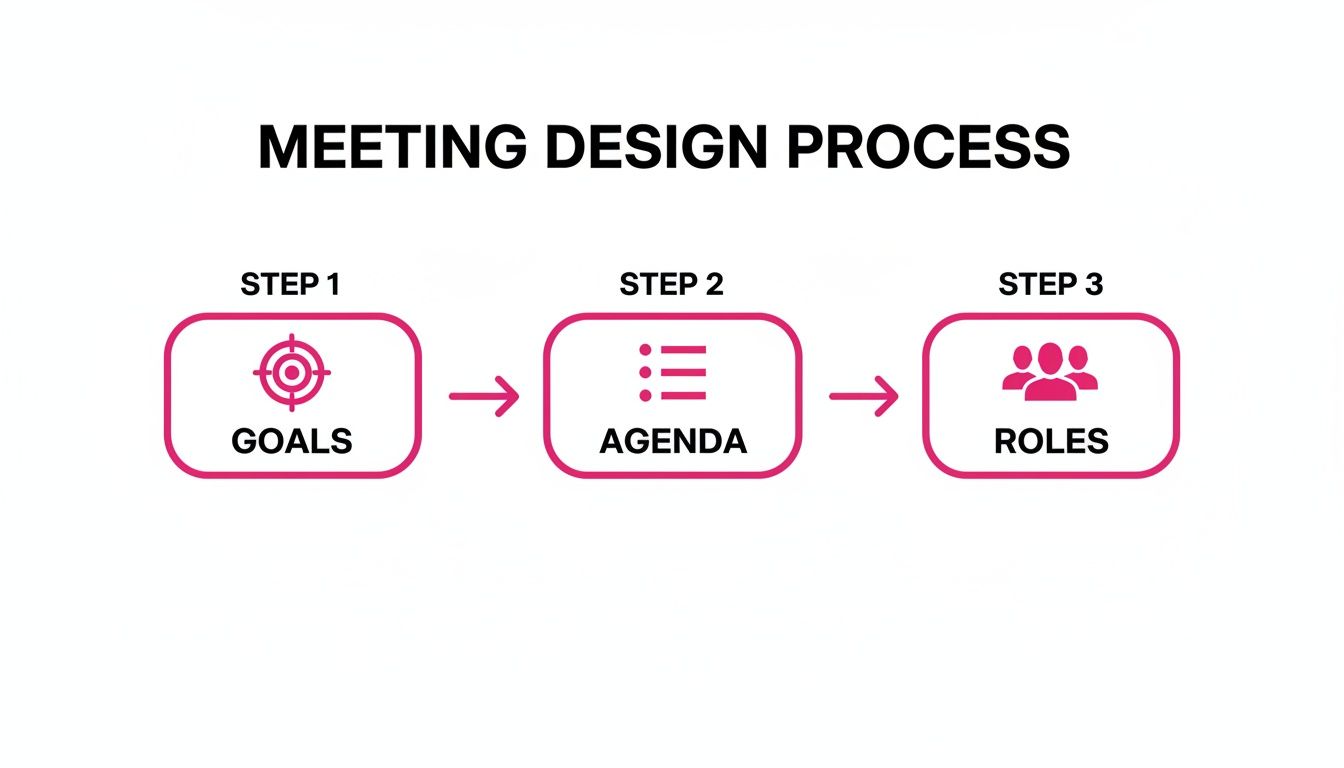
When you start with clear goals, build an agenda that serves those goals, and assign specific roles, you’re setting the stage for a much more engaging session.
Maintaining Momentum After the Meeting Ends
The energy from a good meeting shouldn't just evaporate the second the video call ends. What you do after is what solidifies the key messages and turns all that talk into action. A generic "Thanks for joining" email just isn't going to cut it.
The real value of an all-employee meeting is realized in the days and weeks that follow. A strong follow-up strategy ensures that important information is retained, actions are taken, and the conversation continues.
Make it a rule to send a summary within 24 hours. This recap should include a link to the recording, a super-concise list of the main takeaways, and any slides or resources that were shared.
But most importantly, you need to clearly outline the action items and call out who owns them. This is what transforms the meeting from a simple update into a real catalyst for progress, making sure the momentum you built actually goes somewhere.
Reclaiming Your Time with Asynchronous Updates
Let's be honest: not every announcement needs to pull the entire company away from their work for a live meeting. We've all sat through all-hands meetings where the agenda is so crammed with departmental updates that each one gets rushed, and the audience mentally checks out.
There’s a much smarter way to handle this. By shifting those routine updates to an asynchronous format, you can reclaim that precious live meeting time for what it's really good for: high-impact, strategic conversations.
Think about it. A product team can share its weekly progress in a quick, written post. Instead of trying to squeeze it into a ten-minute slot, everyone else can read it on their own schedule. No more calendar Tetris, no more lost focus.
This is a game-changer for remote and globally distributed teams. Good luck finding a time that works for everyone from San Francisco to Singapore. Async updates mean everyone gets the same information, at the same level of detail, without forcing anyone to log on at 5 AM.
Shifting to an "Async-First" Mindset
Making this change means intentionally rethinking how your company shares information. The goal isn't to stop communicating; it's to make your communication more effective. Live, synchronous time should be reserved for things that genuinely need it, such as celebrating a huge win, debating a complex strategic pivot, or just connecting as a team.
So, where do you start? Begin by auditing your typical all-hands agenda and pulling out anything that’s purely informational.
- Routine project updates: Progress reports, new feature rollouts, and bug fixes are perfect for a written summary.
- Standard metric reports: Financials and departmental KPIs are often easier to digest in a document people can review at their own pace.
- Minor policy changes: Quick announcements about new internal procedures can easily be sent out through a company-wide channel.
When you move these items out of the live meeting, you create space on the agenda for what truly matters: human connection and strategic clarity.
The big idea here is to save your synchronous time for conversation, not just one-way information dumps. An async update lets people absorb the details, while the live meeting becomes a space for genuine discussion, alignment, and inspiration.
Picking the Right Tools for the Job
Of course, this strategy only works if you have the right tools and a solid process in place. You can't just start firing off updates in random emails or Slack channels, as they'll get lost instantly. You need a centralized, predictable home for this information.
A platform like WeekBlast, for instance, gives teams a dedicated space to post their updates in a clean, structured way. This builds a searchable history of progress that anyone in the company can check anytime they need to. It puts an end to the endless "quick sync" meetings and gives everyone a clear, consistent view of what’s happening across the business.
You can learn more about why async updates matter and how they help build a more efficient, transparent culture. By embracing this model, your all employee meeting will transform from a glorified status report into a truly energizing event.
Measuring Success and Improving Your Next Meeting
How can you tell if that all-hands meeting actually hit the mark? It's easy to walk away with a vague "that felt good" sentiment, but that doesn't tell you much. To really know if the massive investment of company-wide time paid off, you need to get deliberate about measuring what matters.
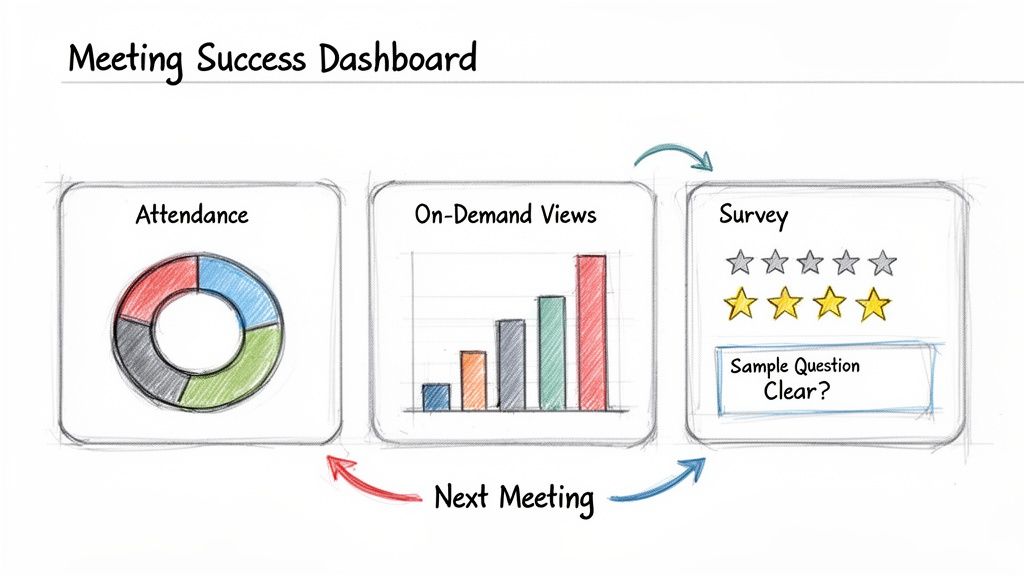
The idea is to create a feedback loop that makes every meeting better than the last. This process kicks off the moment the meeting ends, starting with a sharp, focused post-meeting survey. Don't just ask if people liked it. Dig deeper. Ask questions that get at the clarity of the message, how engaged they felt, and whether the information was genuinely valuable to them.
Key Performance Indicators to Track
To get the full story, you need to blend that qualitative feedback with some hard numbers. A few key performance indicators (KPIs) will help you paint a clear picture of how effective your meetings are over time.
- Attendance and Viewership: Live attendance is the obvious starting point, but don't stop there. How many people watched the recording within the first week? A high number of on-demand views is a great signal that your team finds the content important enough to catch up on.
- Engagement Metrics: Pay close attention to the Q&A session. How many questions were asked? Were they thoughtful, or just logistical? A flood of insightful questions shows people were locked in and thinking critically about what was shared.
- Survey Feedback Scores: Keep it simple. Use a 1-5 scale for questions on clarity, relevance, and overall value. When you track these scores meeting-over-meeting, you can spot trends and see if your improvements are actually working.
Relying on data like this beats gut feelings every time. It's surprising how few companies do this; one report found that while most leaders believe their meetings are great, only 39% actually bother to poll their employees afterward. That's a huge missed opportunity.
A great all-employee meeting shouldn't just be an event; it should be a process of continuous improvement. Each meeting should be a little better than the last, guided by real feedback and measurable results.
Advanced Methods for Measuring Impact
Once you’ve nailed the basics, you can start looking for the longer-term ripple effects. Keep an eye on employee chatter in places like Slack or Teams. Are people talking about the new strategy that was announced? Are they referencing a key takeaway from the CEO? That’s gold. It means the message didn't just land; it stuck.
Another powerful technique is to track the adoption of specific initiatives you launched in the meeting. If you rolled out a new company-wide program, measure its uptake in the weeks that follow. This creates a direct line between the meeting’s content and a real business outcome.
You can even create a simple dashboard to track this progress, much like using a daily work log template to monitor personal tasks. This simple act of measurement creates accountability and helps you prove a clear return on the time everyone invested.
Answering Your All-Hands Questions
Even the best-laid plans can go sideways. Running a great all-hands meeting means anticipating the common hurdles. I've seen leaders wrestle with everything from finding the right meeting rhythm to keeping a distributed team glued to their screens.
Let's tackle some of the most frequent questions that come up.
What’s the Right Cadence for an All-Hands?
Finding the sweet spot for frequency is a classic challenge. Meet too often, and people tune out. Too rarely, and you lose your team's sense of connection and momentum. Honestly, the "right" answer depends entirely on the speed and culture of your business.
For most companies, a monthly or quarterly schedule works best.
- Monthly meetings are perfect for fast-paced companies. Think startups or teams in high-growth mode where priorities can shift quickly. These keep everyone tightly aligned.
- Quarterly meetings are often better suited for larger, more stable organizations. They're great for diving deep into strategic goals, celebrating significant wins, and reinforcing the long-term vision without cluttering everyone's calendar.
Here's a pro tip: If you find yourself struggling to fill the agenda with genuinely important content, that's a huge sign you should probably shift from monthly to quarterly. Every meeting needs to feel essential.
How Do I Keep a Remote All-Hands Engaging?
In a remote or hybrid setup, making sure your distributed team members feel seen and heard isn't just nice, it's critical. Your goal should be to create one unified experience, not an A-team in the office and a B-team on Zoom.
It all starts with getting the tech right. Nothing kills engagement faster than glitchy audio or a frozen screen. Test everything beforehand.
Beyond the tech, you have to intentionally build in moments of interaction. Don't just talk at them.
- Use live polls, the Q&A feature, and the chat to give everyone an easy way to participate.
- Have the host or leaders directly call on remote team members by name. "Sarah, you led that project in the UK, what's your take on this?" This simple act pulls people in.
- Mix things up with pre-recorded videos from different teams. It breaks up the monotony of live presenters and, when done well, can feel really personal. Just make sure they look directly into the camera to create that feeling of connection.
What Are the Must-Have Roles for a Smooth Meeting?
A polished, professional-feeling all-hands doesn't happen by magic. It’s the result of clear roles and responsibilities. When everyone knows their job, the whole thing runs like a well-oiled machine.
- Host or MC: This is your guide. They set the tone, keep the meeting on schedule, and create smooth transitions between speakers. Their energy is contagious.
- Presenters: Your subject matter experts. They need to be coached to deliver their message with clarity and passion, not just read from a slide.
- Producer or Tech Lead: This is your behind-the-scenes hero. They're managing slides, switching video feeds, and squashing any technical bugs before anyone else notices.
- Q&A Facilitator: A crucial role. This person monitors the incoming questions, groups similar themes, and tees up the most important ones for the host. This prevents Q&A from becoming chaotic and ensures the tough questions get asked.
What Should Go on the Agenda?
A solid agenda is your roadmap. It sets expectations and keeps the meeting from wandering off-topic. The best agendas I've seen blend high-level strategy with human moments that reinforce your culture.
A proven formula looks something like this:
- Welcome & Big Picture: Kick things off with a key leader sharing a high-level company update. What’s our focus right now?
- Team Highlights: Showcase recent wins from different departments. This is fantastic for breaking down silos and showing how everyone’s work connects.
- People & Culture: Dedicate a few minutes to celebrating work anniversaries, giving shout-outs, or welcoming new hires. This stuff really matters for morale.
- Live Q&A: Always save a generous amount of time for a live, unfiltered Q&A. This is where you build real trust.
- Closing: End on a high note with a quick summary of the key takeaways and a forward-looking message to get everyone energized for what's ahead.
A great all employee meeting is all about smart planning, but the real magic happens when you keep that alignment going between the big events. Tools like WeekBlast help teams stay in sync with simple, asynchronous updates. This cuts down on status-report meetings and frees up your valuable all-hands time for what it’s really for: strengthening connection, building culture, and rallying around your strategy.


