In the world of software development, a vague bug report is a recipe for delays and frustration. Statements like "the feature is broken" create more questions than answers, forcing developers to waste valuable time on detective work instead of fixing the actual problem. This is where a standardized bug report template becomes essential.
A well-structured template acts as a communication framework, ensuring every issue is documented with the clarity and detail needed for a swift resolution. It captures critical information consistently, from steps to reproduce the error to the user's environment, transforming ambiguous complaints into actionable tasks. For engineering teams, product managers, and individual contributors alike, this consistency eliminates guesswork and streamlines the entire debugging process. A great template ensures that when an issue is logged, the development team has everything it needs to start working immediately.
This guide presents a curated collection of copyable bug report template resources available today. We will explore pre-built solutions in tools you already use, like Jira and GitHub, as well as flexible options in platforms like Notion and Coda. Each entry includes practical insights, usage tips, and a filled-in example with a direct link to help you choose the perfect template for your team's workflow. This resource is designed to help you and your team finally put an end to unclear bug reports and accelerate your development cycle.
1. Atlassian Jira
Atlassian Jira is a cornerstone in the software development world, offering a comprehensive and scalable ecosystem for issue tracking. Unlike standalone template generators, Jira provides an integrated platform where the bug report template is a native component of its powerful project management system. This means your bug reports are not just documents; they are actionable items within a customizable workflow, complete with boards, backlogs, and reporting analytics.
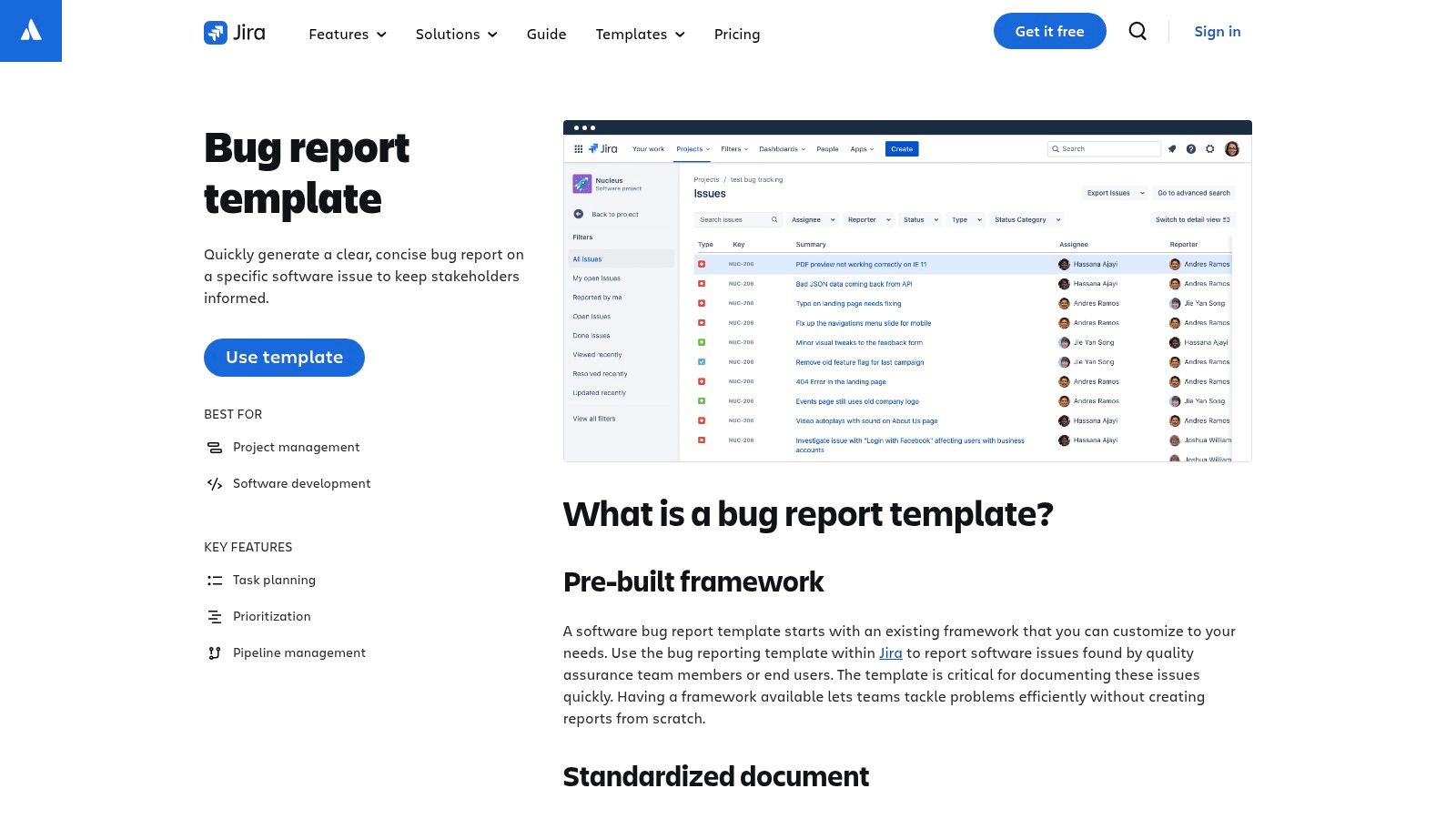
The platform’s strength lies in its "Bug tracking" project template, which pre-configures a project with a bug-specific issue type. This issue type includes essential fields like environment details, reproduction steps, and expected versus actual results, ensuring consistency across all reports. For teams already embedded in the Atlassian ecosystem, the templates integrate seamlessly with tools like Confluence for documentation and Bitbucket for code management.
Key Features & Assessment
While the admin setup and workflow customization can require an initial time investment, the payoff is significant. The user interface is dense but highly functional, providing deep control over every aspect of the bug lifecycle. Jira's true value is unlocked in its paid tiers, which offer advanced automation, permissions, and reporting capabilities essential for scaling teams.
| Feature | Details |
|---|---|
| Template Type | Integrated project and issue templates (e.g., "Bug tracking" project) |
| Core Components | Customizable fields (steps to reproduce, environment), workflows, Kanban/Scrum boards, backlog, reports. |
| Integration | Deeply integrates with the entire Atlassian suite and hundreds of third-party apps. |
| Best For | Engineering and QA teams requiring a robust, scalable, and centralized bug tracking system. |
| Pricing | Free tier for up to 10 users; paid plans start at $8.15 per user/month for advanced features. |
| Website | atlassian.com/software/jira/templates/bug-report |
Practical Tip: When setting up a Jira project, start with the default "Bug tracking" template and only customize fields or workflow states after your team has used it for a few sprints. This approach prevents over-engineering your process from the start.
2. GitHub
GitHub brings bug reporting directly into the developer's workflow, making it a natural fit for teams that live and breathe code. Instead of a separate tool, GitHub uses version-controlled bug report template files (written in Markdown or YAML) stored directly within a repository. This approach ensures that bug reports are not just isolated tickets but are intrinsically linked to the codebase they describe, fostering seamless collaboration between developers, QA, and community contributors.
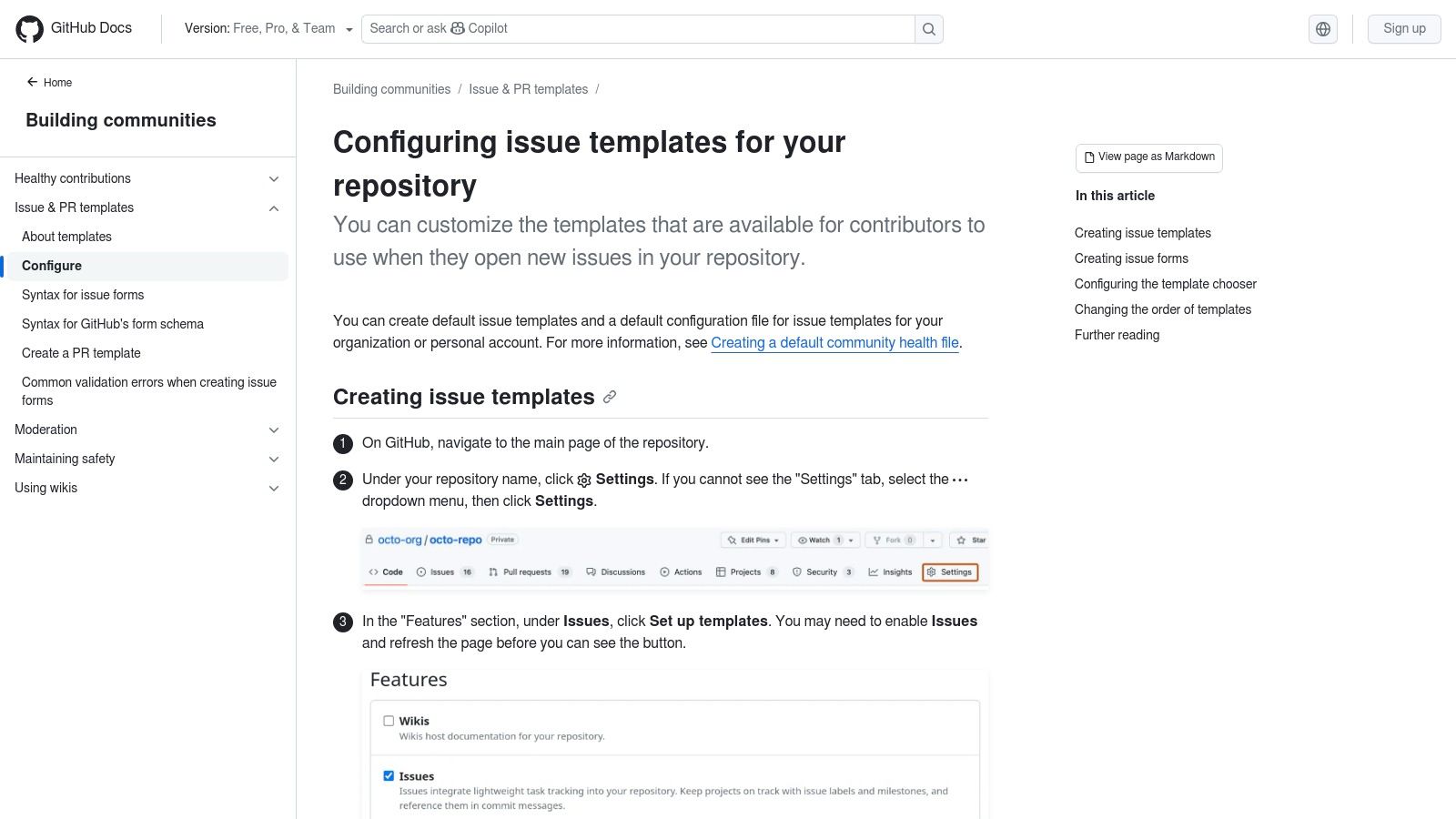
The platform’s real power comes from its YAML-based Issue Forms, which allow repository owners to create highly structured, interactive forms with required fields, dropdown menus, and text areas. When a user creates a new issue, they are presented with a choice of templates, guiding them to provide all necessary information upfront. This developer-centric model keeps bug management lightweight, transparent, and tightly integrated with pull requests and project boards.
Key Features & Assessment
While setting up Issue Forms requires editing files directly in the repository's .github folder, the benefits of version-controlled templates are substantial. The user interface for creating an issue is clean and intuitive, drawing from these powerful back-end configurations. GitHub's free offering for public and private repositories makes it an incredibly accessible and powerful choice for teams of any size who want their issue tracking to live right next to their source code.
| Feature | Details |
|---|---|
| Template Type | Repository-based Markdown templates and YAML Issue Forms. |
| Core Components | Customizable fields (dropdowns, text inputs), required fields, validations, and multiple template chooser. |
| Integration | Natively integrated with GitHub Actions, Projects, Pull Requests, and a vast marketplace of apps. |
| Best For | Development teams, open-source projects, and anyone who wants bug tracking embedded in their code repo. |
| Pricing | Free for all core features on public and private repositories; paid plans for advanced security/admin. |
| Website | docs.github.com/articles/configuring-issue-templates-for-your-repository |
Practical Tip: Use YAML Issue Forms over the older Markdown templates to enforce required fields and provide a better user experience. You can also create a config.yml file in the .github/ISSUE_TEMPLATE directory to add contact links, directing users to other support channels for questions that are not bugs.
3. GitLab
GitLab takes a code-native approach to issue management, integrating bug report templates directly into the Git repository itself. Instead of a separate UI-driven template builder, GitLab allows teams to define a bug report template as a Markdown file (e.g., Bug.md) within their project's .gitlab/issue_templates/ directory. When a team member creates a new issue, they can select this template from a dropdown, which automatically populates the description field.
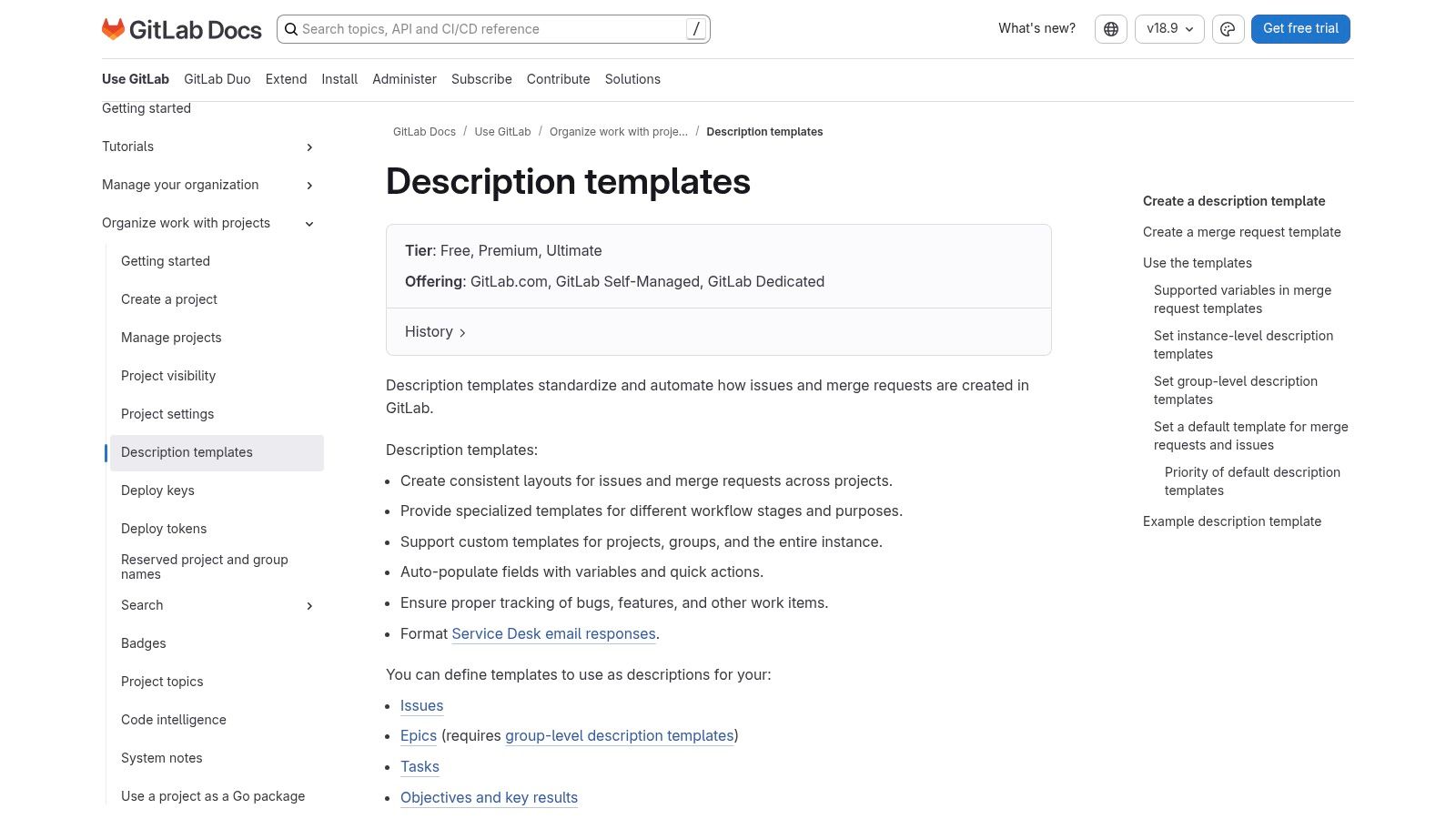
This "template-as-code" methodology is powerful for development-centric teams who live in their repositories. It ensures that the bug reporting process is version-controlled and can be managed with the same rigor as the application code. Furthermore, templates can be inherited from a parent group or instance-level repository, allowing organizations to enforce a consistent reporting standard across dozens or even hundreds of projects with minimal administrative overhead.
Key Features & Assessment
While incredibly powerful for teams committed to the GitLab ecosystem, the template feature can be less discoverable for new users compared to graphical editors. The primary benefit is its seamless integration; the template works in tandem with GitLab's labels, milestones, and CI/CD pipelines. This creates a cohesive workflow where a bug report is not just a document but the first step in a trackable, automated, and version-controlled lifecycle.
| Feature | Details |
|---|---|
| Template Type | Repository-based Markdown issue description templates (Bug.md). |
| Core Components | Markdown file in .gitlab/issue_templates/, group-level inheritance, integration with labels and CI/CD. |
| Integration | Natively integrated with GitLab's source code management, CI/CD, and project planning tools. |
| Best For | Development teams using GitLab as their primary DevOps platform who prefer a code-based workflow. |
| Pricing | Free tier includes issue templates; paid plans (starting at $29 per user/month) offer advanced features. |
| Website | docs.gitlab.com/user/project/description_templates/ |
Practical Tip: Create a dedicated "templates" repository at the group level and configure your projects to inherit from it. This centralizes template management, so updating the Bug.md file in one place propagates the changes to all linked projects automatically.
4. Notion
Notion has evolved from a note-taking app into a versatile "all-in-one workspace," and its template gallery is a treasure trove for various business needs. Among its offerings is a simple yet powerful bug report template that leverages Notion's core database functionality. This approach transforms a standard document into a dynamic tracker, allowing teams to manage bugs with flexible views, customizable properties, and collaborative features, all within a clean, minimalist interface.
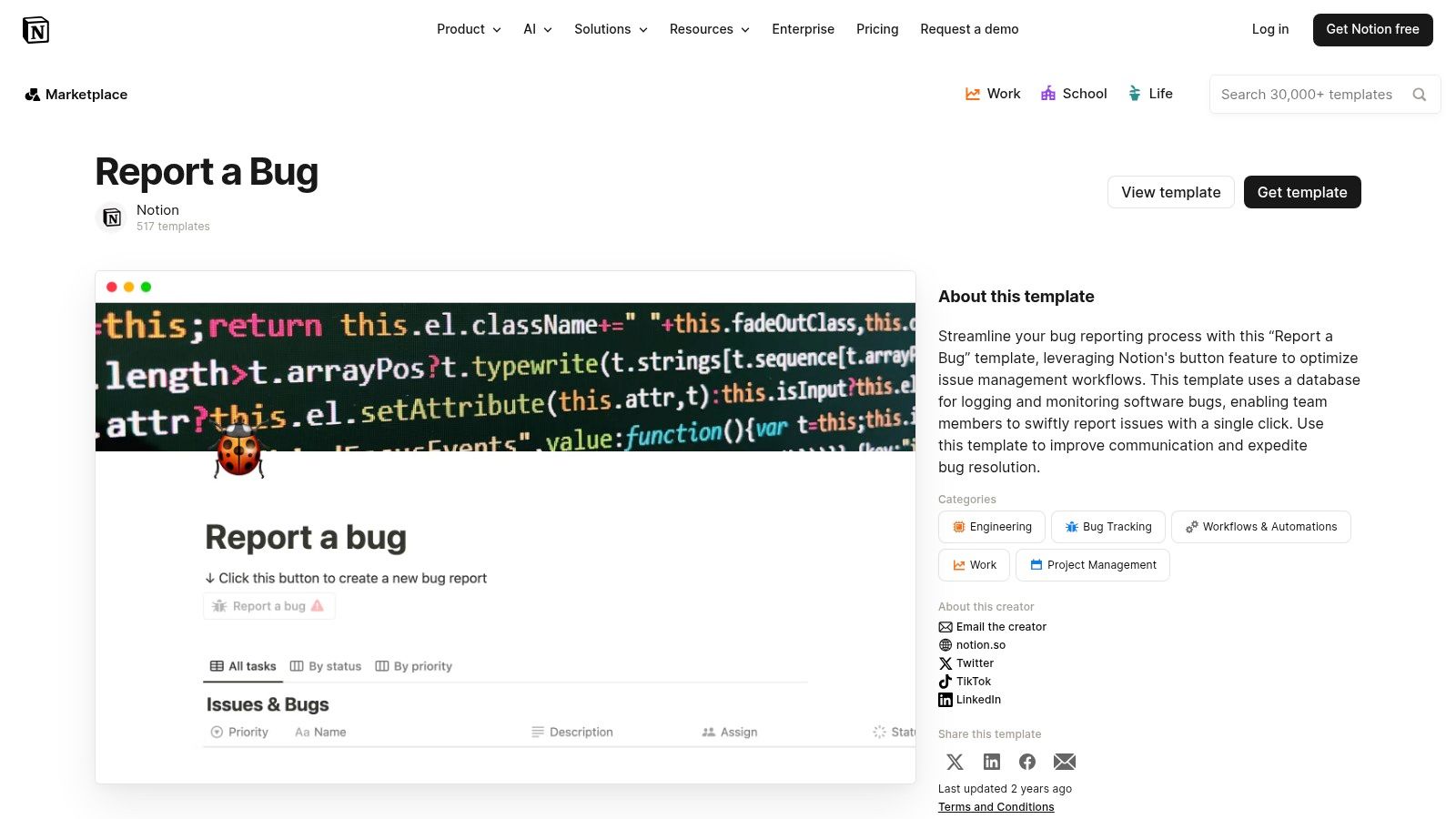
The template provides a ready-to-duplicate database with essential fields like priority, status, assignee, and date reported. Its key advantage is accessibility; anyone on the team, technical or not, can easily submit a report. Users can switch between a classic table view for a comprehensive overview and a Kanban board view to visualize the bug-fixing workflow. This makes it an ideal, lightweight solution for small to medium-sized teams or cross-functional projects where a heavy-duty system like Jira might be overkill.
Key Features & Assessment
Notion's strength is its unparalleled flexibility and speed of setup. You can have a functional bug tracker running in minutes without any administrative overhead. The user experience is intuitive, making it highly approachable for non-technical contributors. However, it lacks the native, deep integrations with developer tools like Git repositories that are standard in dedicated bug tracking software. While connections are possible through integrations or Notion’s API, they often require additional setup or a paid plan.
| Feature | Details |
|---|---|
| Template Type | Standalone, duplicatable database template with pre-configured properties. |
| Core Components | Customizable properties (status, priority), multiple views (table, board, calendar), page-based reports. |
| Integration | Integrates with tools like Slack and can be extended via the Notion API (often requires a paid plan). |
| Best For | Small teams, startups, and cross-functional groups needing a quick, free, and highly customizable tracker. |
| Pricing | Free tier with generous limits; paid plans start at $8 per user/month for advanced features. |
| Website | notion.so/templates/report-a-bug |
Practical Tip: Enhance your Notion bug report template by adding a "Relation" property that links to a separate "Features" or "Projects" database. This allows you to associate bugs directly with specific product initiatives, providing valuable context for prioritization.
5. ClickUp
ClickUp positions itself as an all-in-one productivity platform, and its approach to bug tracking reflects this philosophy. Instead of being a dedicated bug tool, ClickUp offers a bug report template that seamlessly integrates into a broader project management context. This allows teams to manage bug reports alongside feature development, marketing tasks, and other operational activities within a single unified workspace, eliminating the need to switch between different applications.
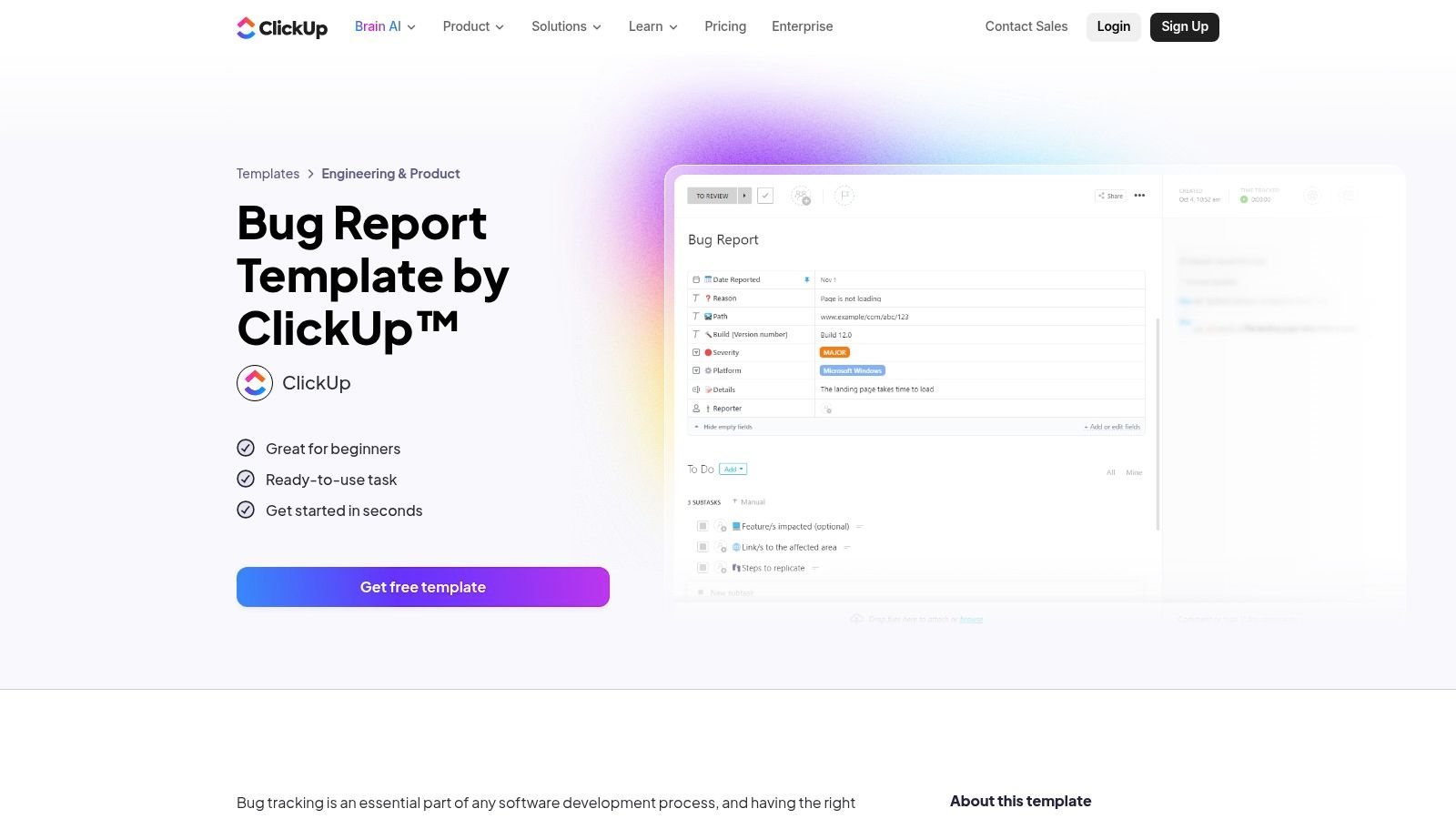
The platform's strength is its out-of-the-box "Bug Report Template," which comes pre-populated with relevant custom fields, statuses (like "To Do," "In Progress," and "Squashed"), and multiple views. Teams can immediately visualize their bug queue in a List, Board, Calendar, or Gantt view, providing different stakeholders with the perspective they need. This flexibility makes it a powerful option for cross-functional teams who need visibility into the QA process without deep-diving into a specialized tool.
Key Features & Assessment
While ClickUp is exceptionally fast to deploy, its versatility can also be a challenge. The sheer number of features and customization options can be overwhelming, and maintaining organization requires a disciplined approach to governance. The most impactful features, such as advanced automations and workload management, are reserved for its paid tiers. However, its free plan is robust enough for smaller teams to get started with a structured bug tracking process.
| Feature | Details |
|---|---|
| Template Type | Pre-built task and list template with custom fields and statuses. |
| Core Components | Custom fields, assignees, priorities, dependencies, multiple project views (Board, List, Gantt). |
| Integration | Connects with Slack, GitHub, GitLab, Sentry, and over 1,000 other apps via its API and integrations. |
| Best For | Cross-functional teams that want to manage bug tracking within their existing all-in-one project tool. |
| Pricing | Free Forever plan with core features; paid plans start at $7 per user/month for more storage and views. |
| Website | clickup.com/templates/bug-report-t-2z6mm47 |
Practical Tip: Use ClickUp's Forms view to create a public-facing or internal bug submission form. This form automatically creates a new bug task in your list from the template, standardizing the intake process and ensuring no critical information is missed.
6. Asana
Asana extends its powerful project management capabilities into the QA space with a dedicated and user-friendly bug tracking template. Where developer-centric tools can be intimidating, Asana excels at creating an accessible entry point for non-technical team members to submit well-structured reports. Its strength lies in using forms to standardize the bug report template, ensuring that every submission contains the necessary details without requiring the user to navigate complex interfaces.
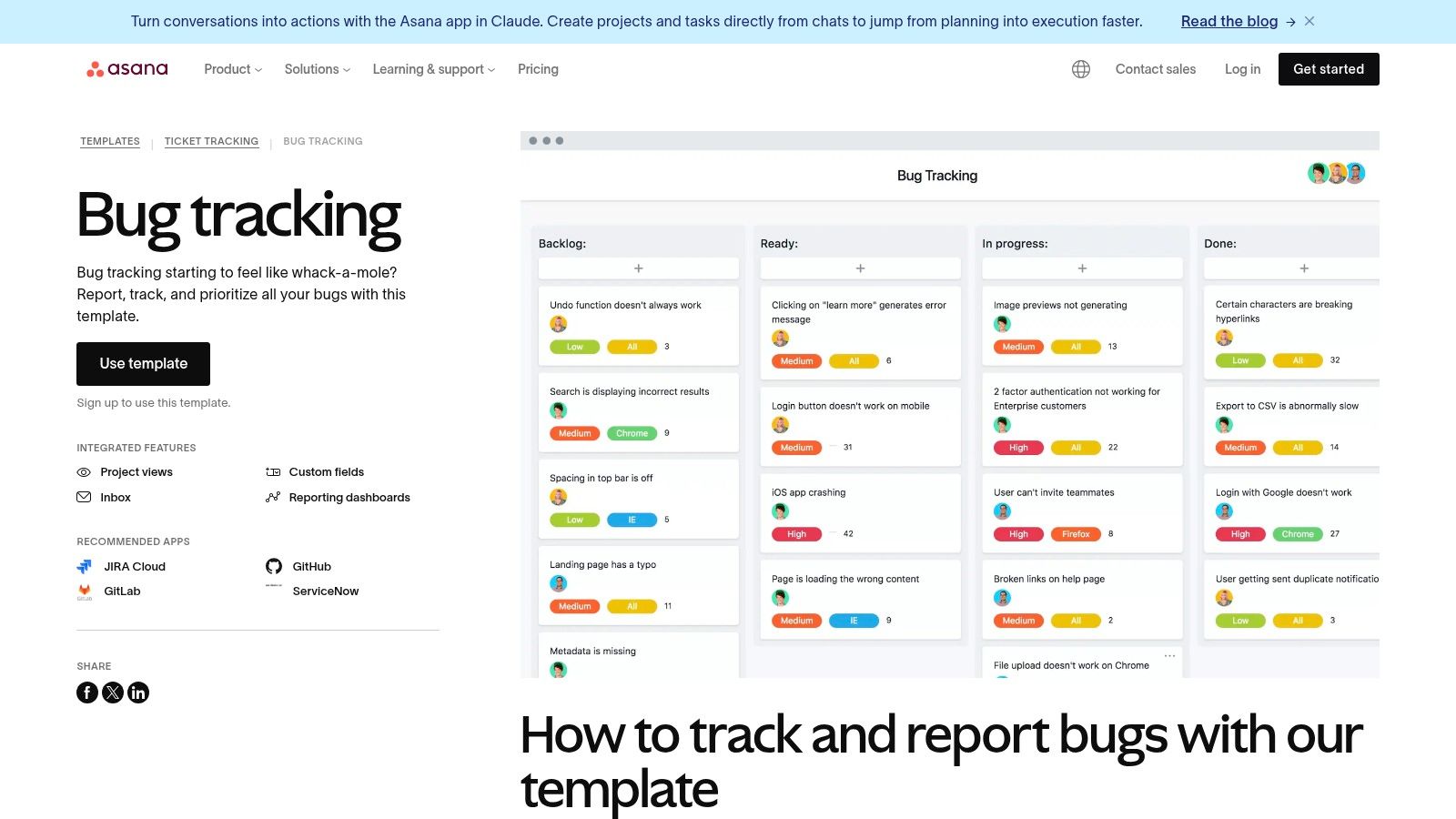
This approach transforms bug reporting from an engineering-only task into a collaborative, company-wide effort. Once a bug is submitted via a form, it appears as a task in a project board, complete with clear ownership, due dates, and custom fields for priority. This makes it simple for product managers and team leads to triage, assign, and monitor the entire bug lifecycle from a single, intuitive dashboard.
Key Features & Assessment
Asana is remarkably easy to set up and use, making it ideal for teams that need a straightforward solution without a steep learning curve. While it may lack the deep, code-level integrations of more specialized tools like Jira, its clean UI and powerful task management features provide more than enough functionality for many organizations. The platform's true value shines in mixed-discipline teams where marketing, sales, and support need to contribute to the QA process.
| Feature | Details |
|---|---|
| Template Type | Pre-built project template with customizable forms and task structures. |
| Core Components | Bug submission forms, custom fields (Priority, Browser, OS), Kanban boards, project dashboards, and automated rules. |
| Integration | Connects with Slack, Microsoft Teams, GitHub, and thousands of other apps via Zapier to streamline workflows. |
| Best For | Cross-functional teams needing a simple way to onboard non-engineering users to file high-quality bug reports. |
| Pricing | Free tier for up to 10 users; paid plans with advanced features like forms start at $10.99 per user/month. |
| Website | asana.com/templates/bug-tracking |
Practical Tip: Use Asana's form feature to create a dedicated bug submission link. Share this link with customer support and other internal teams, so they can report issues directly into your engineering backlog with all the required information, cutting down on back-and-forth communication.
7. monday.com
monday.com transforms bug tracking from a simple list into a dynamic, visual workflow. It provides a prebuilt "Bug Tracking" template that includes a shareable bug report form, which automatically populates a structured board. This setup creates a seamless pipeline, allowing non-technical stakeholders to submit issues easily while providing development teams with an organized queue for prioritization and resolution.
The platform's key differentiator is its highly visual and user-friendly interface. Teams can switch between various views like Kanban, Gantt, and Timeline to see bug data from different perspectives. This visual flexibility, combined with powerful dashboard widgets, makes it simple for managers to monitor progress, identify bottlenecks, and communicate status to stakeholders without needing to dive into individual ticket details.
Key Features & Assessment
While the platform is incredibly intuitive, unlocking its full potential for development teams often requires the specialized features found in the monday dev product or higher-tier plans. The initial setup requires some configuration to tailor the boards and automations to a specific team's workflow, but the visual builder makes this process accessible. The platform excels at creating a clear, end-to-end flow from submission to fix.
| Feature | Details |
|---|---|
| Template Type | Prebuilt board templates ("Bug Tracking"), customizable forms, and incident management workflows. |
| Core Components | Bug report form, customizable boards, multiple views (Kanban, Gantt), dashboards, automations. |
| Integration | Connects with developer tools like Jira, GitHub, GitLab, and communication apps like Slack and Teams. |
| Best For | Teams wanting a highly visual and collaborative bug management system that is easy for all users to adopt. |
| Pricing | Free tier available for individuals; paid plans start at $9 per seat/month for more features and users. |
| Website | monday.com/templates/bug-tracking/ |
Practical Tip: Use monday.com’s form view to create a public-facing bug report template. Share the link with clients or internal users, so their submissions directly create new items on your bug tracking board with all the required information, saving significant manual entry time.
8. Smartsheet
Smartsheet offers a different approach by providing a curated resource hub of downloadable bug report templates rather than a dedicated software platform. This is ideal for teams that need static, shareable reports or prefer to manage bug tracking within familiar spreadsheet environments. The templates are available in various formats, including Excel, Google Sheets, Word, and PDF, catering to diverse organizational workflows that may not be tied to a specific issue tracker.
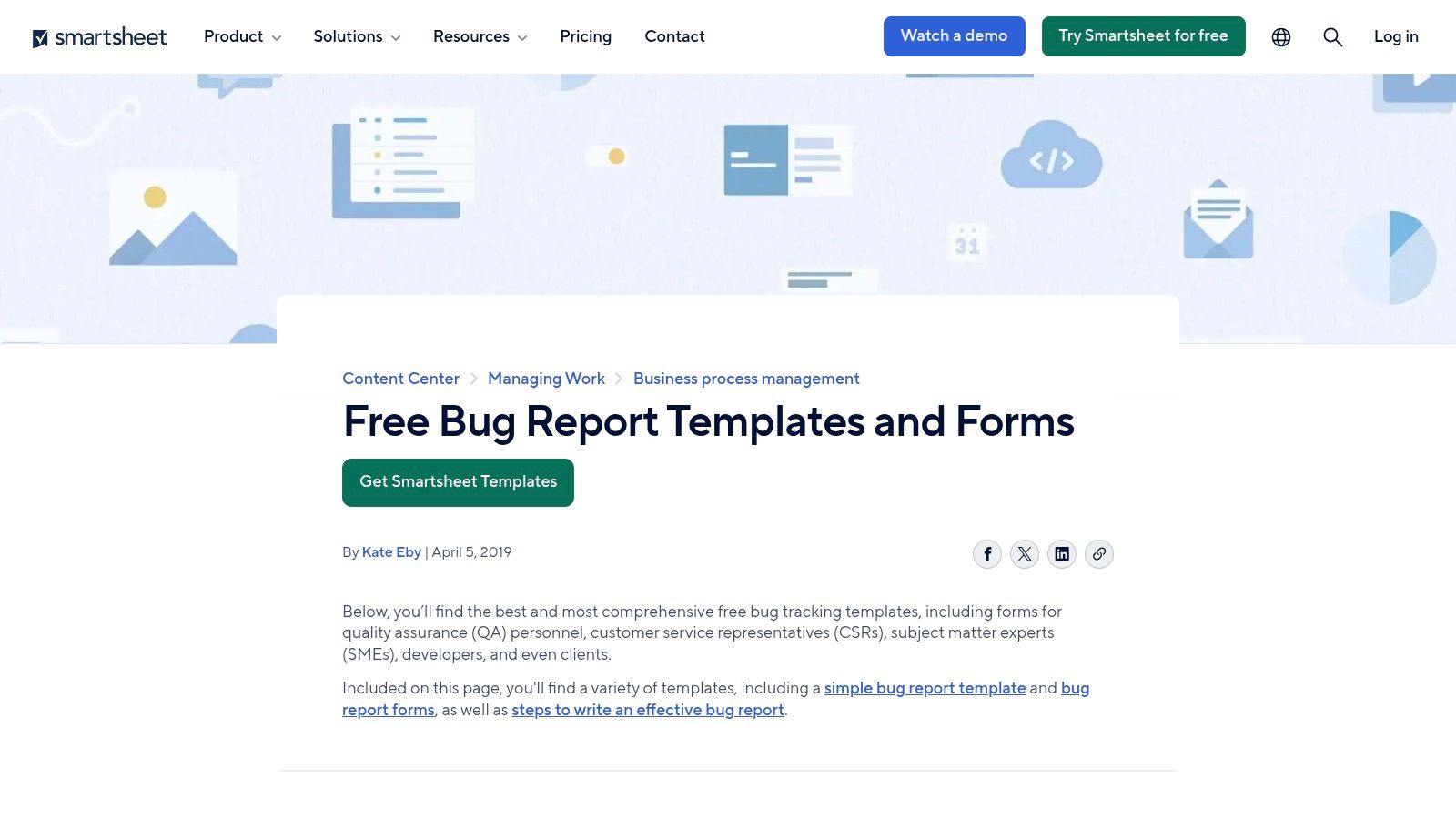
The collection includes multiple template variants, from a simple bug report form to more complex QA-focused trackers and summary reports. This flexibility allows teams to choose a bug report template that fits their immediate needs without committing to a new software tool. While these templates require manual updates, they serve as excellent standalone documents or as a foundation for data that can be imported into other systems.
Key Features & Assessment
The primary benefit of Smartsheet's offering is its tool-agnostic nature; you can download and use these templates without vendor lock-in. This is particularly helpful for generating formal reports for stakeholders or for teams that use office suites as their primary collaboration tools. However, the lack of an integrated workflow means all tracking, assignments, and status updates are manual unless you integrate the templates into the paid Smartsheet platform itself.
| Feature | Details |
|---|---|
| Template Type | Downloadable static files (Excel, Google Sheets, Word, PDF). |
| Core Components | Pre-built fields like severity, priority, reproduction steps, environment, and assignee. |
| Integration | N/A for static downloads. The Smartsheet platform itself offers extensive integrations. |
| Best For | Teams needing simple, shareable bug reports or those managing tracking in spreadsheets. |
| Pricing | The templates are free to download and use. |
| Website | smartsheet.com/bug-report-form-templates |
Practical Tip: Use the Google Sheets or Excel version as a lightweight, centralized tracker for a small project. Share the document with your team and use built-in features like comments and revision history to collaborate on bug resolution.
9. Airtable
Airtable elevates the concept of a spreadsheet into a powerful, database-like platform, making it a uniquely flexible choice for creating a bug tracking system. Instead of rigid software, Airtable offers "bases," which are pre-built bug report template databases you can copy and customize. This approach is ideal for teams that need more than a simple form but less than a full-blown project management tool like Jira. It excels at cross-functional tracking where marketing, support, and engineering all need visibility.
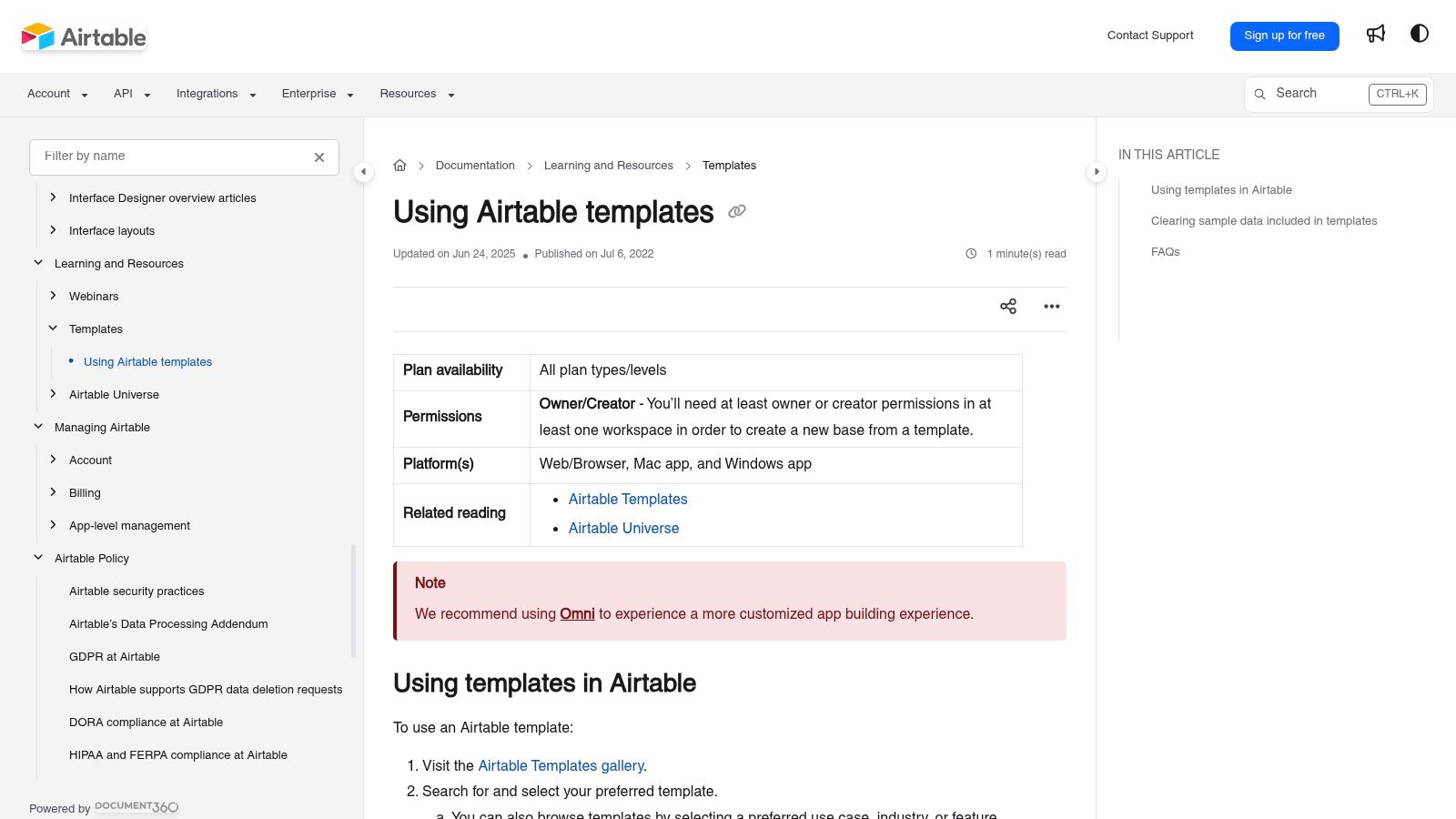
The platform's strength lies in its blend of simplicity and power. A bug report can be submitted through a clean, shareable form that directly populates the base. From there, teams can use multiple views (Kanban, grid, calendar) to manage the bug lifecycle. Linked records allow you to connect bugs to specific features, user feedback, or customer accounts, creating a rich, relational context that is difficult to achieve in simpler tools.
Key Features & Assessment
While the free plan is generous, more complex workflows requiring advanced automation or a higher number of records will push you toward a paid plan. The user experience is highly visual and intuitive, though navigating the extensive template library can feel a bit clunky on mobile devices. Airtable shines for teams that value customization and the ability to build a bespoke tracking process without writing any code.
| Feature | Details |
|---|---|
| Template Type | Customizable database templates ("bases") with pre-configured fields, views, and forms. |
| Core Components | Kanban boards, shareable forms for submission, linked records, customizable fields, automations, views. |
| Integration | Connects with services like Zapier, Slack, and others through its API and native integrations. |
| Best For | Cross-functional teams and SMBs needing a flexible, visually-driven bug tracker without heavy overhead. |
| Pricing | Free plan with core features; paid plans start at $20 per seat/month for more records and automations. |
| Website | support.airtable.com/docs/en/using-airtable-templates |
Practical Tip: Use Airtable's "Form" view to create a public-facing or internal bug submission portal. You can embed this form on a website or share a direct link, ensuring all incoming reports are standardized and land directly in your tracker without manual entry.
10. Trello
Trello offers a highly visual and intuitive approach to bug tracking through its extensive community template gallery. Instead of providing a rigid, form-based bug report template, Trello uses a flexible board-and-card system. Users can instantly copy a pre-made "Bug Tracking" board, which sets up lists like "New," "In Progress," and "Done," with cards representing individual bugs. This makes it an incredibly low-friction option for teams who prefer a Kanban-style workflow.
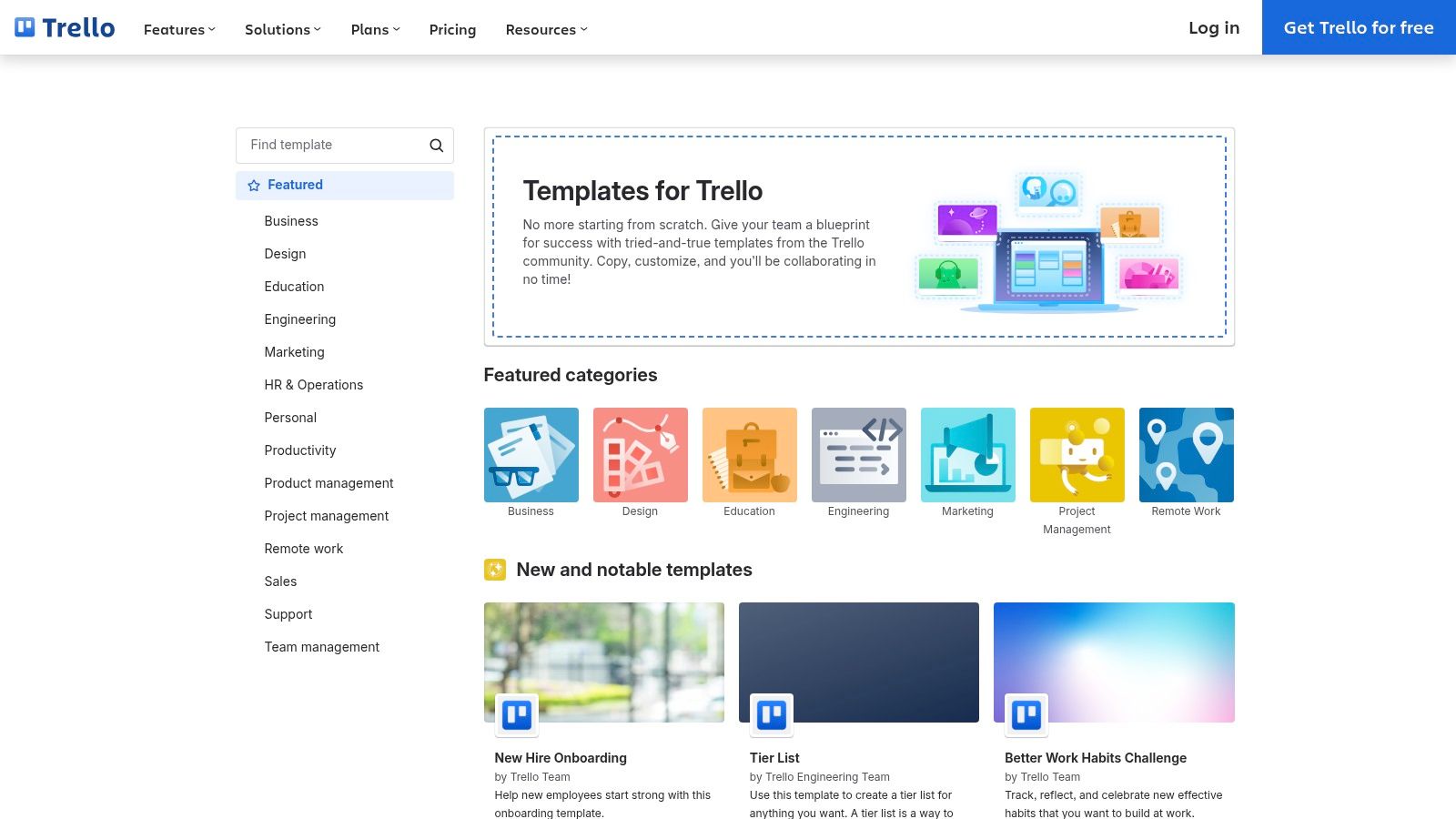
The platform's strength is its simplicity and adaptability. Each Trello card can serve as a lightweight bug report, holding descriptions, checklists for reproduction steps, attachments for screenshots, and comments for discussion. While it lacks the deep, built-in fields of dedicated bug trackers, its "Power-Ups" can add custom fields, integrate with developer tools like GitHub, and enhance reporting, making it a surprisingly capable solution for small to mid-sized teams.
Key Features & Assessment
The user experience is Trello's biggest advantage; non-technical team members can grasp the system in minutes. While it may not scale for complex enterprise needs without significant customization and paid Power-Ups, its accessibility makes it perfect for startups, agencies, or internal projects. The free tier is generous enough to manage a complete bug lifecycle for small teams.
| Feature | Details |
|---|---|
| Template Type | Board templates from the community gallery (e.g., "Bug Tracking") |
| Core Components | Customizable lists, cards as reports, checklists, attachments, comments, labels, and Power-Ups. |
| Integration | Extensive Power-Ups for Slack, GitHub, Google Drive, and more to extend functionality. |
| Best For | Small to medium-sized teams, non-technical stakeholders, and anyone needing a simple, visual bug tracker. |
| Pricing | Free tier with core features; paid plans start at $5 per user/month for advanced Power-Ups and views. |
| Website | trello.com/templates |
Practical Tip: Use Trello's "Custom Fields" Power-Up (available on all plans) to add structured data like "Browser Version," "Operating System," and "Severity" to your bug cards. This brings more consistency to your reports without sacrificing simplicity.
11. Coda
Coda reimagines bug tracking by blending the flexibility of a document with the power of a structured database. Instead of a rigid system, Coda offers a "Bug Tracker" doc template that teams can duplicate and tailor to their specific needs. This unique approach allows you to manage bug reports within a living document, right alongside project plans, meeting notes, and team wikis, creating a single source of truth for your entire workflow.
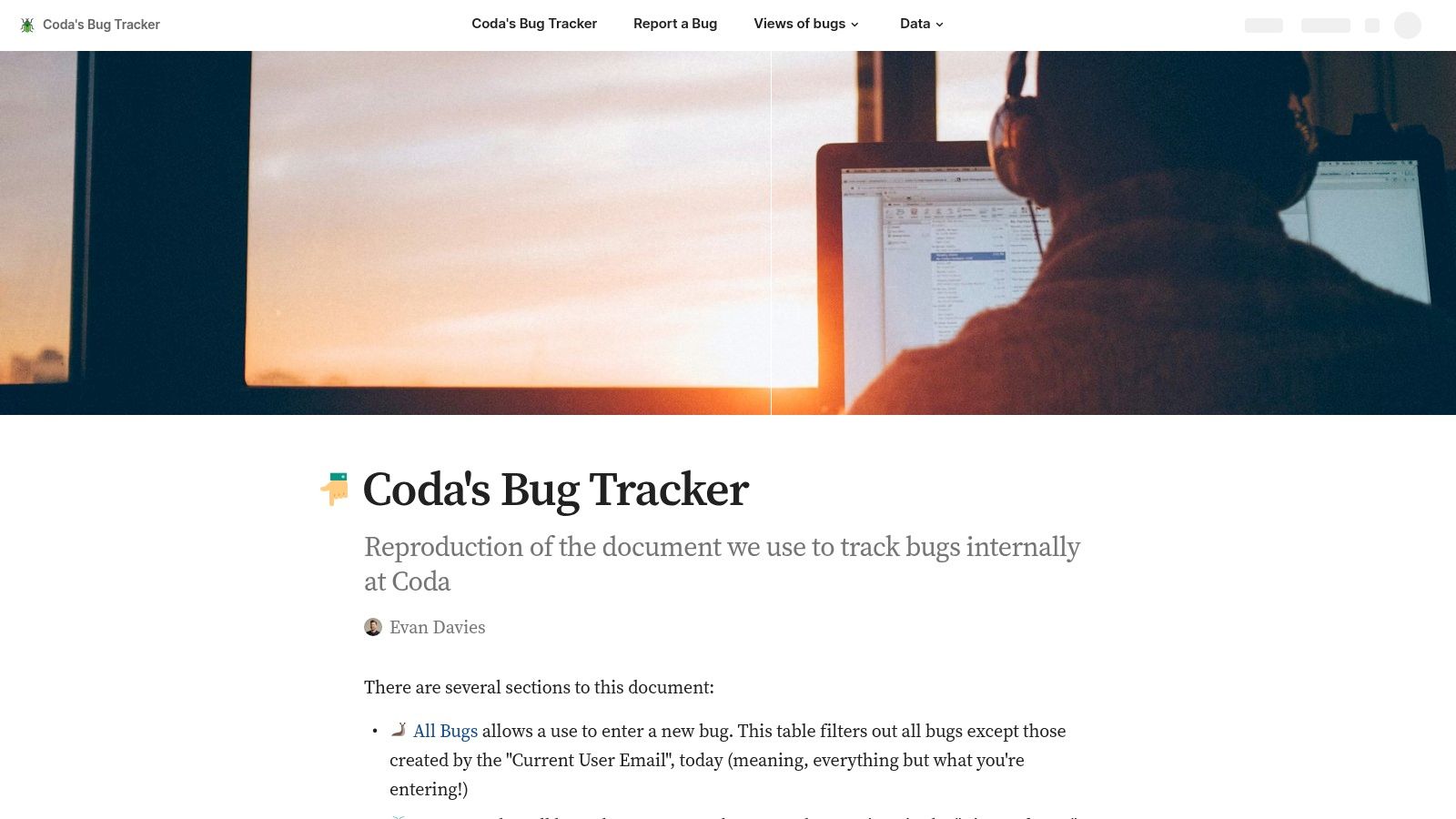
The template comes pre-built with interconnected tables for bugs, components, and priorities, providing a solid foundation. Its real strength comes from "Views," which let you create dynamic dashboards for open issues, bugs assigned to you, or recently closed tickets. With Coda Packs, you can integrate with tools like Jira or GitHub, pulling data directly into your bug tracker doc and automating status updates.
Key Features & Assessment
While Coda's all-in-one model is a major advantage for teams looking to consolidate tools, it requires an initial investment to customize the template for complex engineering processes. The user interface is clean and intuitive, feeling more like a collaborative document than a traditional issue tracker. The true potential for a sophisticated bug report template is unlocked with paid plans, which enable advanced automations and integrations.
| Feature | Details |
|---|---|
| Template Type | Customizable doc template with integrated database tables and views. |
| Core Components | Interlinked tables, custom views (Kanban, calendar), buttons, and conditional formatting. |
| Integration | Coda Packs allow for integrations with apps like Jira, GitHub, Slack, and Figma. |
| Best For | Cross-functional teams that want to embed their bug tracker directly within their documentation. |
| Pricing | Free tier with core features; paid plans start at $10 per "Doc Maker"/month for advanced features. |
| Website | coda.io/@evanatcoda/codas-bug-tracker |
Practical Tip: Use Coda’s button automation to create a simple "New Bug" button at the top of your doc. This can pre-populate a new row in your bug table with default values and ping a specific channel in Slack, streamlining the reporting process for everyone on the team.
12. Template.net
Template.net offers a vast library of downloadable documents, positioning itself as a go-to resource for when a bug report needs to be a polished, standalone file rather than an entry in a complex system. Unlike integrated platforms, its value lies in providing a bug report template that you can customize online and then export to familiar formats like Google Docs, Word, Excel, or PDF. This makes it ideal for creating professional, branded reports for clients or stakeholders who don't have access to your internal tracking tools.
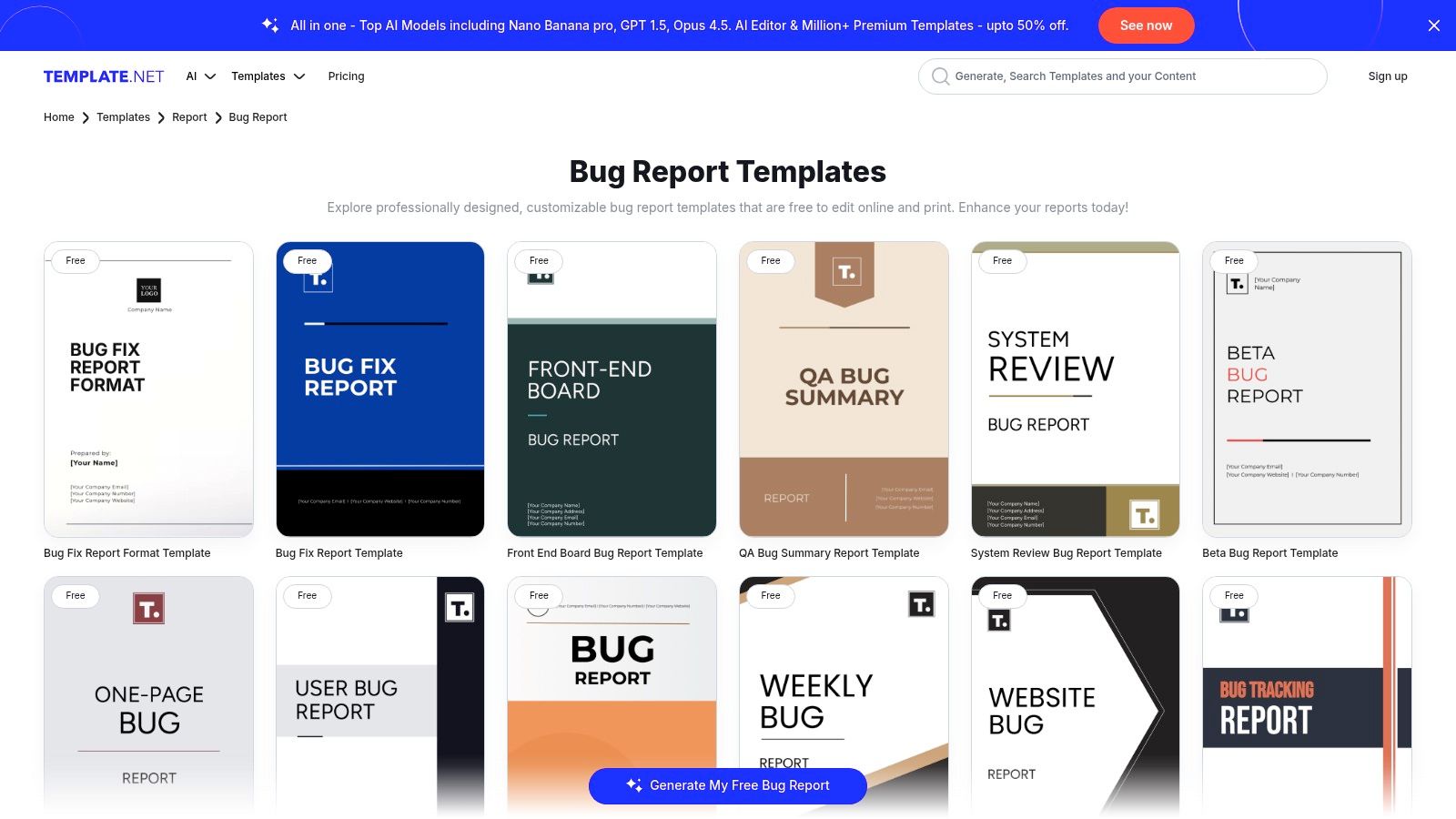
The platform features a wide array of designs, from simple website bug forms to comprehensive QA summary reports and weekly bug trackers. This variety allows teams to find a layout that fits their specific reporting needs, whether it's for internal documentation or a formal client deliverable. The online editor is straightforward, enabling quick branding and content adjustments before printing or sharing the final document.
Key Features & Assessment
While Template.net excels at producing well-designed static documents, it's important to remember that these files exist outside of any automated workflow. The quality and complexity of templates can vary, with many of the more polished designs requiring a subscription. However, for teams needing to quickly generate a professional-looking report without designing it from scratch, the platform provides an immediate and effective solution.
| Feature | Details |
|---|---|
| Template Type | Downloadable and editable document templates (Word, Google Docs, Excel, PDF). |
| Core Components | Pre-designed layouts for various reports, online editor for customization, multiple export formats. |
| Integration | None; templates are standalone documents intended for manual sharing and filing. |
| Best For | Freelancers, agencies, and teams needing to create formal, client-facing bug reports or summaries. |
| Pricing | Offers free templates with limited features; premium plans start at $2.99/month for full access. |
| Website | template.net/reports/bug |
Practical Tip: Use Template.net to create a master bug report document for your team. Export it to Google Docs and establish it as the official, shareable template that everyone can copy, ensuring consistency for all manually-filed reports.
Bug Report Template Comparison: Top 12 Tools
| Product | Core features | UX / Quality (★) | Price & Value (💰) | Target (👥) | Unique / Standout (✨ / 🏆) |
|---|---|---|---|---|---|
| Atlassian Jira | Boards, workflows, analytics, bug templates | ★★★★★ | 💰 Free tier; paid for advanced orgs | 👥 Engineering & enterprise PMs | 🏆 Enterprise-grade workflows & reporting |
| GitHub | YAML issue forms, templates in repo, validations | ★★★★☆ | 💰 Free for public/private; repo‑based | 👥 Dev teams & OSS projects | ✨ Version‑controlled bug forms tied to code |
| GitLab | Repo/group issue templates, CI/CD links | ★★★★☆ | 💰 Free tier; paid for enterprise features | 👥 GitLab-centric engineering teams | ✨ Centralized templates + CI/CD integration |
| Notion | Database template, flexible views, easy dup | ★★★★ | 💰 💰 Free template; paid for advanced blocks | 👥 Cross‑functional teams & non‑devs | ✨ Quick to spin up, highly customizable UI |
| ClickUp | Tasks with custom fields, multiple views | ★★★★ | 💰 Freemium; best features on paid plans | 👥 PMs & ops wanting integrated tracking | ✨ Fast deploy + many visualizations |
| Asana | Forms, custom fields, dashboards | ★★★★ | 💰 Freemium; premium for advanced reports | 👥 Non‑engineering teams & managers | ✨ Simple onboarding for reporters & owners |
| monday.com | Forms → boards, dashboards, integrations | ★★★★ | 💰 Paid tiers; best in paid dev plans | 👥 Managers & cross‑team stakeholders | ✨ Visual end‑to‑end reporting dashboards |
| Smartsheet | Downloadable templates (Excel/Docs/PDF) | ★★★ | 💰 Many free templates; paid platform | 👥 QA leads needing shareable docs | ✨ Exportable, office‑friendly templates |
| Airtable | Bases, forms, automations, linked records | ★★★★ | 💰 Freemium; automations on paid plans | 👥 Cross‑functional teams needing DB power | ✨ Flexible DB + automations for workflows |
| Trello | Board templates, cards/lists, Power‑Ups | ★★★★ | 💰 Free; Power‑Ups/Premium paid | 👥 Lightweight teams & non‑technical users | ✨ Very low friction; quick template copies |
| Coda | Doc + tables, views, automations, Packs | ★★★★ | 💰 Freemium; paid for advanced Packs | 👥 Teams wanting docs + trackers together | ✨ All‑in‑one doc + database flexibility |
| Template.net | Editable, brandable bug report docs | ★★★ | ★★★ 💰 Many free; premium designs paid | 👥 Client‑facing teams & marketing | ✨ Polished, printable templates for reports |
Integrating Bug Reports into a Seamless Workflow
Selecting the right bug report template is a critical first step, but its true value emerges when it becomes a seamless, integrated part of your development lifecycle. Throughout this guide, we've explored a diverse range of templates and tools, from the structured environments of Jira and GitLab to the flexible canvases of Notion and Coda. The common thread is clear: a well-designed template is the foundation for effective communication and rapid issue resolution.
By standardizing the information you collect, you eliminate the costly back-and-forth that plagues so many development teams. A developer shouldn't have to chase down a reporter for browser versions, console logs, or steps to reproduce. A great template captures this essential data upfront, transforming a vague complaint into an actionable task.
From Reporting to Resolution: Key Takeaways
The journey from a discovered bug to a deployed fix should be as frictionless as possible. As you reflect on the tools we've covered, remember these core principles:
- Context is King: The best templates are not one-size-fits-all. A template for a mobile app bug will need different fields than one for a backend API error. Tailor your chosen template to the specific context of your project.
- Accessibility Matters: Bug reporting shouldn't be a chore. Whether you're using a dedicated form in GitHub or a simple checklist in Trello, the process must be easy and accessible to everyone, including non-technical stakeholders.
- Automation Amplifies Efficiency: Leverage the power of automation within tools like Asana, ClickUp, or monday.com. Automatically assign new bug reports to the right team, set priority levels based on keywords, or notify stakeholders when a status changes. This reduces manual overhead and keeps the process moving.
- Visibility Prevents Silos: A submitted bug report should never disappear into a black hole. The entire team, from product managers to QA testers, needs visibility into the status of reported issues. This transparency builds trust and enables better planning.
Choosing Your Tool and Implementing Your Template
How do you choose the right platform from our list? Your decision should be guided by your team’s existing ecosystem and specific needs. If your team lives and breathes in Jira or GitHub, the built-in bug tracking features are your most logical starting point. Their native integration with your codebase and project boards creates a powerful, unified workflow.
For teams that need more flexibility or operate outside a traditional software development environment, platforms like Airtable, Notion, or Smartsheet offer unparalleled customization. You can build a bug tracking system from the ground up that perfectly matches your unique processes, incorporating rich media, detailed relational databases, and custom views.
Once you’ve selected a tool, implementation is the next crucial step. Don't just drop a new bug report template on your team and expect immediate adoption.
- Start with a Pilot: Roll out the template with a small, receptive group or for a single project.
- Gather Feedback: Actively solicit feedback on the template's clarity and usefulness. Are any fields confusing? Are you missing critical information?
- Iterate and Refine: Use the feedback to make adjustments. A template is a living document that should evolve with your team and projects.
- Document the Process: Create a simple guide or wiki page that explains how to use the template and where to find it.
The Power of Closing the Loop
The final, and perhaps most important, piece of the puzzle is closing the communication loop. A bug isn't truly fixed until the fix is deployed and stakeholders are informed. This is where connecting your bug tracking system to a lightweight progress log becomes a game-changer. After a developer resolves a ticket from your meticulously crafted bug report template, their work shouldn't be lost in a complex commit history.
By logging a simple, asynchronous update, such as "Fixed authentication bug from Ticket #7890," they create a clear, searchable record of their accomplishment. This keeps everyone informed without the need for disruptive status meetings and builds a valuable archive of problems solved. This synergy between structured input (the template) and clear output (the progress log) creates a complete, reliable narrative of your team's hard work, turning bug squashing from a chaotic scramble into a well-orchestrated success story.
Once your bug reporting process is streamlined, the next challenge is maintaining visibility on the fixes without adding more meetings. WeekBlast provides a simple, asynchronous way for developers to log their progress on bug fixes and other tasks. Instead of interrupting your team's flow, you get a clear, weekly digest of what's been accomplished, creating a perfect complement to your new bug report template system. See how it works at WeekBlast.


